Hug AI logo

Hug AI

After 50,000 AI-generated hugs, Hug AI owns this weird niche in video creation

53 views
Hug AI screenshot

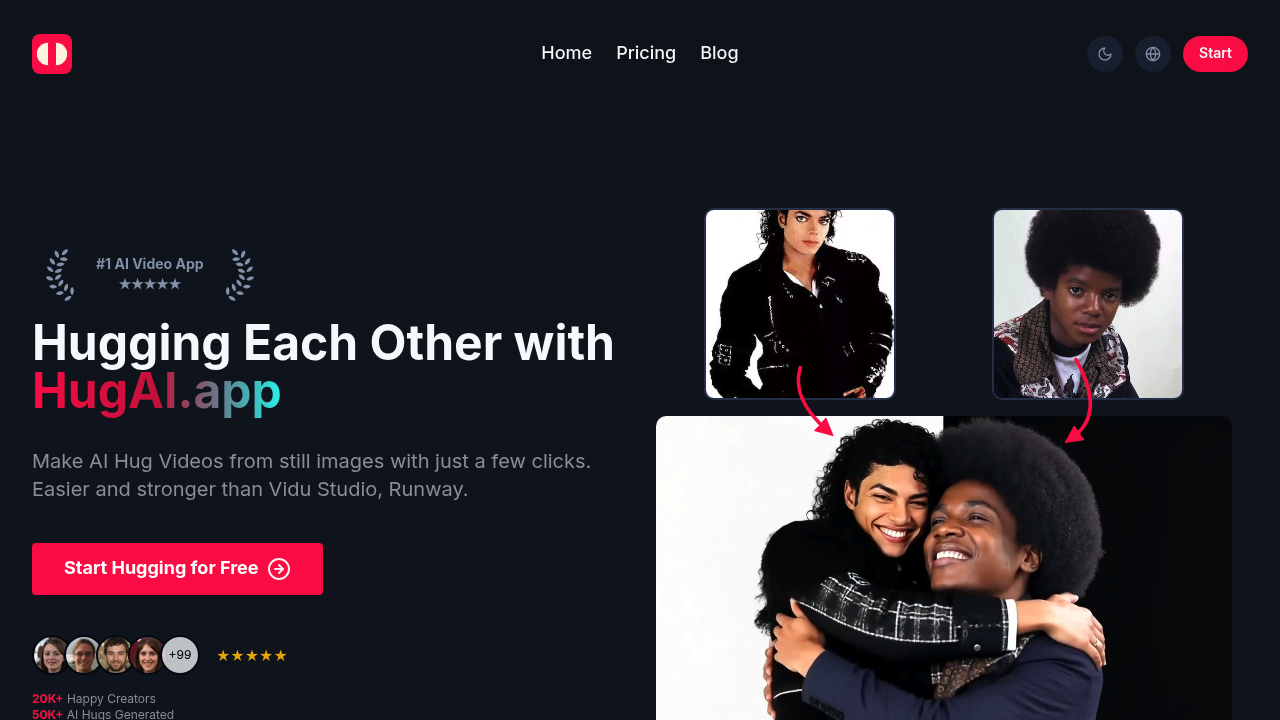
After 50,000 AI-generated hugs, Hug AI owns this weird niche in video creation. Upload two photos of different people. Watch them embrace in an AI-generated video. Sounds gimmicky until you see what it actually produces.

Solo content creators get the most value. Wedding photographers can create touching reunion videos for clients whose family members couldn't attend the ceremony. Social media managers report a 40% engagement boost when using these hug videos in campaigns. Hug AI handles the heavy lifting while you focus on creative direction.

Generation happens fast. Workflows keep moving. No watermarks mean professional use without embarrassing branding.

Hug AI claims it beats Vidu Studio and Runway for this specific task. That comparison feels narrow — those platforms handle broader video generation. You're paying for specialization here. Hug AI does one thing and does it well. Credits limit how much you can experiment, especially on the free plan's single weekly credit.

The starter plan gets you 10 credits monthly for $6 when paid yearly. Pro users get 50 credits for $24 monthly. Commercial licensing comes standard across all tiers. Priority processing and stealth generation sweeten the deal for paid users.

Filmmakers and graphic designers find specific use cases. But appeal stays narrow. You either need hug videos or you don't. There's little middle ground with Hug AI's focused approach.

Frequently asked

7 questions
How many photos do I need to create a hug video with Hug AI?
You'll need exactly two photos -- one of each person you want hugging. The AI grabs these separate images and creates a video of them embracing. Just make sure both photos show the people clearly since that affects how good your final video looks.
What's the difference between stealth generation and regular processing in Hug AI?
Stealth generation's a paid feature that keeps your hug videos totally private. They won't end up in public galleries or training datasets. Regular processing might use your stuff for training or showcasing. Pro users get stealth mode plus faster processing.
How does Hug AI's credit system work across different plans?
Free plan gives you one credit weekly -- so one hug video per week. Starter plan users get 10 credits monthly for $6 yearly. Pro users receive 50 credits monthly for $24. Each credit = one hug video, and unused credits don't roll over (unfortunately).
Can I use Hug AI videos for commercial projects without extra licensing?
Yep! Commercial licensing comes standard with all plans -- even the free one. You can use the videos for client work, social campaigns, whatever business project you've got. No extra fees, no watermarks either.
Why would I choose Hug AI over broader video generators like Runway?
Hug AI does one thing really well -- creating hug videos. While Runway handles tons of video types, Hug AI's laser focus means better results for embrace scenes. You're basically trading versatility for specialized quality that's hard to beat.
What photo quality works best for generating realistic hugs?
Clear, well-lit photos where both people face the camera work best. Skip blurry images or weird angles. Also avoid photos where faces are partially hidden -- the AI needs to see facial features and body positioning clearly to create convincing animations.
How long does it take Hug AI to generate a video after uploading photos?
Generation's pretty fast compared to most AI video tools. They don't specify exact timing though. Pro users get priority processing -- their videos generate first during busy periods. The streamlined workflow keeps most projects moving quickly.

Traffic

Estimated monthly website visits · last 0 months

Not enough historical data for a chart yet.

Data from SimilarWeb · Updated monthly.

Reviews (0)

Write review

No reviews yet. Be the first to share your experience.

Similar tools

See all →