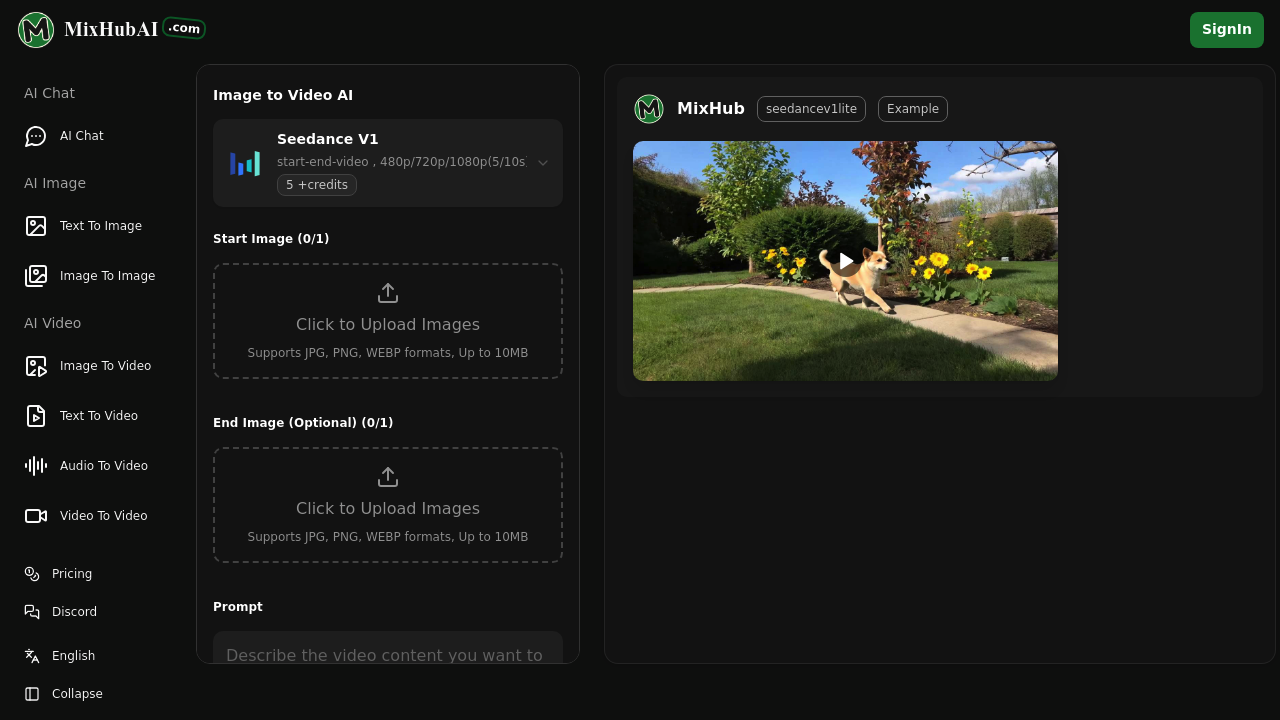
MixHub AI turns your still images into moving videos using AI. Upload a photo, drawing, or graphic, and it animates them with motion and effects. No video editing experience required.
The core feature is image-to-video conversion powered by the Seedance V1 model. You can create videos from a single starting image, or use the start-end-video mode where you specify both a beginning and ending image. The AI fills in the motion between them. Videos render at 480p, 720p, or 1080p resolution and last either 5 or 10 seconds. You can lock the camera position if you want the viewpoint to stay fixed. Upload JPG, PNG, or WEBP files up to 10MB.
Beyond image-to-video, the service includes text-to-image generation, image-to-image transformation, text-to-video creation, audio-to-video conversion, and video-to-video processing. There's also unlimited AI chat built in. Each feature runs on a credit system. Generating one video costs 5 credits.
Does it actually deliver? The multi-resolution options and dual duration settings give you some control over output quality. The start-end mode is particularly useful if you want to guide the animation toward a specific final frame rather than letting the AI decide entirely. But the 5 or 10 second cap means you're not creating long-form content here. These are clips, not narratives. And the 10MB file size limit might frustrate you if you work with high-resolution source images.
The free plan gives you 5 credits daily. That translates to 2 images and 1 video per day max. You'll hit the ceiling fast. All AI models are included, which is nice, but you can't download your creations or set them to private visibility on the free tier. Commercial use requires a paid plan too.
Paid options start at nine dollars monthly for the Pro plan. You get 300 credits, enough for up to 60 videos or 150 images per month. Downloads become available. Private visibility becomes available. You receive a commercial use PDF license. The Max plan costs fourteen dollars monthly and bumps you to 800 credits — up to 160 videos or 400 images. There are also one-time credit bundles ranging from $9.90 to $29, with credits valid for three months.
The credit math matters here. If you need regular output, the monthly subscriptions make sense. If you're experimenting or only need occasional conversions, the one-time bundles could stretch further. Yearly plans come with a 50 percent discount, but you're committing upfront.
What's missing? No team features. No API access. Integration is limited to Discord. No mobile app or browser extension. The service lives entirely on the web. And those short video durations won't cut it if you need anything beyond quick social media clips or animations.
Who benefits most with marketers creating quick product animations. Content creators jazzing up static posts. Students working on presentations. Small businesses that need simple video assets without hiring an editor. Anyone who wants motion but doesn't want to learn complex software.
The free plan lets you test the waters without spending anything. Just know you're on a tight leash. If the output quality works for your needs and you can live with 5 to 10 second videos, the paid plans are reasonably priced. If you need longer videos, more file format support, or collaborative features, you'll need to look elsewhere.