FoodShot AI logo
AI Product Photography PAID from $9/mo

FoodShot AI

You shoot a plate

FoodShot AI transforms it into magazine-quality imagery. This thing targets restaurant owners who can't afford a food photographer—but desperately need delivery app images that won't tank orders. Food bloggers tired of…

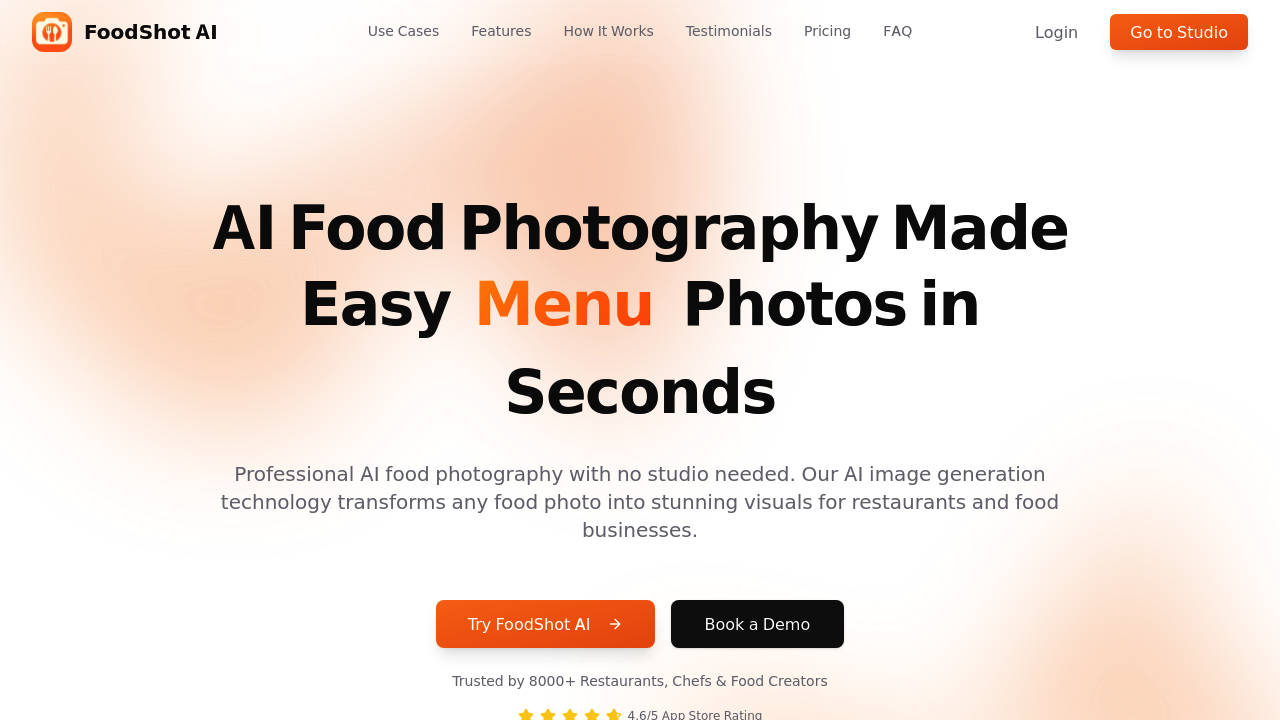
FoodShot AI screenshot

You shoot a plate. FoodShot AI transforms it into magazine-quality imagery. This thing targets restaurant owners who can't afford a food photographer—but desperately need delivery app images that won't tank orders. Food bloggers tired of racing against disappearing natural light also benefit.

FoodShot AI works through presets and templates (mimicking professional food photography styles). Upload your mediocre iPhone shot of pasta. Pick from 30+ styles—ranging from casual delivery vibes to fine dining drama. The AI adjusts lighting. It tweaks camera angles. Backgrounds get swapped so your kitchen counter becomes a rooftop terrace or luxury restaurant interior. Over 8000 food businesses apparently use this.

The editing goes deeper than filters. You can add garnishes that weren't there. Remove sauce drips. Replace plates entirely. There's a feature that clones the exact look of reference photos from Pinterest or Instagram—then applies that styling to your dish. The composition transfers. Props transfer. Lighting treatment transfers. Takes about 90 seconds per image (according to them).

Small cafes get obvious value here. Pastry chefs benefit. A restaurant consultant mentioned in their materials probably uses it to mock up menu concepts without hiring photographers. But if you're running a Michelin-starred spot where authenticity matters? Having AI invent garnishes that don't exist on your actual plates seems problematic.

Templates handle social posts and delivery platform banners. No Photoshop skills required. The 4.6 App Store rating suggests it works reasonably well for its intended crowd.


FoodShot AI alternatives

See all →

Frequently asked

7 questions
How long does it take to edit food photos with FoodShot AI?
About 90 seconds per photo. You upload your image, pick a preset or template, and the AI handles the lighting adjustments, background swaps, and styling automatically. It's way faster than manual editing in Photoshop or hiring a photographer for reshoots.
Can FoodShot AI make my food photos look like ones I see on Instagram?
Yeah, that's actually one of its standout features. You can upload a reference photo from Instagram, Pinterest, or magazines, and the AI clones the lighting, composition, props, and styling to match your dish. It transfers the whole aesthetic instead of just applying a basic filter.
Does FoodShot AI work for food delivery apps like Uber Eats?
Yep, it's specifically optimized for delivery platforms including Uber Eats and DoorDash. The presets include styles suited for delivery menus, and you can create banners formatted for those apps. Over 8000 restaurants and food businesses use it, many for exactly this purpose.
Can I add or remove things from my food photos?
You can add garnishes, remove sauce drips, change toppings, or even swap out plates entirely. The AI also handles portion adjustments and fixes imperfections. Just keep in mind that if you're adding elements that don't exist on your actual dish, it might create authenticity issues for high-end restaurants.
What are the limitations of FoodShot AI?
The biggest concern is authenticity—the AI can create garnishes and styling elements that don't match your real dishes. For casual spots and delivery menus that's probably fine, but fine dining restaurants where accuracy matters might have issues. Also, it's a paid app with no free trial to test it first.
Who should use FoodShot AI?
It's built for restaurant owners, chefs, and food bloggers who can't afford professional photographers or don't have time for complicated editing. Small cafes, pastry chefs, and restaurant consultants get the most value. If you're shooting with an iPhone and need delivery app images fast, it'll save you tons of time.
Does FoodShot AI require photography or editing skills?
Nope, that's the whole point. You don't need Photoshop knowledge or studio equipment. Just shoot your plate with your phone, pick from 30+ presets, and let the AI handle angles, lighting, and backgrounds. The 4.6 App Store rating suggests it's pretty user-friendly.

Traffic

Estimated monthly website visits · last 9 months

61.4K visits/mo
Monthly visits
61.4K
↑ 39.1% MoM
Global rank
#588,788
US #1,014,606
Category rank
#11
AI Product Photography
61.4K 49.1K 36.8K 24.4K 12.1K Nov 2025: 12.1K visits Nov 2025 Dec 2025: 23.5K visits Dec 2025 Jan 2026: 13.5K visits Jan 2026 Feb 2026: 18.6K visits Feb 2026 Mar 2026: 20K visits Mar 2026 Apr 2026: 19.5K visits Apr 2026 May 2026: 27.6K visits May 2026 Jun 2026: 44.2K visits Jun 2026 Jul 2026: 61.4K visits Jul 2026

Reviews (0)

Write review

No reviews yet. Be the first to share your experience.