
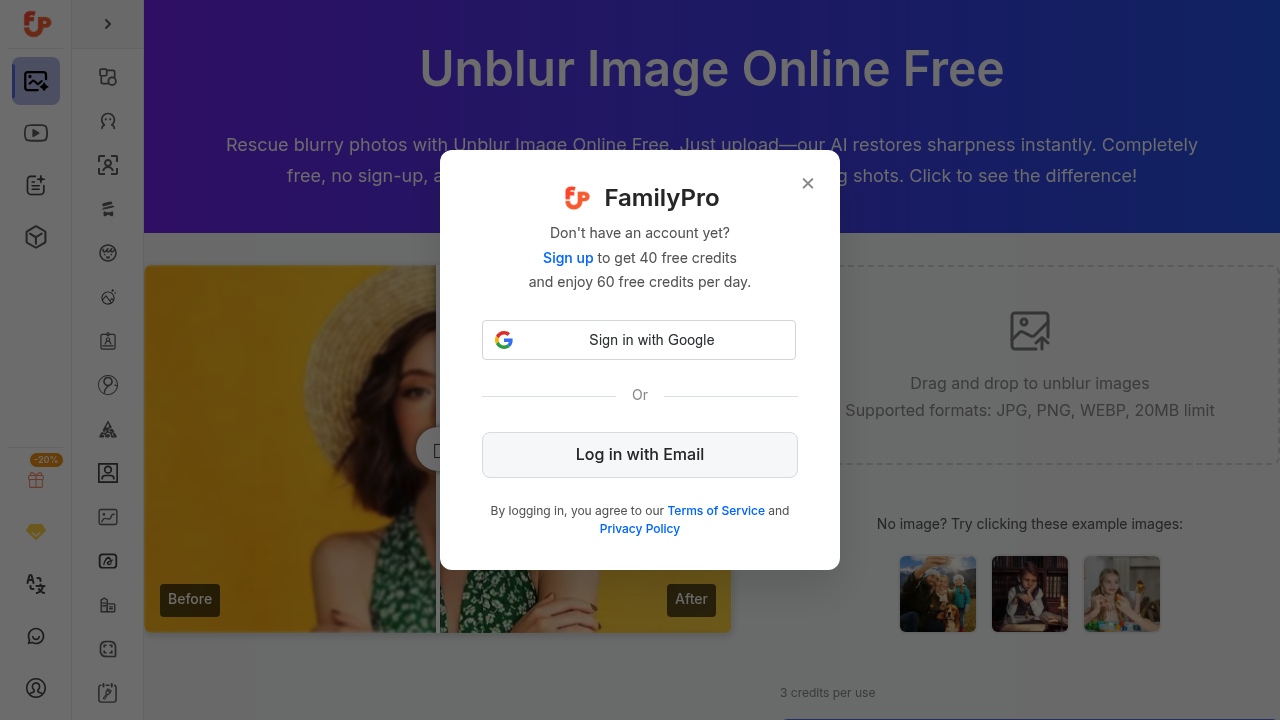
You land on the page and there's a big upload box waiting. Drag a blurry photo from your desktop or click to browse. It accepts JPG, PNG, and WEBP files up to 20MB, which covers most phone photos and screenshots but might block some high-res camera files.
The upload happens fast. Within seconds, the AI starts processing without asking you to create an account or fill out forms. This is refreshing when most tools throw up login walls immediately.
The interface shows a before-and-after comparison once processing finishes. You can slide between the original blurry image and the sharpened version to see exactly what changed. The AI focuses on restoring detail and reducing motion blur or focus issues that made the original unusable.
Download the processed image directly to your computer. No watermarks appear on the free version, which matters if you're posting to social media or using images for work. The whole flow from upload to download takes under a minute for typical photos.
The credit system controls usage. Each image costs 3 credits to process, and you get 60 credits per day without signing up. that is roughly 20 images daily. If you're fixing a few vacation photos or cleaning up product shots, this works fine. If you're batch-processing hundreds of old family photos, you'll hit the limit quickly and need to come back tomorrow.
It doesn't let you adjust processing strength or pick specific areas to sharpen. It's fully automatic. This makes it dead simple but also means you can't fine-tune results if the AI makes weird choices with certain textures or faces.
File format support is basic. No TIFF, RAW, or HEIC files work here. If you shoot in RAW or use an iPhone that saves HEIC by default, you'll need to convert first using another service, which adds friction.
Results vary by photo type. Screenshots and text documents usually come out cleaner. Photos with extreme motion blur or out-of-focus backgrounds sometimes look artificially sharpened or create strange artifacts around edges. The AI can't invent detail that never existed, so heavily degraded images won't magically become crisp.
The page includes example images you can test with before uploading your own. This helps you understand what it can actually do versus what you're hoping it can do.