Unblur Image by Uluch logo

Unblur Image by Uluch

You land on Uluch and immediately see a drag and drop zone waiting for your blurry photo

The interface doesn't waste time with tutorials or walkthroughs. Just drop your image and watch it process. Uluch accepts JPG, JPEG, PNG, and WEBP files up to 10 MB. That's plenty for most photos but you'll hit a wall…

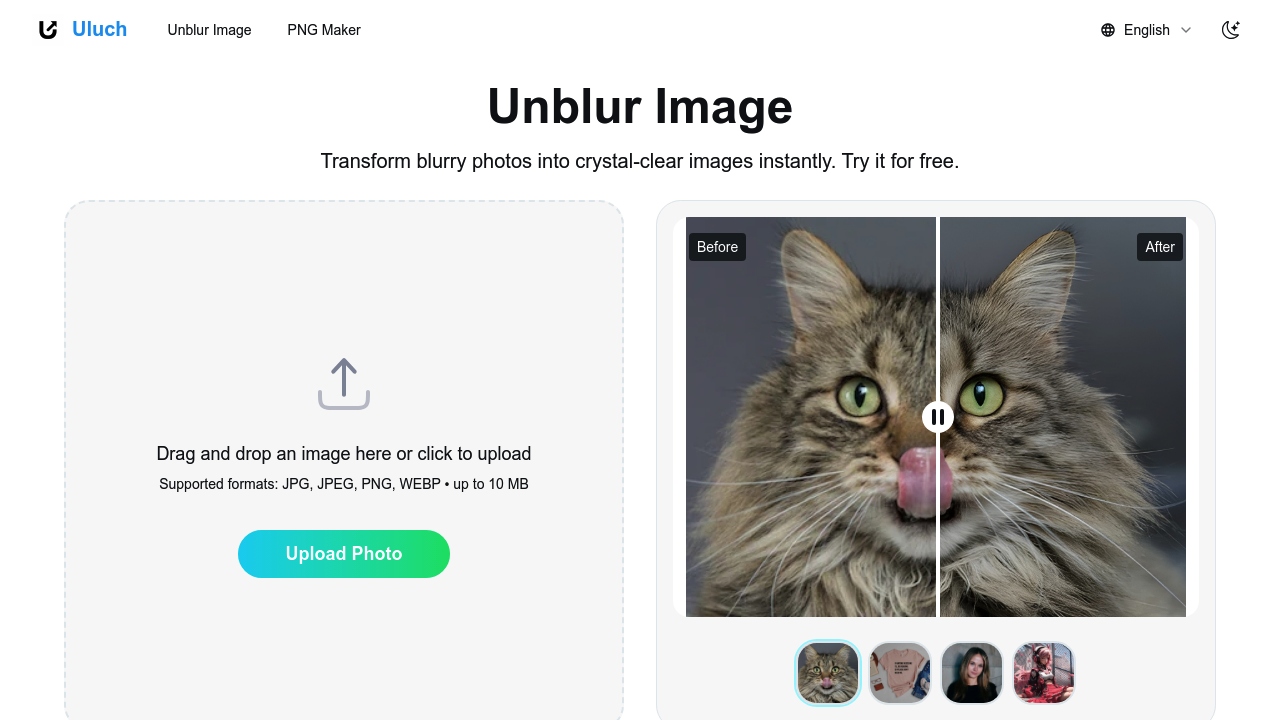
Unblur Image by Uluch screenshot

You land on Uluch and immediately see a drag and drop zone waiting for your blurry photo. The interface doesn't waste time with tutorials or walkthroughs. Just drop your image and watch it process.

Uluch accepts JPG, JPEG, PNG, and WEBP files up to 10 MB. That's plenty for most photos but you'll hit a wall with raw files or large scans from professional cameras. Upload a blurry portrait and the processing happens in seconds. No progress bars that creep along. No waiting rooms.

Results show up with a before and after comparison slider. You can drag it back and forth to see exactly what changed. The AI focuses on facial features when it detects portraits, sharpening eyes and smoothing out motion blur while keeping skin tones natural instead of that plastic overprocessed look some photo editors give you.

Product photos get similar treatment. If you're shooting items for an online store and your hand shook or the lighting wasn't perfect, Uluch pulls back detail in textures and edges. E-commerce sellers will recognize this immediately as the difference between a listing that converts and one that doesn't.

Pet photos work too. The system restores fur texture and whisker detail that got lost in the blur. Group photos with multiple people get enhanced across all the faces at once, though you can't selectively enhance just one person if others look fine.

The one-click approach means you can't adjust intensity or fine-tune specific areas. What you get is what the AI decides looks best. Sometimes that's perfect. Sometimes you'll wish you could dial it back or push harder on certain parts of the image. There's no manual control layer.

Marketing and advertising images benefit from the quick turnaround. You can salvage slightly off shots instead of reshooting. Travel bloggers and content creators dealing with hundreds of photos can process them fast without opening heavyweight editing software.

The site also includes a PNG Maker for creating transparent backgrounds, though that's separate from the unblurring feature. Thousands of users have run images through the system. Avatar enhancement for social media profiles works well since those small circular crops need every bit of sharpness they can get.

Uluch runs free online with instant results. No account creation blocking you from processing. No credit card required to see if your photo can be saved.

Unblur Image by Uluch alternatives

See all →

Frequently asked

6 questions
How do I unblur a photo online for free?
You open Uluch and drag your blurry photo directly into the upload zone without creating an account. The tool accepts JPG, JPEG, PNG, and WEBP files up to 10 MB and processes them in seconds. Results appear with a before and after slider so you can compare what changed. The AI automatically detects whether you uploaded a portrait, product shot, or pet photo and adjusts its enhancement approach. Everything runs free with instant results and no credit card required.
What file types does Unblur Image by Uluch support?
Uluch accepts JPG, JPEG, PNG, and WEBP formats with a maximum file size of 10 MB. That covers most standard photos from phones and cameras but won't work for raw files or large scans from professional equipment. You'll hit the size limit fast if you're working with high-resolution images straight from a DSLR. The tool handles typical social media uploads and web images without issues.
Can I adjust how much Unblur Image by Uluch enhances my photo?
The tool gives you a one-click enhancement with no manual controls to adjust intensity or target specific areas. What the AI decides looks best is what you get. You can't dial back the sharpening if it goes too far or push harder on certain parts of the image that need more work. This makes the process fast but you lose the ability to fine-tune results when the automatic enhancement doesn't match what you wanted.
Does Unblur Image by Uluch work for product photos?
You upload your product shot and Uluch pulls back detail in textures and edges that got lost from camera shake or lighting problems. The enhancement helps e-commerce sellers turn slightly blurry listings into sharp professional-looking images without reshooting. The quick turnaround means you can process multiple product photos fast. Marketing and advertising teams use it to salvage shots that aren't quite perfect instead of scheduling another shoot.
Is Unblur Image by Uluch really free?
Uluch runs completely free with no account creation, subscription tiers, or credit card required to process images. You get instant results without hitting a paywall after your first upload. The service handles unlimited unblurring for files up to 10 MB in JPG, JPEG, PNG, and WEBP formats. Thousands of users have processed photos through the free tool without running into hidden costs or trial limitations.
Can Unblur Image by Uluch fix group photos with multiple people?
The tool enhances all faces in a group photo at once when you upload it. The AI detects multiple people and works on everyone's facial features simultaneously while keeping natural skin tones. You can't selectively enhance just one person if others in the frame already look sharp. The before and after slider shows the changes across the entire image but won't let you isolate specific individuals for different treatment levels.

Traffic

Estimated monthly website visits · last 0 months

Global rank
#12,020,747

Not enough historical data for a chart yet.

Reviews (0)

Write review

No reviews yet. Be the first to share your experience.