#8 in AI Image Enhancer UnblurImage AI logo
AI Image Enhancer FREEMIUM from $1/mo

UnblurImage AI

You know that frustrating moment when you find the perfect photo but it's blurry

? This service tackles that problem head-on. UnblurImage AI uses artificial intelligence to sharpen photos, remove motion blur and poor focus, and generally rescue images that would otherwise end up in the trash. It…

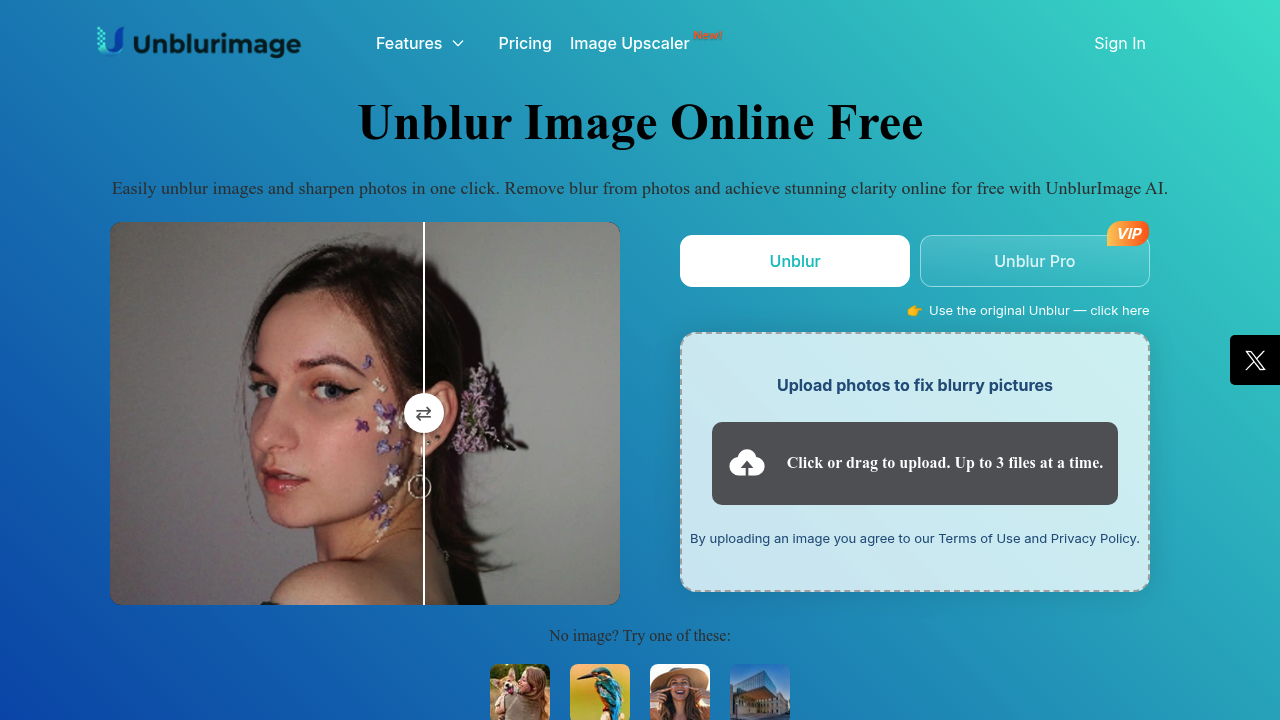
UnblurImage AI screenshot

You know that frustrating moment when you find the perfect photo but it's blurry? This service tackles that problem head-on. UnblurImage AI uses artificial intelligence to sharpen photos, remove motion blur and poor focus, and generally rescue images that would otherwise end up in the trash. It also upscales images to 4x their original size and 4K resolution, while reducing noise from high ISO, scanning artifacts, and compression.

The core feature set covers most image recovery scenarios. You can unblur photos, restore old photographs, enhance overall image quality with sharper lines and richer colors, and clean up noisy images. It handles multiple formats including PNG, JPG, and HEIC. You're allowed to upload up to 3 files at a time. There's also video unblurring capability, which sets it apart from purely photo-focused tools.

Does it actually work? The tech appears solid for standard unblurring tasks. Motion blur and focus issues get addressed through AI processing. The upscaling to 4K means you can potentially print or enlarge photos that were previously too small. Noise reduction handles different types of grain and artifacts, which matters if you're working with old scans or low-light smartphone shots.

But here are the constraints. The free plan gives you 6 image chances per week and 10 video chances per week. That's pretty limited if you've got a backlog of photos to fix. Video processing on the free tier only shows you a 30 second preview, which won't help much if you need to unblur longer clips. The 3-file upload limit means batch processing isn't really an option. Once you burn through your weekly free chances, you'll need to buy credits.

Speaking of which, the pricing runs on a credit system. One credit equals one image enhancement. Pro features like Unblur Pro or Restore Pro cost 3 credits per image. Video enhancement costs 1 credit per second, which adds up fast. The smallest paid package starts at $10 for 50 credits, putting each credit at 20 cents. But the pricing scales dramatically if you buy in bulk. At the top end, 100,000 credits costs $1,000, dropping the per-credit price to just a penny. That's a 95% savings compared to the smallest package.

The credit model makes sense for occasional users but gets expensive if you need Pro features regularly. Three credits per image means that $10 package only covers about 16 Pro enhancements. For video work, even a short 60-second clip would eat 60 credits. You'd need to jump to at least the 500-credit tier at $50 to make video work affordable.

Who benefits most? E-commerce sellers who need clean product photos. Photographers rescuing client shots. Social media creators improving visual content quality. Anyone who wants to print or enlarge photos without pixelation. The old photo restoration feature specifically helps people digitizing family archives.

The API integration means developers can build this into other applications, which opens up automation possibilities. But there's no mention of team features or collaboration tools, so this seems aimed at individual users or developers rather than agencies.

Free downloads are included, which is good. You're not paying just to preview results. The service delivers actual usable files. Just plan around those weekly limits if you're sticking with the free tier.

UnblurImage AI alternatives

See all →

Frequently asked

7 questions
How many images can I unblur for free with UnblurImage AI?
The free plan gives you 6 image chances per week, which resets weekly. Videos get 10 free chances per week, but you only see a 30 second preview of processed video results. Basic features like standard unblurring, old photo restoration, upscaling, and noise reduction are all included in those free chances. Once you've used your weekly quota, you'll need to purchase credits to continue processing images.
How much do credits cost for UnblurImage AI?
Credits start at $10 for 50 credits, which works out to 20 cents per credit. Standard image enhancement costs 1 credit, while Pro features like Unblur Pro or Restore Pro cost 3 credits per image. Video processing runs 1 credit per second, so a one-minute video would cost 60 credits. The pricing drops dramatically with volume though — 100,000 credits costs $1,000, bringing the per-credit price down to just a penny, which is a 95% savings compared to the smallest package.
Can UnblurImage AI fix motion blur in photos?
Yes, removing motion blur is one of the core functions. The AI processes images to reduce blur from camera shake, subject movement, or poor focus. It also handles upscaling to 4x and 4K resolution while sharpening lines and improving texture clarity. The tool works on multiple formats including PNG, JPG, and HEIC, and you can upload up to 3 files at a time for processing.
Is UnblurImage AI good for restoring old family photos?
It includes a dedicated old photo restoration feature specifically for this purpose. The tool can clean up scan noise, reduce compression artifacts, and enhance faded colors and textures in vintage photographs. You'd use the Restore Pro option for more intensive restoration work, which costs 3 credits per image instead of the standard 1 credit. For casual family photo projects, the 6 free weekly chances let you test it before committing to a credit package.
Does UnblurImage AI work on videos or just photos?
It handles both photos and videos. Video unblurring is available with 10 free chances per week on the free plan, though you only get a 30 second preview of results. For full video processing, you'll need credits at a rate of 1 credit per second. That means a 2-minute video would cost 120 credits to fully process. The credit cost makes video work better suited for shorter clips or occasional use rather than bulk video editing.
What are the limitations of UnblurImage AI's free plan?
The weekly caps are the biggest constraint — 6 image chances and 10 video chances that reset each week. Video results are limited to 30 second previews, so you can't actually use processed longer videos without buying credits. You're also restricted to uploading 3 files at a time, which rules out efficient batch processing. Pro features like Unblur Pro and Restore Pro aren't available on the free tier at all, requiring 3 credits per image when you upgrade.
Can I use UnblurImage AI for e-commerce product photos?
That's actually one of the primary use cases. E-commerce sellers can fix blurry product shots, upscale images to 4K for better detail, and reduce noise from poor lighting conditions. The 4x upscaling means you can enlarge smaller images without losing quality, which matters for zoom features on product pages. The credit system makes sense if you're processing products in batches — buying the 500 credit package at $50 would cover 500 standard enhancements or about 166 Pro-level fixes.

Traffic

Estimated monthly website visits · last 9 months

575.8K visits/mo
Monthly visits
575.8K
↓ 3.5% MoM
Global rank
#97,228
US #73,368
Category rank
#8
AI Image Enhancer
944.3K 852.1K 760K 667.9K 575.8K Dec 2025: 944.3K visits Dec 2025 Jan 2026: 906.8K visits Jan 2026 Feb 2026: 814.6K visits Feb 2026 Mar 2026: 797.5K visits Mar 2026 Apr 2026: 838.5K visits Apr 2026 May 2026: 775.6K visits May 2026 Jun 2026: 652.7K visits Jun 2026 Jul 2026: 596.7K visits Jul 2026 Aug 2026: 575.8K visits Aug 2026

Reviews (0)

Write review

No reviews yet. Be the first to share your experience.