
Charley | Charlemagne Labs logo

Charley | Charlemagne Labs

Agent Charley runs a small language model directly in your browser to catch phishing attempts before you click

This system sits at browser level, watching for suspicious links and social engineering tactics that endpoint security typically misses. Everything processes on your device. No data leaves your machine. The core idea…

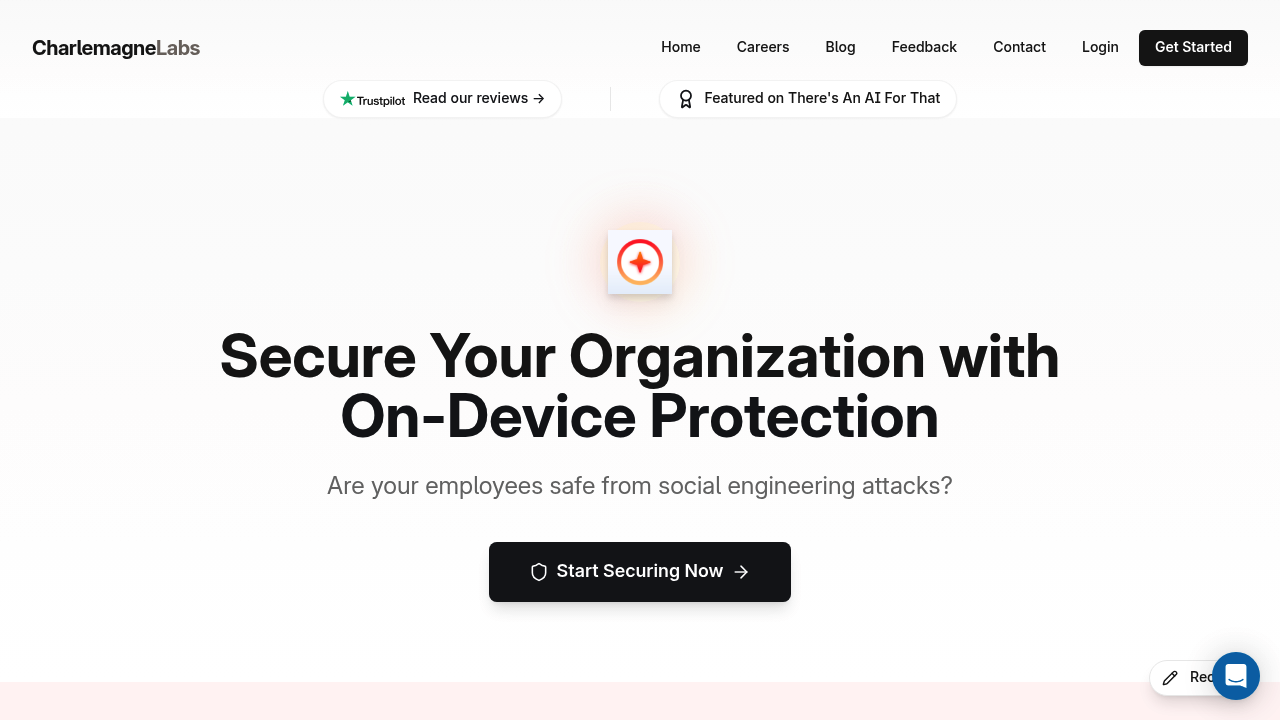
Charley | Charlemagne Labs screenshot

Agent Charley runs a small language model directly in your browser to catch phishing attempts before you click. This system sits at browser level, watching for suspicious links and social engineering tactics that endpoint security typically misses. Everything processes on your device. No data leaves your machine.

The core idea makes sense. Traditional EDR tools can't see what's happening inside browser sessions. Charley fills that gap by analyzing links and credential capture workflows in real-time. When it spots something fishy, it alerts you immediately and blocks the threat. The desktop app works on Windows and Mac, with a browser extension providing the security layer.

Installation happens centrally, which matters for IT teams managing dozens or hundreds of employees. Once deployed, the system tracks incidents through flow graphs and timeline visualizations. You can investigate what happened, when, and how the attack unfolded. This beats getting a simple alert that something bad happened with no context.

The on-device approach deserves scrutiny. Yes, privacy stays intact since nothing transmits externally. But small language models have real limitations compared to cloud-based systems with massive training data and constant updates. How well does a local SLM actually identify novel phishing techniques? The facts don't say. No detection rate statistics. No comparison against traditional email filters or other anti-phishing tools.

Browser-level protection sounds thorough until you think about attack vectors outside the browser. What about phishing through Slack, Teams, or text messages? This system only guards one entry point. Social engineering happens everywhere. An employee could still get compromised through a dozen other channels.

The team brings serious credentials. Over 12 years at Meta for the founder. Multiple members with 10-15 years in engineering and cybersecurity. That experience shows in the product's focus on practical deployment rather than flashy features. But experience doesn't guarantee the AI model performs well against sophisticated attacks.

A free plan exists, confirmed by external sources. That's notable for enterprise security software, which usually requires lengthy sales calls before you see pricing. Testing this system costs nothing upfront.

The facts skip crucial details. How many organizations currently use it? What percentage of phishing attempts does it catch? How many false positives does it generate daily? Security tools live or die on accuracy metrics. Without those numbers, you're buying on faith. The concept works. The execution remains unproven in the available information.

Charley | Charlemagne Labs alternatives

See all →

Frequently asked

7 questions
Does Charley work on mobile devices?
Charley doesn't run on mobile devices. The desktop application works only on Windows and Mac OS, with a browser extension providing the security layer. If your employees check email or click links on phones or tablets, those devices get zero protection from this system. That's a significant gap since mobile phishing attacks keep increasing. You'd need separate mobile security tools to cover those endpoints.
Is Charley free or does it cost money?
Charley offers a free plan that you can start using without payment. The facts don't reveal what limitations the free tier has or what paid plans might include. For enterprise security software, free usually means restricted features or user limits. External sources confirm the free option exists, but specific pricing details for paid tiers aren't available. You'll need to contact them directly to learn what the free version actually includes.
How does Charley compare to EDR tools?
Charley operates at the browser level where endpoint detection and response tools can't see activity. Traditional EDR monitors your operating system, files, and network connections but misses what happens inside browser sessions. Charley fills that specific gap by analyzing links and credential capture attempts in real-time before clicks happen. Think of it as complementary rather than replacement technology. EDR handles system-level threats while Charley focuses exclusively on browser-based phishing and social engineering.
Does Charley send my browsing data to the cloud?
Everything stays on your device. Charley runs a small language model locally in your browser, processing all threat analysis without transmitting data externally. This on-device approach means complete privacy since no browsing information leaves your machine. The tradeoff is that small language models have real limitations compared to cloud-based systems with massive training datasets. Local processing protects privacy but might miss newer phishing techniques that cloud systems would catch through constant updates.
What types of attacks does Charley actually stop?
Charley targets phishing links and social engineering attacks that happen in the browser. It analyzes suspicious links in real-time, detects credential capture workflows, and blocks threats before employees click malicious content. The system watches for tactics like fake login pages and deceptive URLs that trick people into giving up passwords. However, it won't catch phishing attempts through Slack, Teams, text messages, or any channel outside the browser. Social engineering happens everywhere, and this tool only guards one entry point.
Can IT teams manage Charley across multiple employees?
Central installation and management features let IT teams deploy Charley across their organization. Once installed, administrators can track incidents through flow graphs and timeline visualizations that show how attacks unfolded. The system sends instant alert notifications when threats get detected, giving security teams visibility into what happened and when. This beats individual employees installing their own browser extensions with no oversight. The team management capabilities make sense for organizations protecting dozens or hundreds of workers.
What are the biggest gaps in Charley's protection?
The facts skip critical performance metrics. No detection rate statistics. No false positive rates. No data on how many organizations currently use it or what percentage of phishing attempts it actually catches. Security tools live or die on accuracy numbers, and those aren't available here. The system also only protects browser activity, leaving phones, tablets, and non-browser apps completely exposed. You're trusting a local language model to identify sophisticated attacks without knowing how well it performs against real threats in the wild.

Traffic

Estimated monthly website visits · last 8 months

929 visits/mo
Monthly visits
929
↑ 19.1% MoM
Global rank
#9,130,332
Category rank
#45
AI Monitor
6.6K 5.1K 3.6K 2K 492 Dec 2025: 534 visits Dec 2025 Jan 2026: 6.6K visits Jan 2026 Feb 2026: 492 visits Feb 2026 Mar 2026: 1.5K visits Mar 2026 Apr 2026: 2.8K visits Apr 2026 May 2026: 1.2K visits May 2026 Jun 2026: 780 visits Jun 2026 Jul 2026: 929 visits Jul 2026

Reviews (0)

Write review

No reviews yet. Be the first to share your experience.