
Apple Translate logo

Apple Translate

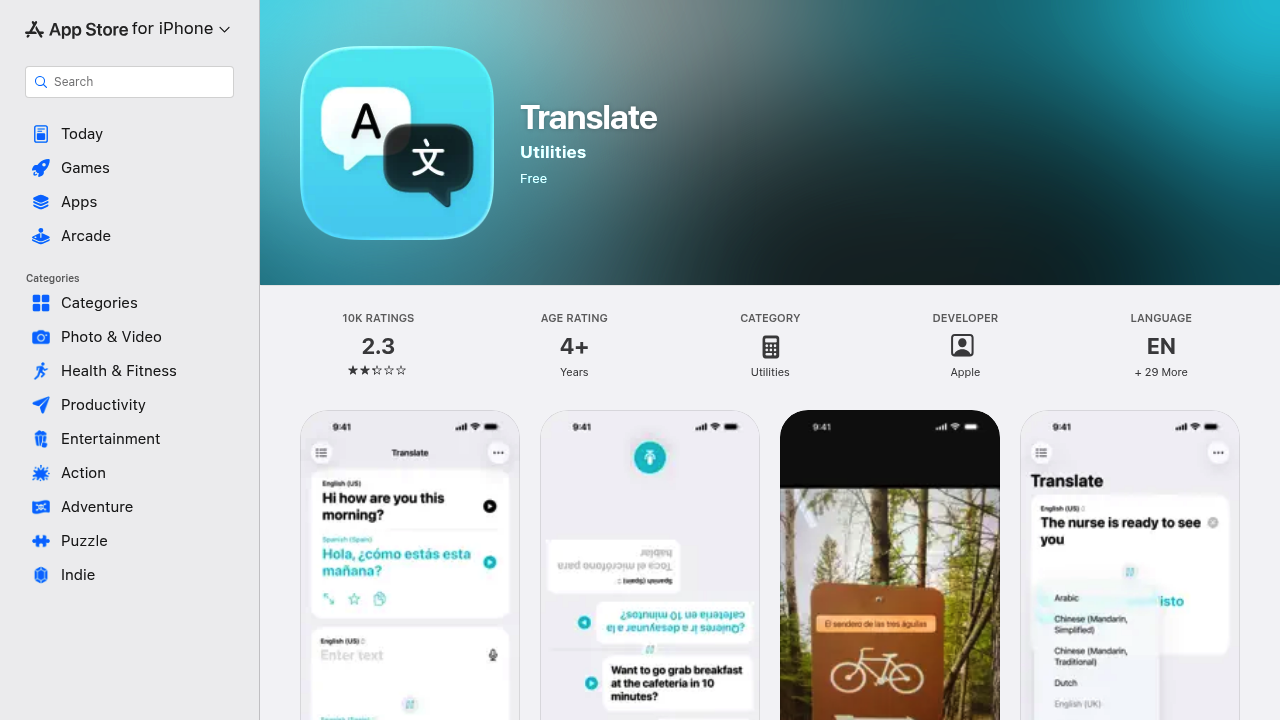
Apple Translate is a free app from Apple that translates voice and text between languages on iPhone, iPad and Apple Watch.

Text translation includes keyboards for every supported language, and a built-in dictionary shows definitions when a word in a finished translation is tapped. A translate camera reads text in the world around you or in…

Apple Translate screenshot

Apple Translate is a free app from Apple that translates voice and text between languages on iPhone, iPad and Apple Watch. Text translation includes keyboards for every supported language, and a built-in dictionary shows definitions when a word in a finished translation is tapped. A translate camera reads text in the world around you or in photos from your library, and a conversation tab transcribes speech into chat bubbles with automatic language detection. An on-device mode keeps translations private and works offline for downloaded languages.

Travelers are the obvious audience, using the camera view for menus and signs and the conversation tab for talking to locals. Language learners check meanings with the dictionary, while students and workers in multilingual settings handle short exchanges without a separate service. People who prefer to keep content off the network can choose the offline mode. Apple Watch owners get quick translations on the wrist, and anyone with supported AirPods can use hands-free live translation in person.

Scenarios include ordering food abroad, where Auto Translate listens for when each person starts and stops speaking so the other person can simply respond. A face to face view turns the screen so each speaker reads from their own side. Frequently used phrases can be saved to Favorites for easy access later. The supported language list includes Arabic, Chinese in Simplified and Traditional forms, Dutch, English in US and UK versions, French, German, Hindi, Indonesian, Italian, Japanese, Korean, Polish, Portuguese for Brazil, Russian, Spanish for Spain, Thai, Turkish, Ukrainian and Vietnamese.


Apple Translate alternatives

See all →

Frequently asked

6 questions
How does the Translate camera work?
It translates text around you in real time through the camera view. You can pause to zoom in or translate text in photos from your library.
Who is Apple Translate best for?
Travelers, language learners and anyone holding cross-language conversations on an Apple device benefit most. It runs on iPhone, iPad and Apple Watch.
How can Apple Translate handle a live conversation?
In the Conversation tab, one tap on the microphone starts speaking and automatic language detection places the transcript on the correct side. Auto Translate detects when each person starts and stops, so no further tapping is needed.
What does Apple Translate cost?
The app is listed as free on the App Store. It is published by Apple and includes all features described there.
What are the limits of Apple Translate?
Language choice is limited to about two dozen options, with only one Spanish variant from Spain. Live Translation with AirPods requires an iPhone on iOS 26 with AirPods 4 with ANC or AirPods Pro 2 and later.
Does Apple Translate work offline?
On-device mode provides a fully offline experience for downloaded languages. It also keeps translations private without turning off the internet connection.

Reviews (0)

Write review

No reviews yet. Be the first to share your experience.