
Papago logo

Papago

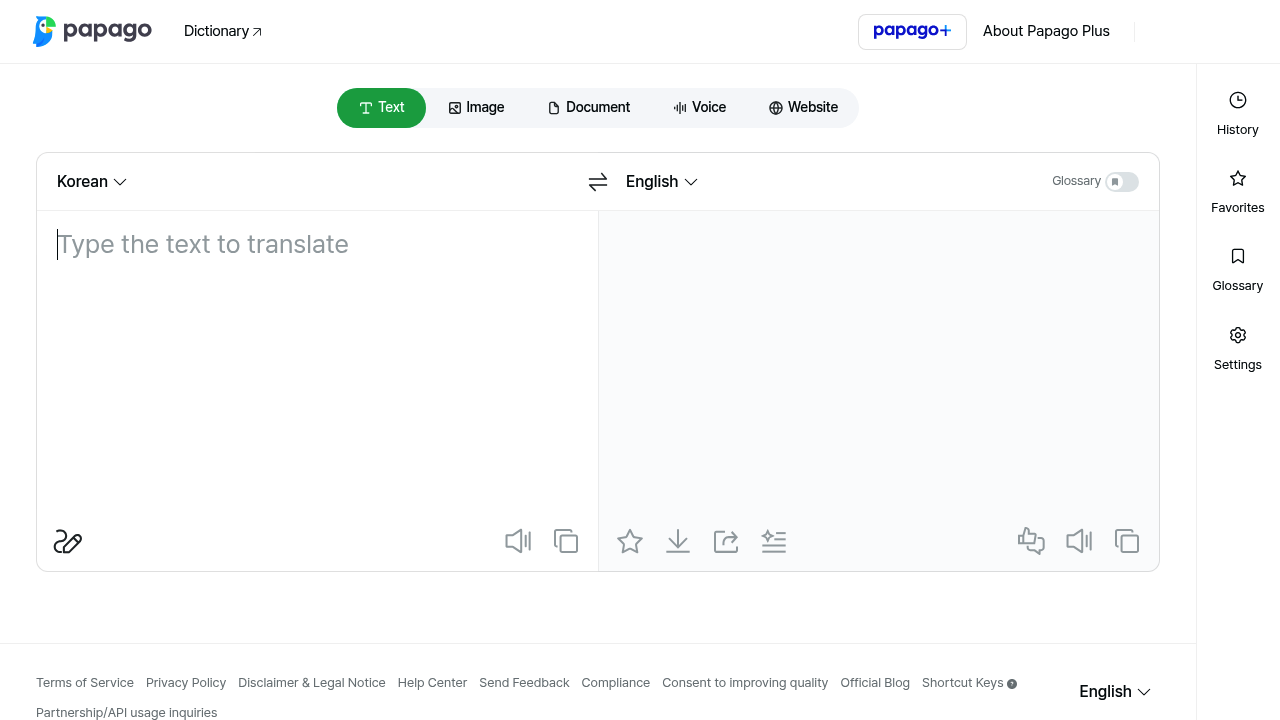
Papago is NAVER's translation service, built to translate text, images, documents, speech and websites from one interface.

The same screen includes a dictionary, a glossary for fixed terminology, saved history and favorites, and keyboard shortcuts for swapping languages and starting translation quickly. Website translation is available only…

Papago screenshot

Papago is NAVER's translation service, built to translate text, images, documents, speech and websites from one interface. The same screen includes a dictionary, a glossary for fixed terminology, saved history and favorites, and keyboard shortcuts for swapping languages and starting translation quickly. Website translation is available only in the Papago Plus tier. Papago is operated by NAVER Corp. in South Korea, and the interface can be switched to English.

Papago is useful for Korean learners and speakers who read and write across languages, travelers who need to translate signs and menus from a phone camera image, students working through foreign-language articles, and office workers handling documents from overseas partners. Businesses can apply glossaries to keep company terms consistent. Teams interested in embedding translation in their own systems can use the partnership and API inquiry channel listed in the footer.

Everyday scenarios include translating a message before sending it, converting a photographed menu or notice, translating an uploaded document while keeping the reading flow, and speaking into the voice mode for a quick conversation aid. Researchers look up unfamiliar words in the dictionary while reading, and professionals build a glossary so product names stay unchanged in every translation. Plus subscribers can translate an entire website instead of copying text page by page. Shortcuts such as Alt plus Enter to translate and Ctrl plus Alt plus S to swap languages speed up heavy use at a desk. Search history and favorites keep earlier translations within reach, which helps when the same phrases come up repeatedly in daily correspondence.


Papago alternatives

See all →

Frequently asked

6 questions
What types of content can Papago translate?
Text, images, documents, voice and, for Plus subscribers, entire websites are all supported. Each type has its own tab in the interface.
Who is Papago aimed at?
People who translate between Korean and other languages, such as travelers, students and office workers. NAVER also offers a partnership and API inquiry route for businesses.
How can a glossary help in Papago?
A glossary lets you define how particular terms should be translated, which keeps product names and specialist vocabulary consistent. It can be switched on or off from the settings area.
Which Papago features need Papago Plus?
Website translation is labeled as a Plus-only feature. Text, image, document and voice translation appear in the standard interface.
Does Papago have keyboard shortcuts?
Shortcuts include Alt plus Enter to translate, Ctrl plus Alt plus E to clear input, and Ctrl plus Alt plus S to swap languages. Ctrl plus Alt plus O and I open the target and source language selectors.
How do I begin using Papago?
Open papago.naver.com, choose the Text, Image, Document, Voice or Website tab, and enter or upload your content. The interface can be switched to English from the language menu.

Reviews (0)

Write review

No reviews yet. Be the first to share your experience.