
1UI logo

1UI

Designers and developers can drop a screenshot into 1UI and watch it generate an identical, editable interface in seconds

5 views
Visit www.1ui.dev
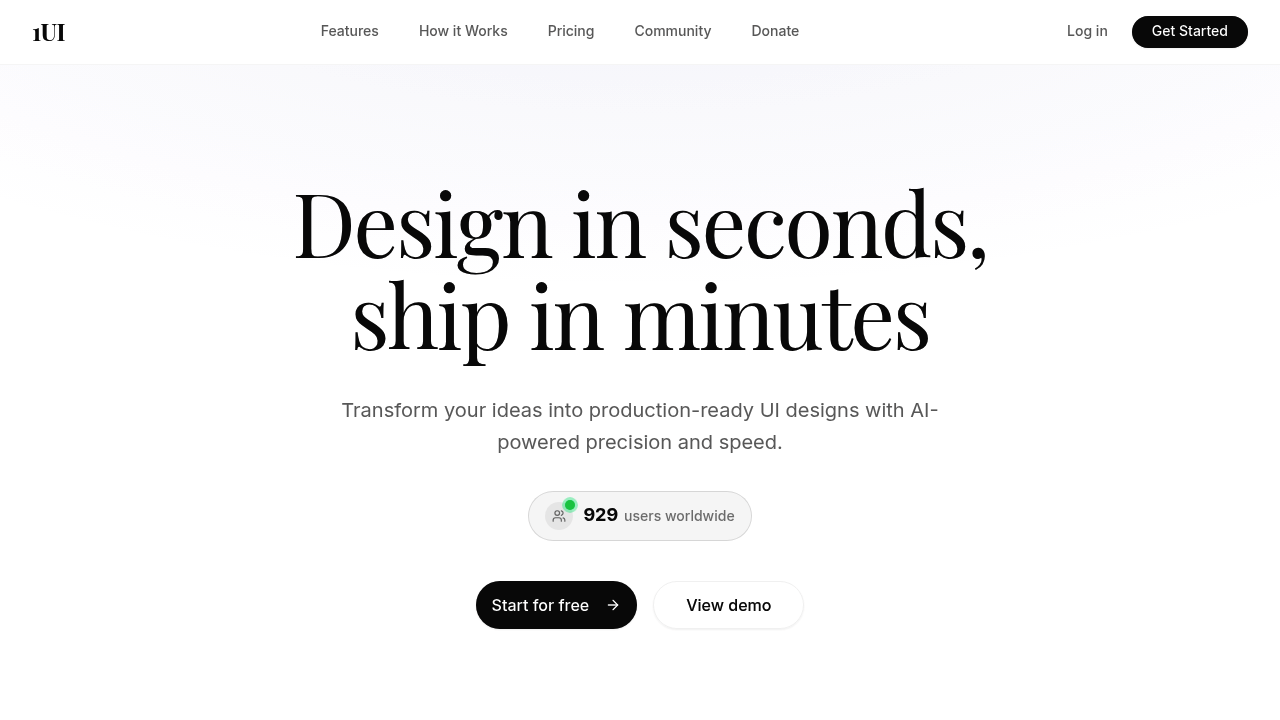
1UI screenshot

Designers and developers can drop a screenshot into 1UI and watch it generate an identical, editable interface in seconds. This screenshot-to-UI conversion capability goes beyond simple visual matching, producing clean HTML and CSS code alongside Figma-ready layer structures that maintain full editability. This platform positions this approach as an evolution past basic prompt-based generation, addressing the gap between quick mockups and production-ready code.

The AI Prompt Enhancer transforms brief descriptions into detailed design specifications automatically. Someone typing "dashboard with charts" gets expanded requirements covering layout hierarchies, component relationships, and responsive breakpoints. This preprocessing step happens before generation starts, aiming to bridge the gap between how people naturally describe interfaces and what AI models need to produce precise results. Generated designs export to HTML, React code, Figma files via the free HTML to Design plugin, and SVG formats for individual components and icons.

Responsive layouts generate for desktop, tablet, and mobile viewports simultaneously. The system builds in accessibility considerations, SEO optimizations, and performance best practices during generation rather than requiring manual implementation afterward. Complete dashboards, forms, and landing pages render in roughly 30 seconds according to the provided metrics. Every element remains customizable post-generation, letting users adjust colors, spacing, typography, and component arrangements without starting over.

The Figma plugin brings generation capabilities directly into design workflows. Users working inside Figma can generate interfaces without switching tools or importing files. This plugin includes 50 free generations monthly separate from paid plan allocations. Designs created through any method integrate with v0 for converting prototypes into production websites, and Framer support enables direct publishing workflows.

Team collaboration features allow multiple people to work with shared generation credits and design libraries. The SVG generator creates custom icons and graphical components on demand, addressing the common workflow friction of sourcing or creating individual assets during design phases. All exports maintain clean code structures that developers can implement without extensive refactoring.

The Basic Plan costs $29 monthly with 100 screen generation credits. Annual billing drops the effective rate to $25 monthly, representing 14% savings over monthly payments while maintaining the same 100 monthly generations. Credits reset each billing cycle. The 100-credit monthly cap means teams producing more than three to four screens daily will hit limitations, making 1UI better suited for smaller projects or teams with intermittent design needs rather than continuous high-volume production.

No free tier exists outside the Figma plugin's 50 monthly generations. This structure pushes users toward paid plans for web-based access and higher generation volumes. Teams evaluating 1UI cannot test full functionality without payment commitment since trial options are not available.

The target user works at the intersection of design and development, needing quick turnaround on interface mockups that ship with usable code. Freelancers building client prototypes, startup teams iterating on product concepts, and developers who design their own interfaces fit this profile. The screenshot conversion particularly serves anyone recreating existing interface patterns or modernizing legacy designs without manual rebuilding.

Integration with three platforms (Figma, v0, Framer) creates workflow continuity but also represents potential vendor lock-in depending on which tools teams already use. The focus on production-ready output with built-in best practices differentiates 1UI from pure prototyping tools, though the monthly credit system requires careful planning for projects with uncertain scope.


Frequently asked

6 questions
Can you turn a screenshot into editable code with 1UI?
1UI converts screenshots into fully editable interfaces with clean HTML, CSS, and React code alongside Figma-ready layer structures. You drop an image of any interface and the system generates an identical design that maintains all elements as customizable components rather than flattened graphics. The output includes structured code that developers can implement without extensive refactoring, plus Figma files exportable through the free HTML to Design plugin. This screenshot-to-UI capability works for recreating existing designs, modernizing legacy interfaces, or building variations of competitor products without manual reconstruction. Generated designs remain responsive across desktop, tablet, and mobile viewports while preserving the original visual intent.
Does 1UI have a free plan or trial?
1UI doesn't offer a traditional free tier or trial period for the main platform. The only free access comes through the Figma plugin, which provides 50 generations monthly without requiring a paid subscription. Teams wanting to test the web-based interface, higher generation volumes, or full feature access need to commit to the $29 monthly Basic Plan with 100 screen credits. This lack of trial options means evaluating whether 1UI fits your workflow requires either starting with the limited Figma plugin or purchasing the paid plan upfront. Annual billing reduces the monthly cost to $25 but still requires $300 upfront commitment.
How many UI screens can you generate per month with 1UI?
The Basic Plan provides 100 screen generation credits monthly, resetting each billing cycle regardless of whether you pay monthly or annually. Each complete interface (dashboard, form, landing page) consumes one credit when generated. Teams producing three to four screens daily will approach or exceed this limit, making the current pricing structure better suited for intermittent design needs rather than continuous high-volume production. The Figma plugin adds 50 separate free generations monthly that don't count against paid plan allocations. Credits don't roll over between months, so unused generations expire rather than accumulate for larger projects.
What's the difference between 1UI and other AI design tools?
1UI positions screenshot-to-UI conversion as its primary differentiator rather than focusing solely on prompt-based generation like many competitors. The AI Prompt Enhancer automatically expands brief descriptions into detailed design specifications before generation starts, bridging the gap between casual descriptions and the precise requirements AI models need. Every export includes production-ready code with built-in accessibility, SEO, and performance best practices rather than requiring manual implementation afterward. Integration with v0 and Framer creates direct paths from prototype to published website without intermediate conversion steps. The focus targets designers and developers who need shippable code alongside visual mockups rather than pure prototyping outputs.
Can you use 1UI directly inside Figma?
The Figma plugin brings 1UI's generation capabilities into your existing design workspace without switching tools or importing files. You can create interfaces directly inside Figma using either prompts or screenshots, with designs appearing as native Figma layers rather than embedded images. This plugin includes 50 free generations monthly separate from paid Basic Plan allocations, letting teams test functionality before committing to subscriptions. Designs generated through the web platform export to Figma via the free HTML to Design plugin, maintaining full editability with proper layer structures. The dual approach (plugin for in-app generation, web-to-Figma export) accommodates different workflow preferences.
What happens when you hit the 100 screen limit on 1UI?
The Basic Plan caps generation at 100 screens monthly with credits resetting each billing cycle rather than offering overage options or credit purchases. Teams exceeding this limit mid-month cannot generate additional screens until the next billing period starts, creating potential project delays for high-volume users. The 100-credit structure works for smaller projects or teams with sporadic design needs but becomes restrictive for agencies handling multiple clients or startups running continuous iteration cycles. Planning generation usage becomes necessary since the platform doesn't currently offer higher-tier plans with increased allocations. The Figma plugin's separate 50 monthly generations provide some overflow capacity but won't cover substantial overages.

Reviews (0)

No reviews yet. Be the first to share your experience.

Similar tools

See all →