
VN Video Editor logo

VN Video Editor

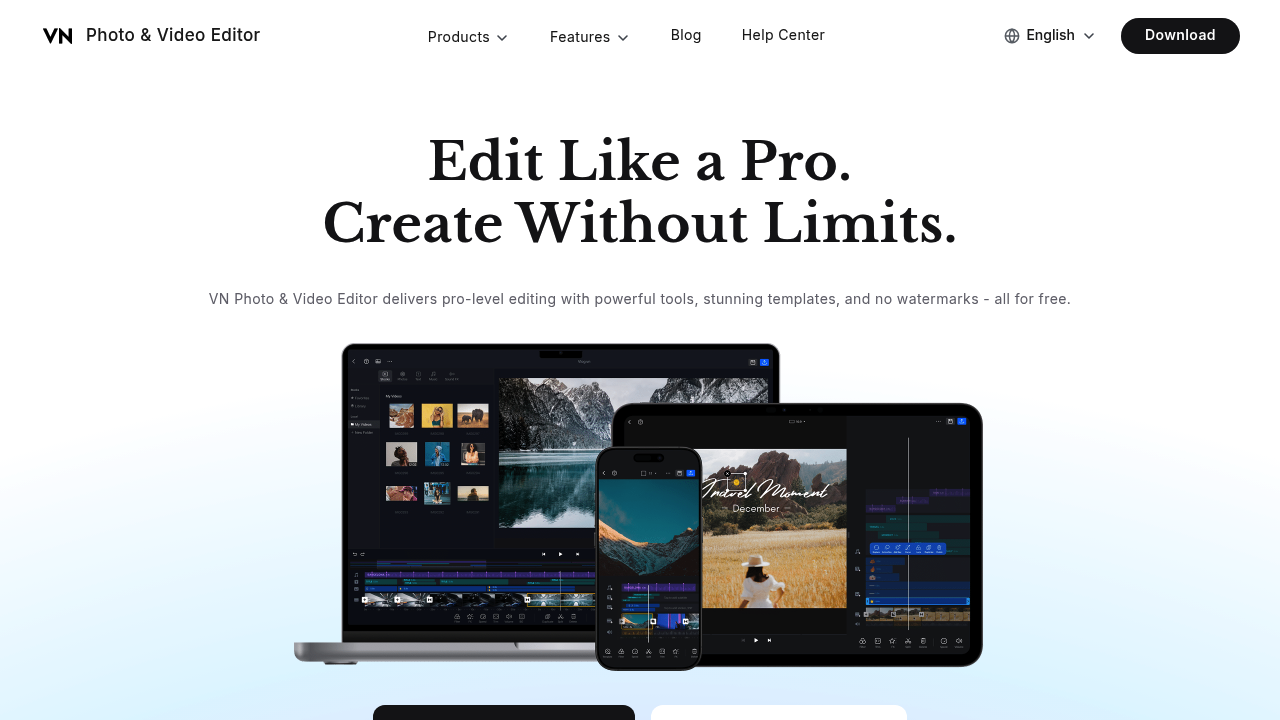
VN is a free photo and video editor that gives creators a multi-track timeline, keyframe animation, speed curves, filters, transitions and motion effects without watermarking the finished video.

Audio tools include more than 1000 music tracks and sound effects, denoising, text to speech and BeatsClips, which snaps cuts to the beat of a song. On the AI side, it offers auto captions in multiple languages,…

VN Video Editor screenshot

VN is a free photo and video editor that gives creators a multi-track timeline, keyframe animation, speed curves, filters, transitions and motion effects without watermarking the finished video. Audio tools include more than 1000 music tracks and sound effects, denoising, text to speech and BeatsClips, which snaps cuts to the beat of a song. On the AI side, it offers auto captions in multiple languages, background cutout, image upscaling and colorizing, plus an AI video generator and AI image generator. The app is free to download, and more than 150 templates cost nothing to use, with zero ads promised.

VN fits beginners who want a first editor that feels approachable, and experienced short-form creators who want keyframes and curves without a subscription. YouTubers cutting Shorts, Instagram users building Reels, wedding videographers assembling highlight films, and small business owners producing quick promos can all work inside it. Students and hobbyists appreciate that exporting at up to 4K carries no logo, and reviewers frequently compare it with CapCut as a free alternative.

Common workflows include dropping clips onto separate video, audio and overlay layers, trimming and splitting with frame precision, then animating zooms and pans with keyframes. A Reels creator can pick a trending template, drop in photos and let BeatsClips match every cut to the music. An interviewer can generate captions automatically and restyle them. Family photo projects use collage and anniversary templates such as couple stories or polaroid layouts, while a product seller can blur faces or plates with the mosaic tool. Interface and language options cover English, Portuguese, Spanish, French, Korean, Hindi, Japanese and Chinese.


VN Video Editor alternatives

See all →

Frequently asked

6 questions
What editing features does VN include?
Editing tools cover a multi-track timeline, keyframes, speed curves, transitions, filters, motion effects, cropping and frame-precise trimming. Audio options add music and sound effects, denoise and text to speech.
Who is VN best suited to?
It suits beginners and advanced creators who make YouTube videos, Shorts and Reels. Wedding videographers, hobbyists and small businesses can also use it for polished edits without paying for software.
Can VN add captions to a video automatically?
Auto Captions generates subtitles in multiple languages, and caption tools let you restyle the text afterwards. This saves manual typing on talking-head clips, tutorials and Reels.
Does VN cost anything or add a watermark?
Free to use, with no watermarks and no ads, and a library of 150+ templates is included at no charge.
What are VN's limits for heavier production work?
Built around mobile creation as a download, it lacks the collaboration and cloud team features of business video suites. Reviewers also note that discovering every feature takes some patience.
How do I get started with VN?
Download the app from the App Store or Google Play and start a project with a template or a blank timeline. Interface languages include English, Portuguese, Spanish, French, Korean, Hindi, Japanese and Chinese.

Reviews (0)

Write review

No reviews yet. Be the first to share your experience.