ToMoviee AI logo

ToMoviee AI

ToMoviee AI is an AI studio for making short videos, images and audio in a single workspace.

Users describe a clip in text, supply a still image or reference material, and pick a model such as ToMoviee Video 2.0, 2.1 or 2.5 Pro. Settings cover resolution at 1080p or 2K, duration of 5, 8, 10 or 15 seconds, and…

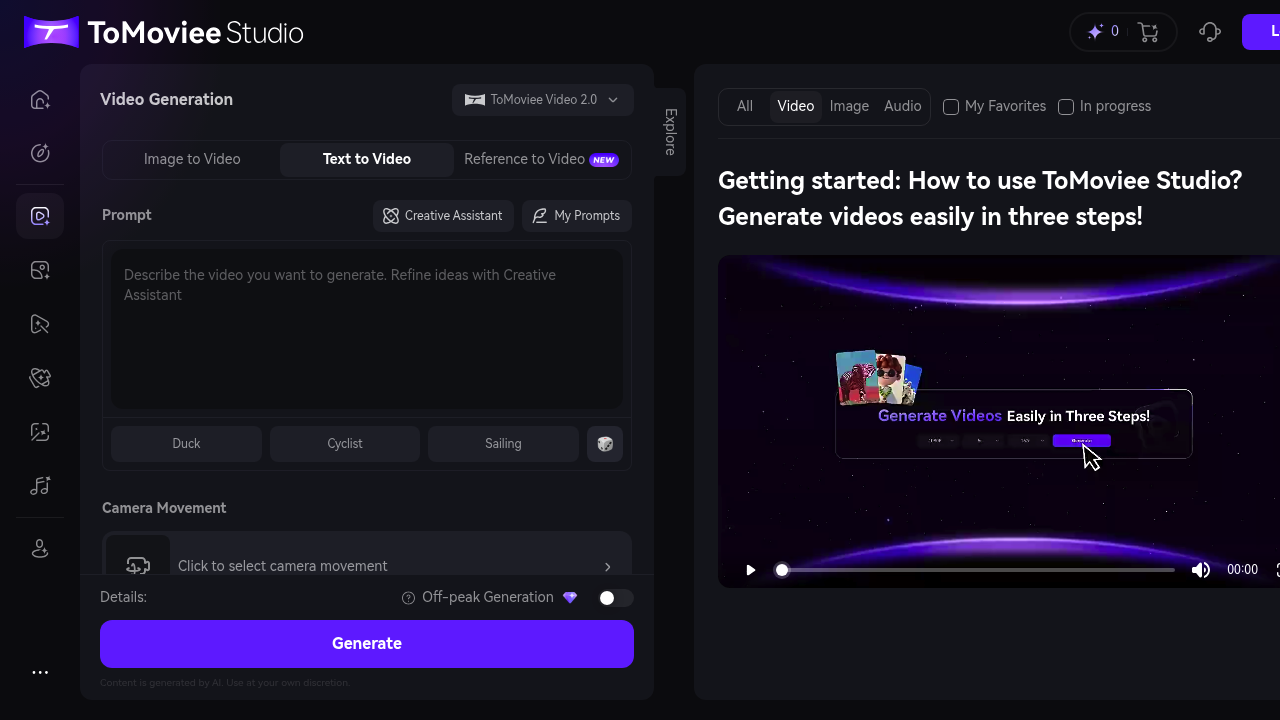
ToMoviee AI screenshot

ToMoviee AI is an AI studio for making short videos, images and audio in a single workspace. Users describe a clip in text, supply a still image or reference material, and pick a model such as ToMoviee Video 2.0, 2.1 or 2.5 Pro. Settings cover resolution at 1080p or 2K, duration of 5, 8, 10 or 15 seconds, and aspect ratios from vertical 9:16 to widescreen 16:9, 4:3, 3:4 and square. A Creative Assistant helps refine prompts, and sound effects can be added to a generated clip.

It fits social media creators who need vertical clips, marketers producing short ads, filmmakers testing concepts and designers who want motion from static artwork. Because video, image and audio generation sit in one place, solo creators can avoid switching between separate apps for picture and sound. Professionals can use the longer duration and 2K options, while newcomers can start from a simple text description and let the assistant sharpen it.

Common workflows include writing a prompt for a short scene such as a cyclist or a sailing boat, animating a product photo with image to video, and using reference to video to keep a subject or style consistent. Video Extend lengthens a clip, and Partial Repaint changes only a selected area without redoing everything. Text-to-speech and audio generation produce narration and sound for the footage. Saved prompts make it easy to reuse a successful description across a batch of clips for a campaign or a channel.


ToMoviee AI alternatives

See all →

Frequently asked

6 questions
What can ToMoviee AI generate?
It generates videos from text, images or references, and it also produces images, audio and text-to-speech. Video tools include extend and partial repaint for editing existing clips.
Who would use ToMoviee AI?
Social creators, marketers, filmmakers and designers who need short AI video and matching audio. It covers both quick vertical clips and widescreen footage.
How can image to video be used in ToMoviee AI?
You upload a still, such as a product photo or artwork, and describe the motion you want. The model animates it into a clip of 5 to 15 seconds.
Which video settings does ToMoviee AI offer?
Resolution options are 1080p and 2K, with durations of 5, 8, 10 or 15 seconds. Aspect ratios include 9:16, 16:9, 4:3, 3:4 and 1:1.
What should I know before generating a video?
Before generation runs, a slider-style security verification appears, so a human check is part of the flow. Content is AI generated and should be reviewed before use.
How do I improve my prompts in ToMoviee AI?
Three model versions let you trade realism against speed, and a Creative Assistant refines your idea into a stronger description. My Prompts stores descriptions you want to reuse.

Traffic

Estimated monthly website visits · last 0 months

30.3K visits/mo
Monthly visits
30.3K

Not enough historical data for a chart yet.

Reviews (0)

Write review

No reviews yet. Be the first to share your experience.