Spark Mail logo
AI Email Assistant FREEMIUM from €8/mo

Spark Mail

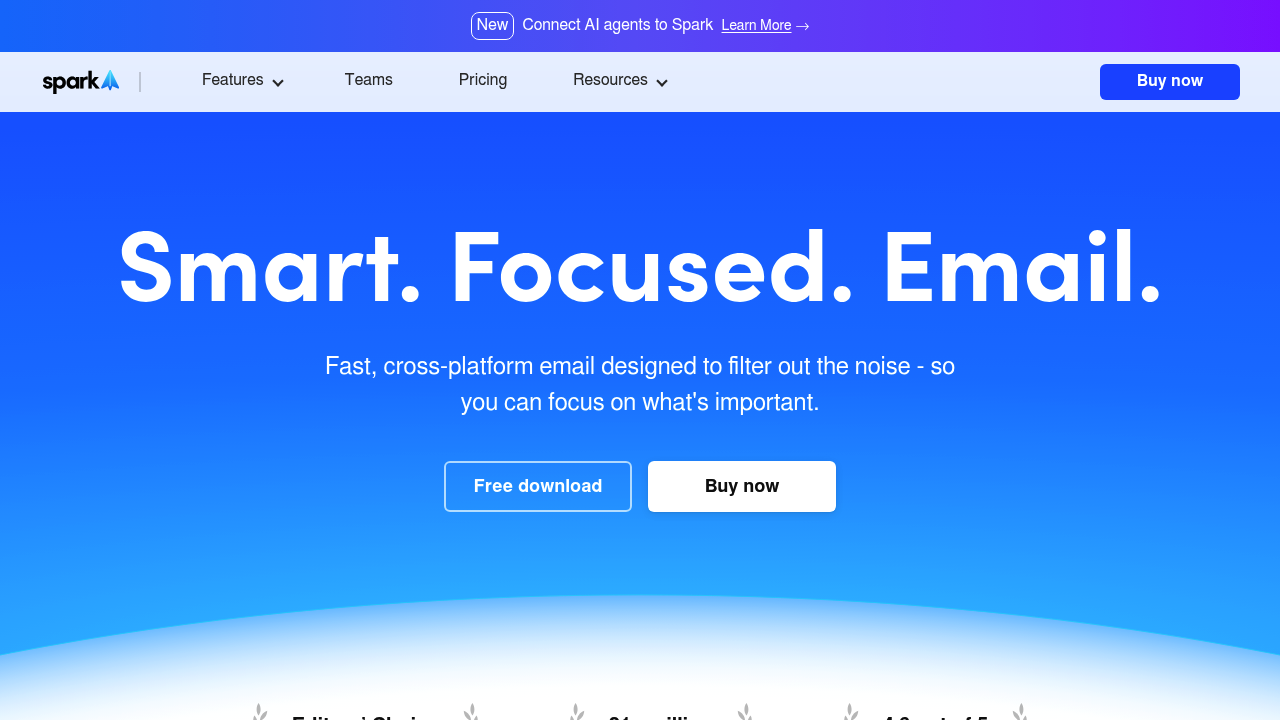
Spark Mail is a fast, cross-platform email app built to filter out noise so the messages that matter stand out first.

A Smart Inbox surfaces priority email, separates newsletters and notifications into their own automated inboxes, and lets users pin, set aside or mark messages done. Newer AI features include an Assistant that finds,…

Spark Mail screenshot

Spark Mail is a fast, cross-platform email app built to filter out noise so the messages that matter stand out first. A Smart Inbox surfaces priority email, separates newsletters and notifications into their own automated inboxes, and lets users pin, set aside or mark messages done. Newer AI features include an Assistant that finds, summarizes and acts on mail, a writing assistant, translation and instant thread summaries. It has been named Editors' Choice by Apple, counts more than 21 million users and holds a 4.6 out of 5 rating on the iOS App Store.

People who drown in email are the natural audience: executives, freelancers, journalists and managers who juggle several accounts. Teams are covered too, because Spark lets colleagues write emails together in real time, hold private comments inside a thread, delegate ownership and set deadlines. Users who want to build better inbox habits, with Send Later, reminders and muting of irrelevant threads, will find the workflow tools helpful. Spark supports IMAP, iCloud, Exchange, Outlook, Yahoo and Google accounts in one app synced across devices.

A typical day might begin with the Home Screen showing priority messages, while Gatekeeper screens unknown senders before they reach the inbox. A founder can ask the Assistant to find a contract thread and summarize it, then use the writing assistant to draft a reply and schedule it with Send Later. A support or sales team can share a draft, comment privately on a tricky customer message and assign it to a teammate. Translation helps when correspondents write in other languages, and Group by Sender keeps bundles of newsletters tidy.

Spark Mail alternatives

See all →

Frequently asked

6 questions
What does Spark Mail do differently from a standard email app?
Spark prioritizes important messages with a Smart Inbox, Priority contacts and Gatekeeper, and moves newsletters and notifications into separate inboxes. Tools such as Set Aside, Send Later and Reminders help manage what remains.
Who is Spark Mail meant for?
Individuals overwhelmed by email, including freelancers, journalists and managers, are the main users. Teams that handle shared communication can also collaborate inside the app.
How can a team use Spark for shared email?
Colleagues can compose emails together in real time, add private comments with attachments to a thread, and delegate ownership. Deadlines and progress tracking help the team keep a handle on who is replying.
What AI features are available in Spark?
An Assistant finds, summarizes and acts on anything in the inbox, and a writing assistant helps draft emails faster. Translate converts messages between languages, and Summary gives instant insights from emails and threads.
Which email accounts work with Spark Mail?
IMAP, iCloud, Exchange, Outlook, Yahoo and Google accounts all connect, with everything syncing across devices. Spark is cross-platform and listed on the iOS App Store.
How does Spark handle data privacy?
Data is used only for product optimization and is not shared with third parties. Storage and encryption are secured through Google Cloud.

Reviews (0)

Write review

No reviews yet. Be the first to share your experience.