
Selects logo
AI Video Editor FREEMIUM from $20/mo

Selects

Manual video editing can't sync your five-camera podcast setup automatically

Standard editing workflows won't automatically switch between speakers based on who's talking. That's manual work — video editors spend hours clicking through timeline footage. Selects handles the grunt work that kills…

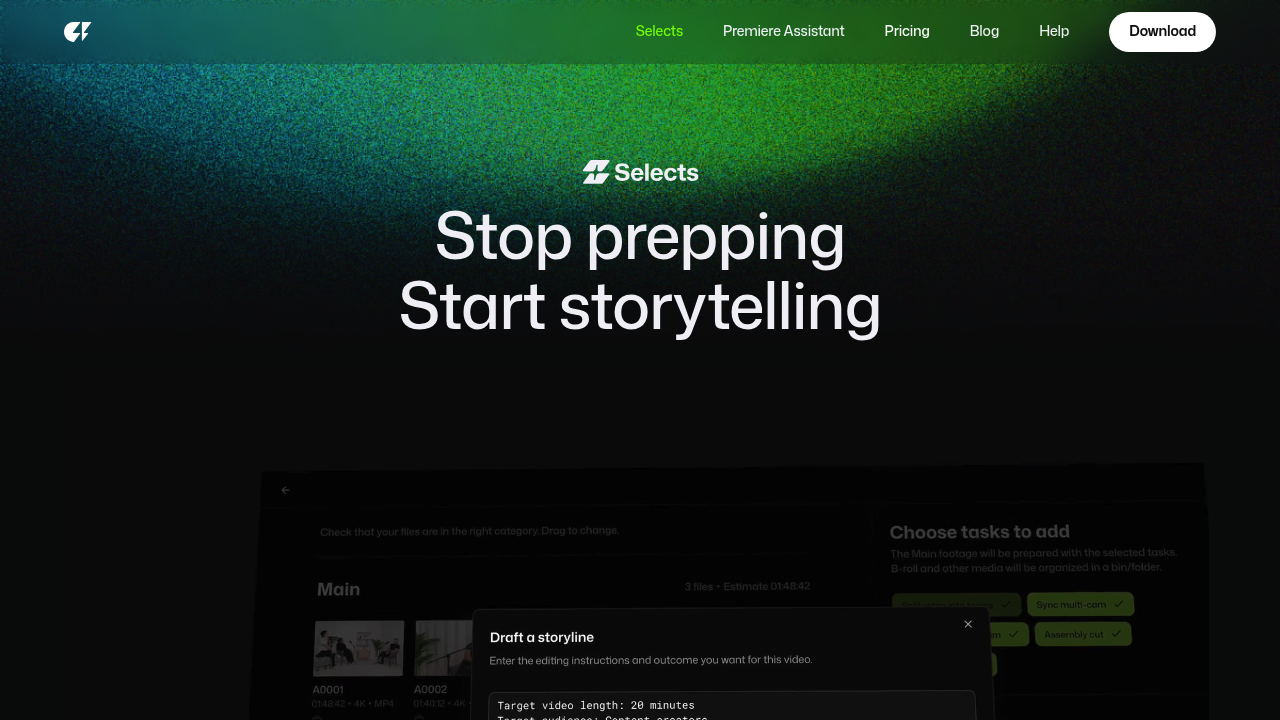
Selects screenshot

Manual video editing can't sync your five-camera podcast setup automatically. Standard editing workflows won't automatically switch between speakers based on who's talking. That's manual work — video editors spend hours clicking through timeline footage.

Selects handles the grunt work that kills productivity in professional video editing. Upload gigabytes of multi-cam files. It syncs everything automatically. Then creates smart chapters based on topics discussed. The natural language search lets you type "when they talked about revenue" and jump straight to those moments.

Podcast producers managing interview content see the biggest time savings here. Take a two-hour five-camera shoot that normally requires six and a half hours of prep work. Selects cuts that down to twenty minutes.

The AI removes silences and filler words with Cutback's accuracy, then builds rough cuts with actual story structure. The handoff to your main editing software works smoothly. Selects exports structured project files directly to Premiere Pro. Final Cut. DaVinci Resolve. You get organized footage instead of a mess of raw files.

There's one limitation though. Edits stay non-destructive in Selects, which limits some control options. Professional editors working with documentaries and long-form interview content won't mind this trade-off for cutting prep time by over 60%. Channels with millions of subscribers already use it for good reason.

The seven-day trial shows whether your workflow fits. Most multi-cam editors find nothing else actually works at this level.


Selects alternatives

See all →

Frequently asked

7 questions
How many cameras can Selects sync at once?
Selects handles up to five cameras in one project. It syncs all angles automatically -- no timeline work needed. Perfect for most podcast setups with static cameras plus maybe a roaming shot.
Which editing software does Selects export to?
You can export straight to Premiere Pro, Final Cut Pro, and DaVinci Resolve. Everything comes organized in bins or folders -- synced footage, chapters, cuts, the works. You'll start editing with organized material instead of sorting through raw files.
What does non-destructive editing mean in Selects?
Your original footage stays untouched. Selects creates edit points as metadata instead of changing files. You can't do advanced color work in Selects, but that's fine -- you get structural work done safely, then finish creatively in your main editor.
Can I search for specific topics in my uploaded footage?
Yep! Type stuff like 'when they talked about revenue' or 'discussion about marketing strategy.' Selects analyzes audio and jumps you right to those moments. It also creates topic chapters automatically while processing.
How much prep time does Selects actually save?
A two-hour five-camera shoot normally takes six and a half hours of manual prep. Selects cuts that to twenty minutes. That's over 60% time savings on sync and organization work -- bigger projects save even more hours.
Does Selects work with audio-only podcast files?
Nope, it's built for multi-camera video workflows. You need actual video files from multiple cameras to get benefits like auto-sync and smart switching. Audio-only editors should look elsewhere since this solves video-specific problems.
What file sizes can I upload to Selects?
It handles gigabytes of multi-cam footage without issues. They don't specify exact limits, but it's built for professional workflows with large files. The seven-day trial lets you test your typical project sizes (and see if your internet handles the uploads).

Traffic

Estimated monthly website visits · last 10 months

116.1K visits/mo
Monthly visits
116.1K
↓ 1.2% MoM
Global rank
#338,432
US #279,457
Category rank
#24
AI Video Editor
129.9K 109K 88K 67K 46.1K Nov 2025: 54K visits Nov 2025 Dec 2025: 46.1K visits Dec 2025 Jan 2026: 72.8K visits Jan 2026 Feb 2026: 78.3K visits Feb 2026 Mar 2026: 93.9K visits Mar 2026 Apr 2026: 76.1K visits Apr 2026 May 2026: 85K visits May 2026 Jun 2026: 129.9K visits Jun 2026 Jul 2026: 117.5K visits Jul 2026 Aug 2026: 116.1K visits Aug 2026

Reviews (0)

Write review

No reviews yet. Be the first to share your experience.