
Rebuzz AI logo

Rebuzz AI

You land on Rebuzz AI and immediately answer questions about your business

49 views
Visit rebuzz.ai
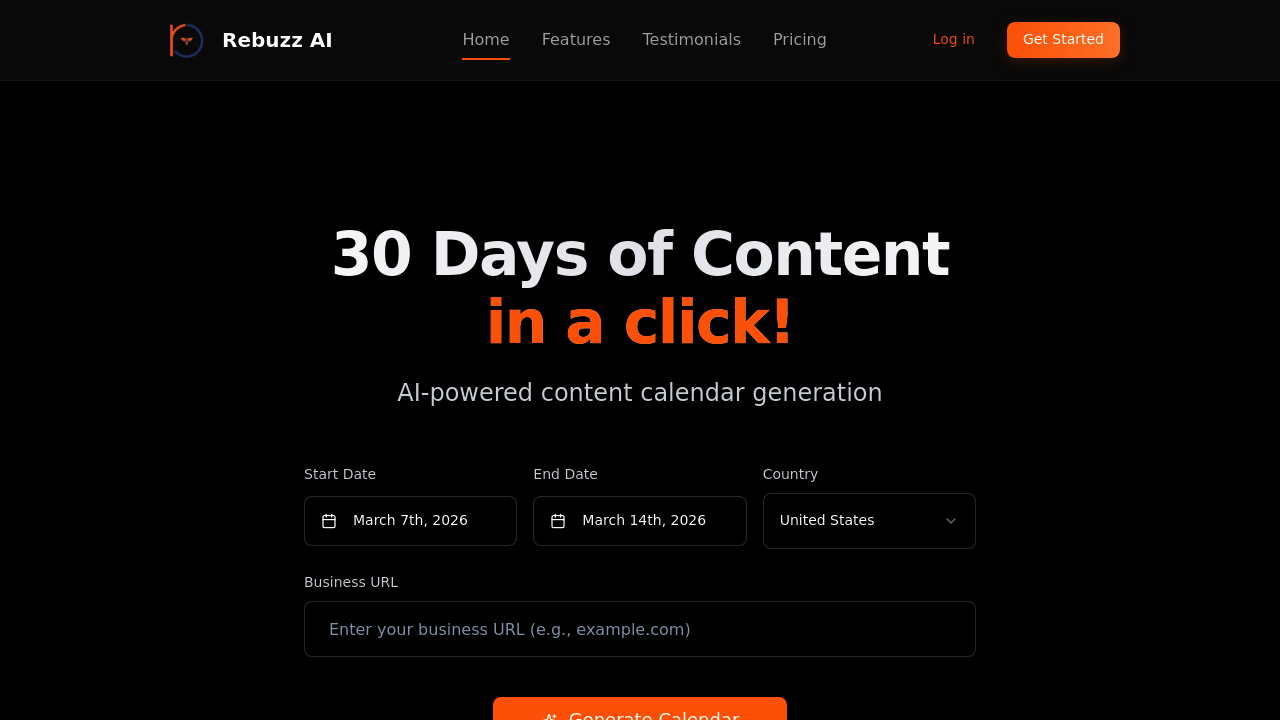
Rebuzz AI screenshot

You land on Rebuzz AI and immediately answer questions about your business. What do you sell, who's your audience, what's your brand voice. Rebuzz asks you to upload documents if you want — things like brand guidelines or previous content examples that help it understand your style. Once you've fed it this context, you click generate and wait while it processes everything.

The output appears as a 30-day content calendar. Each day gets a post idea, suggested copy, and formatting that supposedly matches your brand. You're not locked into what it generates. Every piece of content can be edited before you decide to use it. The calendar view shows you a month at a glance, which helps when you're trying to visualize how your feed will look over time.

Rebuzz includes a Magic Eraser for cleaning up images and text overlay options where you can pick fonts and adjust sizes. These editing features live inside Rebuzz so you're not constantly jumping to other apps. You work through the calendar, tweaking posts that don't quite hit the mark, replacing ones that feel off-brand, and adjusting timing based on when your audience actually shows up.

The friction appears when the AI misses the nuance of your brand voice. Even with uploaded documents, it sometimes generates content that sounds generic or doesn't capture industry-specific terminology. You'll spend time rewriting more than you expected. The calendar format is rigid too. If your content strategy doesn't fit neatly into daily posts, you're fighting against how Rebuzz wants to organize things.

there is a feature roadmap with voting built into Rebuzz. Users can see what's coming and vote on which features matter most to them. This transparency helps but also highlights what's currently missing from Rebuzz.

The company claims you'll save eight hours monthly and reduce costs by ninety percent compared to hiring help. One case study mentions generating a full month calendar in ten minutes, though that likely doesn't include the editing time you'll need. Another user reported a forty percent engagement increase after using Rebuzz consistently.

Business owners managing their own social media are the obvious audience here. Marketing directors at small companies would find it useful too. Anyone drowning in content planning who needs something faster than doing it manually but doesn't have budget for an agency.

Frequently asked

6 questions
How does Rebuzz AI generate content calendars?
You answer questions about your business when you open Rebuzz — what you sell, who you're targeting, what your brand sounds like. You can upload documents like brand guidelines or past content to give it more context about your style. After clicking generate, Rebuzz processes everything and spits out a 30-day calendar with post ideas, suggested copy, and formatting for each day. Every piece of content can be edited before you use it, and there's a calendar view showing the whole month at once. The Magic Eraser and text overlay tools let you tweak images and add formatted text without leaving Rebuzz.
Is Rebuzz AI free or does it cost money?
Rebuzz operates on a freemium model but specific pricing details aren't publicly listed. You'll need to contact them directly or sign up to see what the free tier includes versus paid features. The company claims users save over two thousand dollars monthly compared to DIY social media management, positioning it as a cost-cutting alternative to agencies. Without transparent pricing on their site, you can't calculate actual costs until you're already engaging with their sales process.
Does Rebuzz AI actually save time on social media planning?
Rebuzz claims eight hours of monthly time savings and one case study mentions generating a 30-day calendar in ten minutes. That timeline doesn't account for editing though, which you'll definitely need to do. The AI sometimes misses brand voice nuances and produces generic content even after you upload context documents, so you're rewriting more than expected. The calendar structure speeds up planning if your strategy fits daily posting, but you'll fight against it if your content needs differ from that format.
What happens when Rebuzz AI doesn't match your brand voice?
The content comes out sounding generic or missing industry-specific language even when you've uploaded brand documents. You'll catch posts that feel off-brand and need to rewrite them from scratch or heavily edit the AI suggestions. This breaks the speed promise since you're doing manual work anyway, just with AI-generated starting points instead of blank pages. The editing tools inside Rebuzz help you fix individual posts, but there's no way to retrain the AI on the fly when it consistently misses your tone.
Who should use Rebuzz AI for content planning?
Business owners drowning in social media management without time or budget for agencies get the most value here. Marketing directors at small companies who need faster planning than manual methods but can't justify full-service costs would benefit too. Content creators managing multiple brands could use it to speed up calendar generation across accounts. If you're confident in your marketing strategy and just need execution help, Rebuzz fits, but the stat that seventy-three percent of business owners lack that confidence suggests many users will struggle with strategic direction even with faster content creation.
Can Rebuzz AI integrate with other social media tools?
There aren't any listed integrations with scheduling platforms, analytics tools, or social networks. You're generating content inside Rebuzz but then manually moving it to wherever you actually post. This creates extra steps since you can't push content directly from Rebuzz to Instagram, LinkedIn, or Facebook. The lack of integrations means Rebuzz sits isolated in your workflow rather than connecting with tools you're already using for publishing and tracking performance.

Traffic

Estimated monthly website visits · last 0 months

Not enough historical data for a chart yet.

Data from SimilarWeb · Updated monthly.

Reviews (0)

Write review

No reviews yet. Be the first to share your experience.

Similar tools

See all →