Plask logo

Plask

Turn video into animation

Motion capture used to need expensive studio setups. Specialized equipment everywhere. Plask flips this by pulling motion data from any video source and slapping it onto 3D characters with AI accuracy that matches…

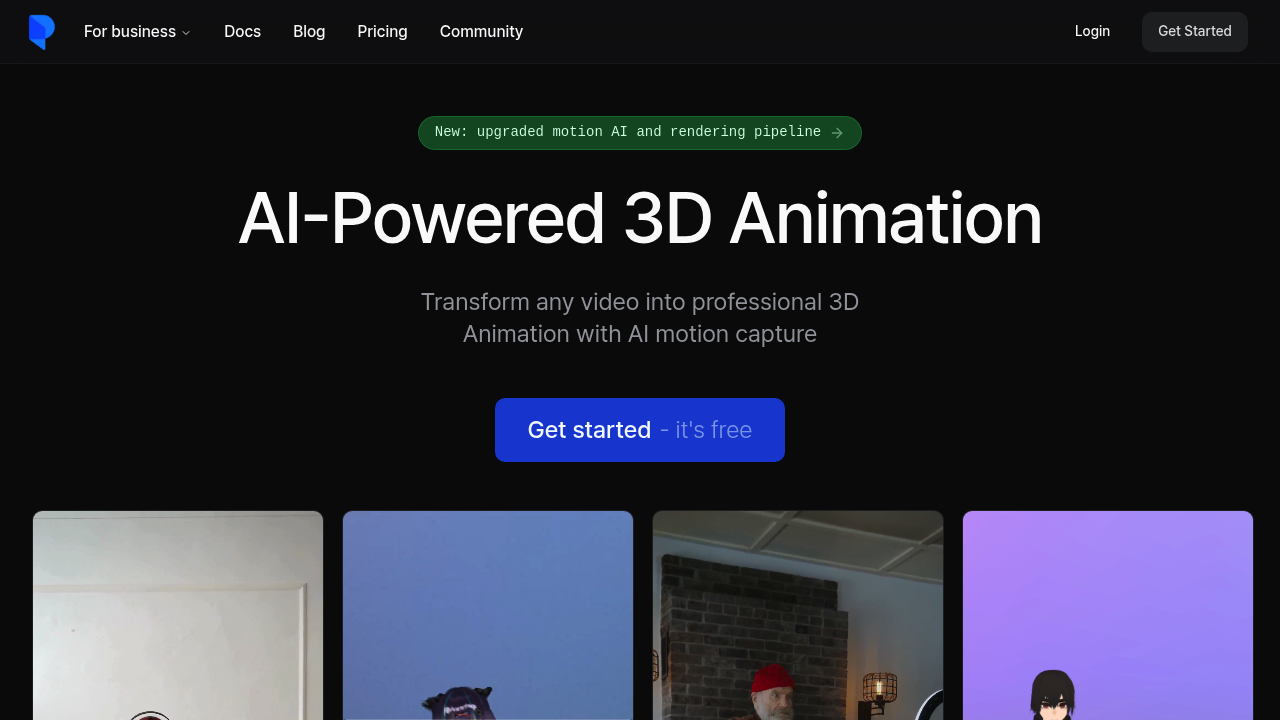
Plask screenshot

Motion capture used to need expensive studio setups. Specialized equipment everywhere. Plask flips this by pulling motion data from any video source and slapping it onto 3D characters with AI accuracy that matches professional systems.

Working in Unreal? Unity? Maya? Blender? You can export Plask's animations straight into your pipeline. It supports MMD and VRM models with physics and blinking baked in. Integration with Mixamo means you can rig and animate characters without jumping between tools.

Picture this: you're prototyping character animations for a game. Film yourself doing sword combat moves on your phone. Upload that footage to Plask and you'll get clean 3D animation data in minutes instead of hand-keyframing for weeks.

Solo creators win big here since traditional mocap needs multiple people and serious budgets. Plask's single-camera approach means you're not tied to a team or studio time. The AI-assisted cinematography handles lighting and camera work automatically — though the automated choices don't always match what you'd pick manually.

Hollywood-grade post-processing adds motion blur to your renders. Depth-of-field too. Plus tone mapping. You can pull motion from online clips or smartphone footage equally well. The upgraded motion AI delivers studio-quality results that would normally eat months of work.

Free plan available. Test the waters first. Beginners and professionals both use Plask for games, films, and virtual content creation.

Plask alternatives

See all →

Frequently asked

7 questions
How accurate is Plask's motion capture compared to traditional studio mocap?
Plask's AI delivers studio-quality results -- they match professional mocap systems pretty well. The accuracy works great for game dev and film projects. You won't get sub-millimeter precision like high-end studios, but honestly? For most creators, the convenience beats perfect accuracy every time.
Can I use any smartphone video with Plask or does it need special recording conditions?
You can upload footage from any smartphone or camera. Lighting doesn't need to be perfect -- Plask's AI handles both pro clips and casual phone recordings. Just make sure the subject's clearly visible and the motion isn't blocked.
What file formats does Plask export for game engines like Unity and Unreal?
Plask exports directly to Unity, Unreal Engine, Maya, and Blender -- no conversion headaches. It supports MMD and VRM model formats too (physics simulations and facial animations included). The Mixamo integration means you can rig characters without switching software.
Does Plask's free plan have enough features to test real projects?
The free plan lets you test core motion capture before paying for anything. You can upload videos and see how well the AI extracts motion from your specific footage. This gives you a solid feel for whether Plask fits your workflow.
How long does it take Plask to process motion capture from uploaded videos?
Plask processes motion data in minutes -- not the weeks you'd spend hand-keyframing. Exact time depends on video length and complexity, but you're looking at quick turnarounds. This speed makes it perfect for rapid prototyping and iteration.
Can I control Plask's automatic cinematography or am I stuck with AI choices?
Plask handles lighting and camera work automatically, but these choices don't always match what you'd pick manually. The AI makes reasonable decisions for most scenes. You can't fine-tune every cinematic detail though -- it's built more for motion extraction than creative cinematography control.
What's the difference between using online clips versus my own footage in Plask?
Plask pulls motion data equally well from online videos and your smartphone footage. The source doesn't matter to the AI processing. Your own footage gives you exactly the movements you need, while online clips work great for reference animations or specific actions you can't perform yourself.

Traffic

Estimated monthly website visits · last 10 months

41K visits/mo
Monthly visits
41K
↓ 4.4% MoM
Global rank
#653,829
US #449,620
Category rank
#19
AI Animation Generator
72.6K 64.6K 56.7K 48.7K 40.8K Nov 2025: 48.1K visits Nov 2025 Dec 2025: 49.1K visits Dec 2025 Jan 2026: 72.6K visits Jan 2026 Feb 2026: 51.3K visits Feb 2026 Mar 2026: 45.4K visits Mar 2026 Apr 2026: 42K visits Apr 2026 May 2026: 41.8K visits May 2026 Jun 2026: 40.8K visits Jun 2026 Jul 2026: 42.9K visits Jul 2026 Aug 2026: 41K visits Aug 2026

Reviews (0)

Write review

No reviews yet. Be the first to share your experience.