
PhotoRestore.ai logo
AI Photo Restoration FREEMIUM from $5/mo

PhotoRestore.ai

PhotoRestore

Ai costs $0.40 per restoration with the pro plan. It fixes damaged photos using AI trained on millions of faces. Tears get filled in. Creases disappear. Mold stains vanish. Coffee spills — gone. Upload a scratched…

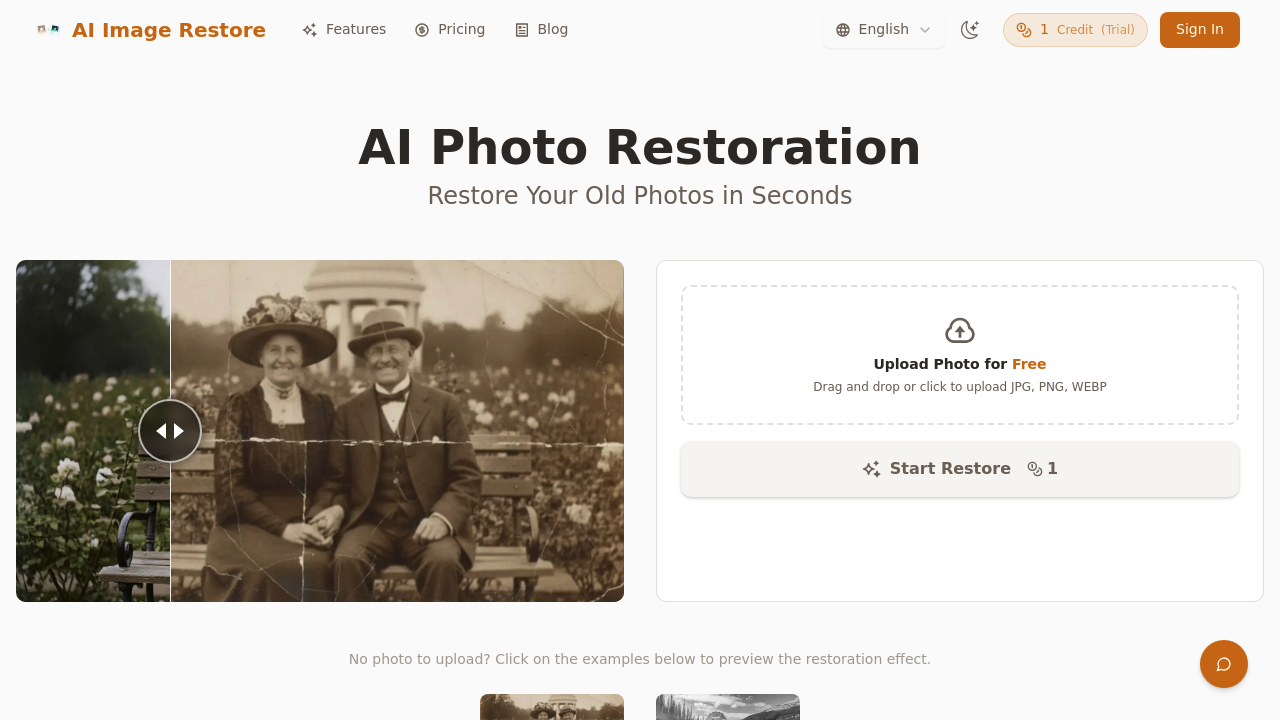
PhotoRestore.ai screenshot

PhotoRestore.ai costs $0.40 per restoration with the pro plan. It fixes damaged photos using AI trained on millions of faces. Tears get filled in. Creases disappear. Mold stains vanish. Coffee spills — gone.

Upload a scratched family portrait and it sharpens details automatically. Damage removal happens in the background. The colorization feature analyzes historical periods and lighting conditions to add realistic colors instead of cartoonish results you get elsewhere. That famous 1927 Solvay Conference photo? The AI reconstructed natural smiles and accurate skin tones that looked genuinely period-appropriate.

Genealogists researching family trees will find this useful for digitizing damaged heirloom photos.

You get a free trial but results include watermarks and ads. The basic subscription costs $9.99 monthly for 20 credits while the pro version gives you 50 credits for $19.99. Each restoration uses one credit. PhotoRestore.ai automatically deletes your original photos after 24 hours — privacy protection, but you can't re-download later if needed.

PhotoRestore.ai doesn't just colorize black and white images. It reconstructs historically accurate colors by understanding era-specific details and physical textures. JPG, PNG, and WEBP files all work. Results appear in seconds rather than the hours traditional photo restoration services require.

PhotoRestore.ai alternatives

See all →

Frequently asked

6 questions
How accurate is PhotoRestore.ai's colorization compared to other AI tools?
PhotoRestore.ai looks at historical periods and lighting to make realistic colors. You won't get those cartoonish results other tools give you. The AI gets era-specific details and textures -- so a 1920s photo won't have weird modern skin tones. It rebuilds historically accurate colors instead of slapping on generic schemes.
What happens to my photos after PhotoRestore.ai processes them?
Your originals get deleted after 24 hours for privacy. That means you can't re-download them later. Keep your own backup copies since the platform won't store them permanently.
Can I try PhotoRestore.ai before paying for credits?
Yes, there's a free trial -- but your restored photos will have watermarks and ads. For clean results without watermarks, you'll need the basic plan ($9.99 monthly for 20 credits) or pro plan ($19.99 for 50 credits). Each restoration uses one credit no matter how damaged the photo is.
What file formats work with PhotoRestore.ai and how long does processing take?
JPG, PNG, and WEBP files all work. Processing happens in seconds -- not the hours you'd wait with traditional restoration services. The AI works automatically once you upload your damaged photo.
Is PhotoRestore.ai only for black and white photos or does it fix color photos too?
It handles both types. The AI can fix tears, creases, mold stains, and coffee spills on any photo. For color photos, it focuses on damage repair and sharpening details rather than adding new colors.
How does the AI training affect PhotoRestore.ai's results on family photos?
The AI learned from millions of faces, so it's really good at rebuilding facial features in damaged family portraits. It can rebuild natural smiles and accurate skin tones even when parts of faces are missing or badly damaged. That's why genealogists love it for digitizing old family photos.

Traffic

Estimated monthly website visits · last 0 months

Not enough historical data for a chart yet.

Reviews (0)

Write review

No reviews yet. Be the first to share your experience.