
Narraviz.ai logo

Narraviz.ai

Raw data turns into business stories

No manual chart building. No SQL queries needed. Narraviz.ai takes datasets and makes them talk — answering questions in plain English. NarraterAI lets you ask questions about your data like you're chatting with a…

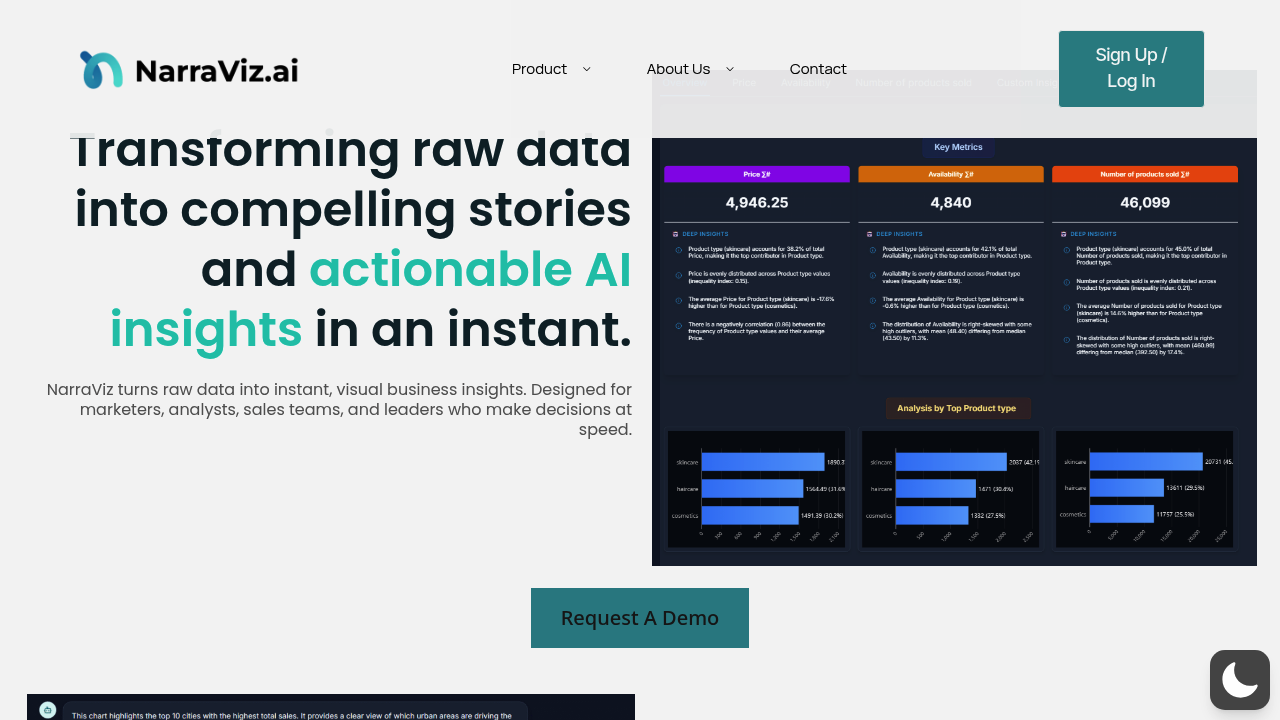
Narraviz.ai screenshot

Raw data turns into business stories. No manual chart building. No SQL queries needed. Narraviz.ai takes datasets and makes them talk — answering questions in plain English.

NarraterAI lets you ask questions about your data like you're chatting with a colleague. No dashboards. Upload a CSV file or connect your data warehouse. Start getting answers right away. NarraSense doesn't just spit out charts — it explains why your numbers look the way they do in executive-ready language.

Automatic chart recommendations save time.

The Adaptive Visualization Engine picks the right format. Line graphs. Heatmaps. Whatever fits your data best.

Picture this: a regional sales manager dealing with quarterly performance data uploads spreadsheets and asks "Why did Q3 revenue drop in the Northeast?" The AI generates charts and provides narrative explanations about seasonal trends or market shifts. No technical skills required. Export these insights as PDF reports or share links with stakeholders who need quick answers.

Narraviz.ai targets marketers, analysts, sales teams, and leaders who make decisions at speed. You'll get 60 days of free access during beta trials — though being in beta means some features might still be rough around the edges. The Data Prep Layer handles messy datasets with human oversight when needed, so you're not stuck cleaning data before getting insights.

Conversational questioning plus automatic narrative generation separates this from standard charting tools that leave you staring at graphs wondering what they mean.


Narraviz.ai alternatives

See all →

Frequently asked

6 questions
What file formats can I upload to Narraviz.ai?
You can upload CSV files straight to Narraviz.ai. Or connect your data warehouse if you've got bigger datasets. The Data Prep Layer deals with messy data -- and gets human help when the automatic stuff isn't cutting it. This means you don't waste time cleaning data before getting insights.
How does Narraviz.ai decide which chart type to use for my data?
The Adaptive Visualization Engine looks at your data and picks what works best. Line graphs for trends, heatmaps for patterns -- whatever your specific dataset needs. You don't have to guess which visualization's gonna work.
Can I export insights from Narraviz.ai to share with my team?
Yep, you can export as PDF reports or make shareable links. Easy way to get findings to team members who need quick answers. They don't need access to your raw data or the full platform.
Is Narraviz.ai still in beta and what does that mean for users?
Yes, it's in beta right now with 60 days free access. Beta means some features might be rough around the edges. You'll get early access but should expect occasional bugs or missing stuff.
What makes Narraviz.ai different from regular dashboard tools?
Regular dashboards just show charts. Narraviz.ai explains what your data actually means in plain English. The conversational part lets you ask follow-ups like you're talking to a real analyst. You get the visual AND the story behind your numbers -- in executive-ready language.
Do I need SQL knowledge to use Narraviz.ai effectively?
Nope, no SQL needed. Ask questions like 'Why did Q3 revenue drop in the Northeast?' You'll get answers with charts and explanations. The tool handles all the technical querying so you can focus on understanding your business insights.

Traffic

Estimated monthly website visits · last 0 months

Not enough historical data for a chart yet.

Reviews (0)

Write review

No reviews yet. Be the first to share your experience.