Meeting Backgrounds logo

Meeting Backgrounds

You can generate a professional virtual background in 30 seconds

Meeting Backgrounds uses AI to create realistic office settings—works perfectly for Zoom and Google Meet calls. You embed your company logo directly into the scene. Paste a prompt describing what you want. AI generates…

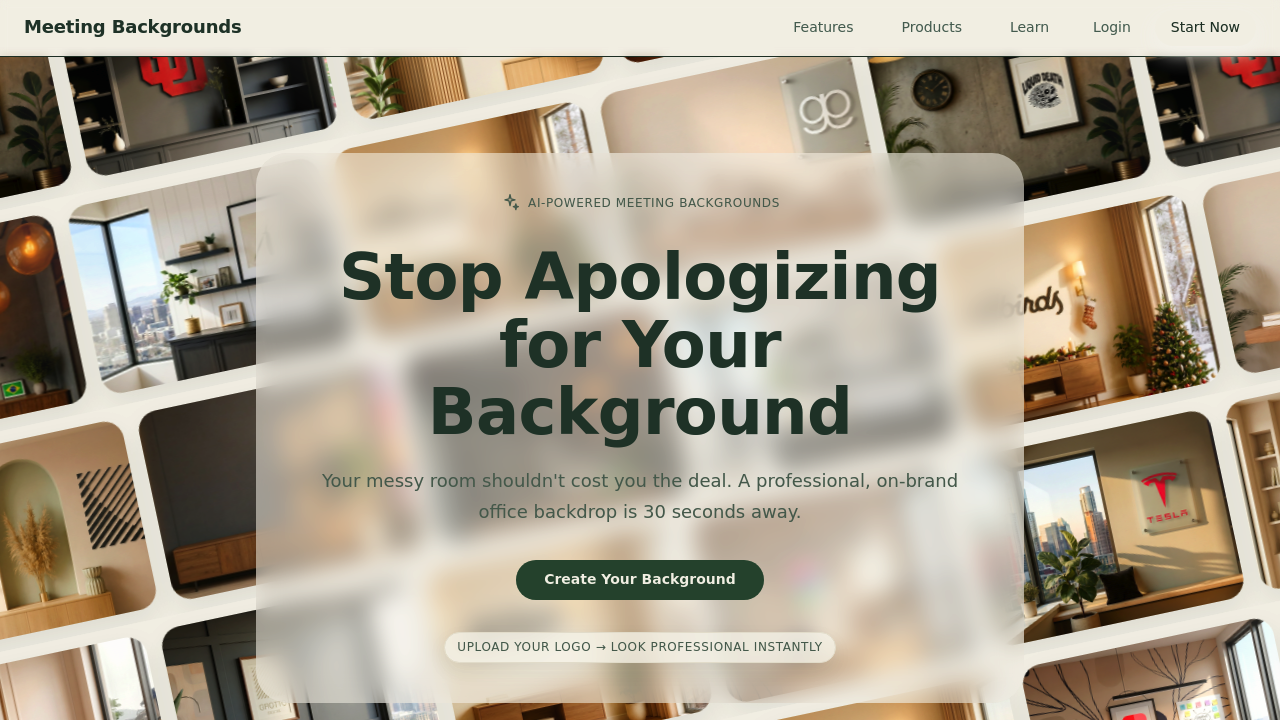
Meeting Backgrounds screenshot

You can generate a professional virtual background in 30 seconds. Meeting Backgrounds uses AI to create realistic office settings—works perfectly for Zoom and Google Meet calls. You embed your company logo directly into the scene.

Paste a prompt describing what you want. AI generates options. Customize elements (window views, wall pictures). Download and use it. The whole process moves fast for something that fools everyone on the other end of your calls.

It's free. Solo professionals get particular value here—no design team or stock photo subscription needed to maintain a polished appearance. Sales teams standardize backgrounds with consistent branding. Consultants working from home project the right image without revealing their actual space.

Logo embedding gets surprisingly realistic results. People on calls ask about it. They think it's a real plaque or sign in your office. That reaction turns your background into a subtle conversation piece about staying current with AI.

Seasonal templates help you rotate looks without starting from scratch each time. Attorneys preparing for client video calls switch between formal office settings. Product managers demoing software have options that look professional without being stuffy.

You won't find advanced editing features here. Meeting Backgrounds does one thing well instead of trying to be a full design suite. For quick professional backgrounds that actually look believable on video calls? It delivers exactly what remote workers need.


Meeting Backgrounds alternatives

See all →

Frequently asked

7 questions
How long does it take to create a virtual meeting background?
About 30 seconds from start to finish. You paste a prompt describing what you want, the AI generates options, you customize any details like window views or logo placement, and download. It's genuinely fast enough to create a new background right before a call if needed.
Can I add my company logo to virtual backgrounds?
Yes, you can embed your logo directly into the background scene. The AI makes it look like a real plaque or sign on the wall—realistic enough that people on calls often ask about it. It takes the same 30 seconds to go from logo upload to finished background.
Do Meeting Backgrounds work with Zoom and Google Meet?
They work with both Zoom and Google Meet. You download the background image and upload it through your video platform's virtual background settings. The backgrounds are designed to look realistic on video calls, so clients typically can't tell they're virtual.
Is Meeting Backgrounds free to use?
Yes, it's completely free. You don't need a subscription or design team to create professional-looking backgrounds with your branding.
What types of backgrounds can I create for video calls?
You can generate different office settings based on what you describe—formal spaces for client calls, casual setups for team meetings, or anything in between. There are seasonal templates to rotate your look, and you can customize window views and wall decorations. It's focused on professional office environments rather than creative or fun backgrounds.
Who should use Meeting Backgrounds?
It's perfect for remote professionals who need to look polished on video calls—sales teams, consultants, attorneys, product managers, really anyone working from home. If you don't have an office backdrop or design resources but want consistent professional branding, this solves that problem quickly.
Can I edit or customize the AI-generated backgrounds?
You can customize basic elements like window views, pictures on walls, and logo placement before downloading. It's not a full design suite with advanced editing tools—it focuses on getting you a professional background fast rather than offering tons of tweaking options.

Traffic

Estimated monthly website visits · last 0 months

343 visits/mo
Monthly visits
343

Not enough historical data for a chart yet.

Reviews (0)

Write review

No reviews yet. Be the first to share your experience.