
MakeShot AI logo

MakeShot AI

Getting started takes minutes

45 views
Visit makeshot.ai
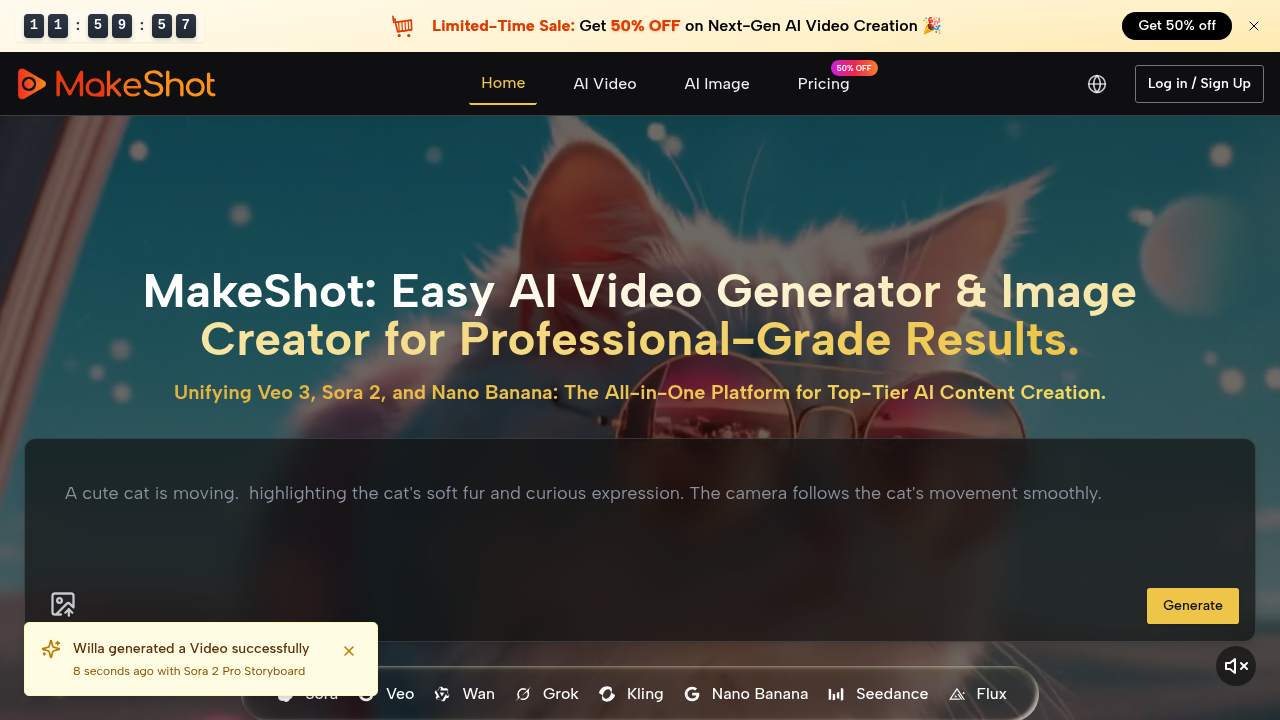
MakeShot AI screenshot

Getting started takes minutes. MakeShot AI dumps you straight into video creation with models like Sora, Veo, and Kling all accessible from one dashboard. No switching between different platforms. No managing multiple subscriptions.

Model variety under one roof — that's the real draw. You get Veo 3. Sora 2. Nano Banana. Several others for video generation. Image creation runs through Seedance and Flux. Each model has different strengths, so you can pick the right one for your specific project without vendor hopping.

Take a social media manager launching a product campaign. They need hero videos, supporting clips, and promotional images. Instead of juggling three different AI services, they can generate everything through MakeShot AI's unified interface. Professional prompt examples help speed up the creative process.

MakeShot AI targets creators and businesses making content for everything from social posts to cinema applications. That's a wide range.

Model consolidation sounds convenient but creates dependency on MakeShot AI's uptime and pricing decisions. You're essentially putting all your AI generation eggs in one basket. The current 50% off promotion suggests they're still building their user base — though specific pricing details aren't clear.

For teams already using multiple AI video tools, MakeShot AI could simplify workflows significantly. The generation capability adds another creative option to the mix.


Frequently asked

6 questions
Which specific AI video models can I access through MakeShot AI?
You'll get Veo 3, Sora 2, Nano Banana, and a bunch of other video models -- all in one spot. They've also got Seedance and Flux for images. Each one's got different strengths, so you can test what works without hopping between platforms.
How does MakeShot AI compare to managing separate subscriptions for Sora and Veo?
No more juggling accounts and payments. Everything's in one interface. But here's the thing -- you're putting all your eggs in one basket. If MakeShot changes prices or goes down, you lose everything at once.
What happens if I'm already using other AI video tools - can I still benefit from this?
If you're bouncing between platforms right now, this could clean up your workflow big time. One dashboard instead of multiple tabs. You'd just need to decide if convenience beats spreading your risk around different providers.
Does MakeShot AI provide help with writing effective prompts?
Yep -- they include pro prompt examples to speed things up. Super helpful since each model likes different prompt styles. Saves you from the usual guessing game to get decent results.
What's the current pricing structure and is there a discount available?
They're doing 50% off right now. Pricing details aren't super clear though. The discount screams "we're still building users" -- might be smart to lock in rates before they go up.
Can MakeShot AI handle both quick social media content and longer cinematic projects?
Absolutely. Social posts to cinema stuff -- it's all there. Use the lighter models for quick clips, heavy-duty ones for longer projects. Having options in one place makes scaling up or down way easier.

Traffic

Estimated monthly website visits · last 4 months

1.8K visits/mo
Monthly visits
1.8K
↓ 51.0% MoM
Global rank
#9,597,845
Category rank
#197
Video Creation
3.7K 2.8K 1.8K 924 0 Nov 2025: 0 visits Nov 2025 Dec 2025: 2.5K visits Dec 2025 Jan 2026: 3.7K visits Jan 2026 Feb 2026: 1.8K visits Feb 2026

Data from SimilarWeb · Updated monthly.

Reviews (0)

Write review

No reviews yet. Be the first to share your experience.

Similar tools

See all →