
Livedocs logo
AI For Data Analytics FREEMIUM from $15/mo

Livedocs

A product analyst needs to segment customers by purchase behavior across three years of transaction data

She's working in a Jupyter notebook, changes a filter in cell 3, then manually reruns cells 4 through 12 to see updated results. Takes forever. Livedocs handles this with reactive notebooks that automatically update…

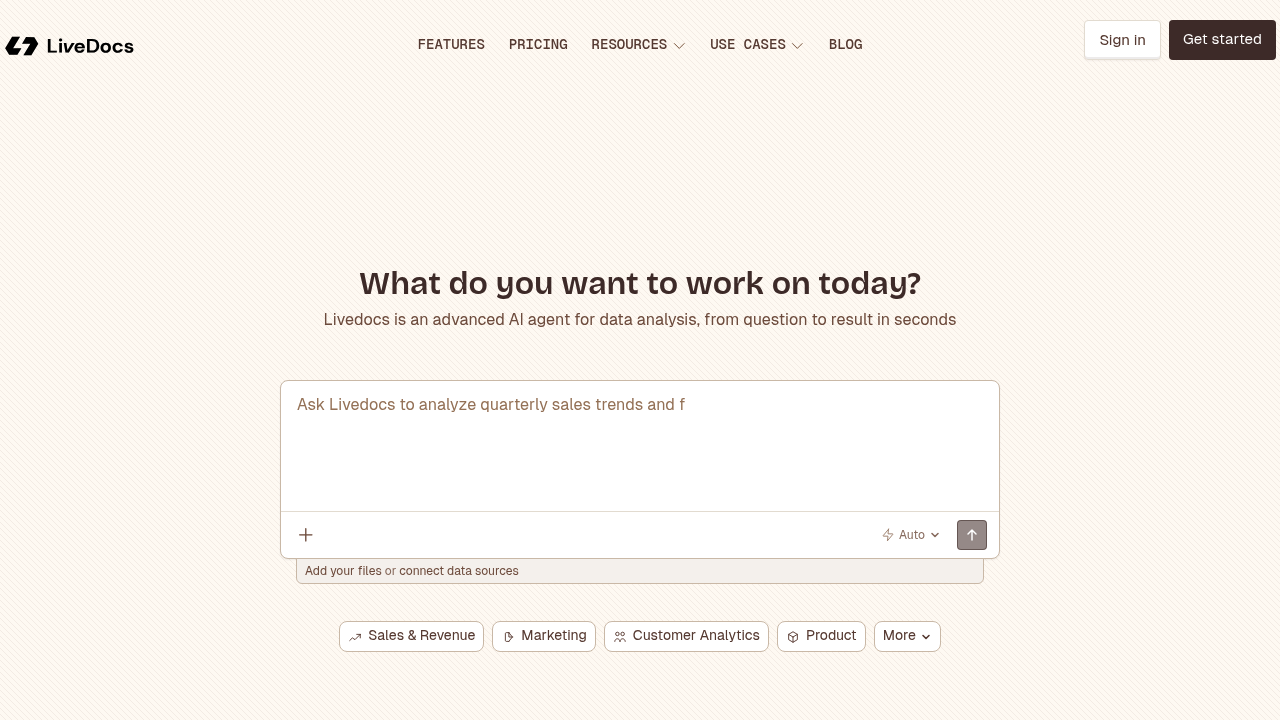
Livedocs screenshot

A product analyst needs to segment customers by purchase behavior across three years of transaction data. She's working in a Jupyter notebook, changes a filter in cell 3, then manually reruns cells 4 through 12 to see updated results. Takes forever. Livedocs handles this with reactive notebooks that automatically update downstream cells when you change anything upstream. Ask a question in plain English, get SQL queries built, charts rendered, and analysis complete in seconds.

The system covers twenty different analysis types. Sales trend analysis. Customer segmentation. Revenue forecasting. Churn prediction. A/B test analysis. Cohort analysis. Anomaly detection. Time series work. Marketing ROI breakdowns. Customer lifetime value calculations. Website traffic analysis. All through an AI agent that translates questions into executable analysis.

A marketing manager wants to understand which campaigns drive the best ROI. She connects Google Drive and her company's Postgres database, asks "which channels generated the most revenue per dollar spent last quarter," and gets back visualizations with drill-down capability. The data cleaning pipeline handles messy inputs automatically. The interactive dashboard builder lets her share findings with stakeholders who can explore the data themselves without writing code.

A supply chain analyst runs inventory optimization models every Monday morning. With scheduling on the Pro plan, he sets notebooks to refresh automatically with weekend sales data. Terminal access lets him run custom scripts when standard analysis templates don't quite fit. Real-time collaboration means his team lead can jump into the same notebook, add comments, and suggest adjustments without version control headaches.

The free plan works for solo exploration. You get three notebooks, basic datasources like CSV and Excel, and 4 GB RAM with half a virtual CPU. There's a $5 AI credits cap with no option to add more. That's enough for learning or light personal projects. Builder costs fifteen dollars monthly, bumps you to five notebooks and 8 GB RAM with 2 vCPUs, includes five dollars in AI credits then switches to pay-as-you-go. Still solo only. Pro runs thirty dollars monthly, adds twenty per extra team member, removes the notebook limit, doubles computing power to 16 GB RAM and 4 vCPUs, enables all datasources including Snowflake, Databricks, BigQuery, ClickHouse, and Motherduck. Scheduling, terminal, and collaboration features live only on Pro. Annual billing knocks twenty percent off.

A financial analyst working with proprietary on-premise databases can't use cloud-hosted tools. Enterprise pricing gets custom deployment, SSO, custom machine profiles, and dedicated support. A freelance data consultant juggling multiple client projects hits the three-notebook ceiling on free almost immediately.

The reactive notebook approach matters most when iteration speed determines whether insights arrive useful or obsolete. Traditional notebook users who've built elaborate run-order systems might find the automatic update behavior disorienting at first. The AI agent shines with straightforward analytical questions but won't replace deep statistical expertise for complex modeling work.

Teams already locked into specific BI platforms with embedded workflows won't want to migrate. Solo practitioners on tight budgets face a choice between severe notebook limits on free or stepping up to paid plans. The builder tier doesn't add team features, which feels like an odd middle ground. No mobile app means analysis happens at your desk, not during commutes or from job sites.


Livedocs alternatives

See all →

Frequently asked

7 questions
Does Livedocs have a free plan?
The free plan lets solo users run three notebooks maximum with basic datasources like CSV, Excel, and SQLite. You get 4 GB RAM and 0.5 vCPU computing power, plus a $5 AI credits cap with no way to add more once you hit the limit. A freelance analyst building a personal portfolio could explore customer segmentation and sales trends within these constraints. The three-notebook ceiling hits fast if you're juggling multiple projects or testing different analysis approaches simultaneously.
How much does Livedocs cost for teams?
Pro costs $30 monthly for the first user, then $20 for each additional team member. A three-person analytics team would pay $70 monthly ($30 + $20 + $20). Annual billing cuts twenty percent off those numbers. Free and Builder plans don't allow additional members at all, so teams need Pro minimum to collaborate. Enterprise pricing runs custom for on-premise deployments with SSO and dedicated support.
What's the difference between Livedocs and Jupyter notebooks?
A data scientist changes a date filter in her Jupyter notebook, then manually reruns eight downstream cells to see updated charts and calculations. Livedocs notebooks automatically update everything downstream when you change any cell, no manual rerunning required. The AI agent also translates plain English questions directly into executable SQL and visualizations. A marketing analyst without coding skills can ask "which product categories drove the most revenue last quarter" and get results in seconds, where Jupyter would require writing SQL manually.
Can I schedule automated reports in Livedocs?
Scheduling lives only on the Pro plan at $30 monthly. A supply chain analyst sets a notebook to refresh every Monday morning with weekend sales data, generating inventory recommendations automatically. Free and Builder plans can't schedule anything, so you'd manually trigger each analysis run. The feature works alongside terminal access and collaboration tools that also require Pro.
What data sources does Livedocs connect to?
Free and Builder plans handle basic datasources like CSV, Excel, JSON, SQLite, and DuckDB. Pro unlocks everything including Postgres, Snowflake, Databricks, BigQuery, ClickHouse, Motherduck, MySQL, and Google Drive. A financial analyst needing Snowflake access for enterprise data warehouse queries must pay for Pro. Someone analyzing spreadsheet exports and local database files works fine on cheaper tiers.
What are the notebook limits on Livedocs paid plans?
Builder restricts you to five notebooks maximum even though it costs $15 monthly. A consultant managing four client projects plus personal experimentation hits that ceiling immediately. Pro removes the notebook limit entirely while adding 16 GB RAM and 4 vCPUs compared to Builder's 8 GB and 2 vCPUs. Builder feels oddly positioned since it keeps the solo-only restriction from free but doesn't offer team features, just slightly more resources and two extra notebooks.
Can Livedocs do customer churn prediction?
A subscription business analyst connects three years of customer transaction data from Postgres and asks "which user segments show highest cancellation risk." The AI agent builds cohort analysis, identifies patterns in usage decline before churn, and generates visualizations showing at-risk customer profiles. The system handles twenty analysis types including churn prediction, A/B testing, anomaly detection, and customer lifetime value calculations. Deep statistical modeling for complex predictive work still needs human expertise beyond what the AI agent provides automatically.

Traffic

Estimated monthly website visits · last 8 months

5.2K visits/mo
Monthly visits
5.2K
↓ 9.0% MoM
Global rank
#3,570,877
US #1,785,761
Category rank
#22
AI For Data Analytics
43K 33.4K 23.8K 14.2K 4.6K Dec 2025: 4.6K visits Dec 2025 Jan 2026: 43K visits Jan 2026 Feb 2026: 23.9K visits Feb 2026 Mar 2026: 12.2K visits Mar 2026 Apr 2026: 6.7K visits Apr 2026 May 2026: 5.8K visits May 2026 Jun 2026: 5.7K visits Jun 2026 Jul 2026: 5.2K visits Jul 2026

Reviews (0)

Write review

No reviews yet. Be the first to share your experience.