LandscapingAI logo
AI Landscape Generator FREEMIUM from $10/mo

LandscapingAI

This service takes property photos and runs them through AI models that generate visualizations of potential yard improvements

You upload an image of your yard or property, and the system processes it to show what the space could look like with enhancements like greener grass, new garden beds, or different sky conditions. The transformation…

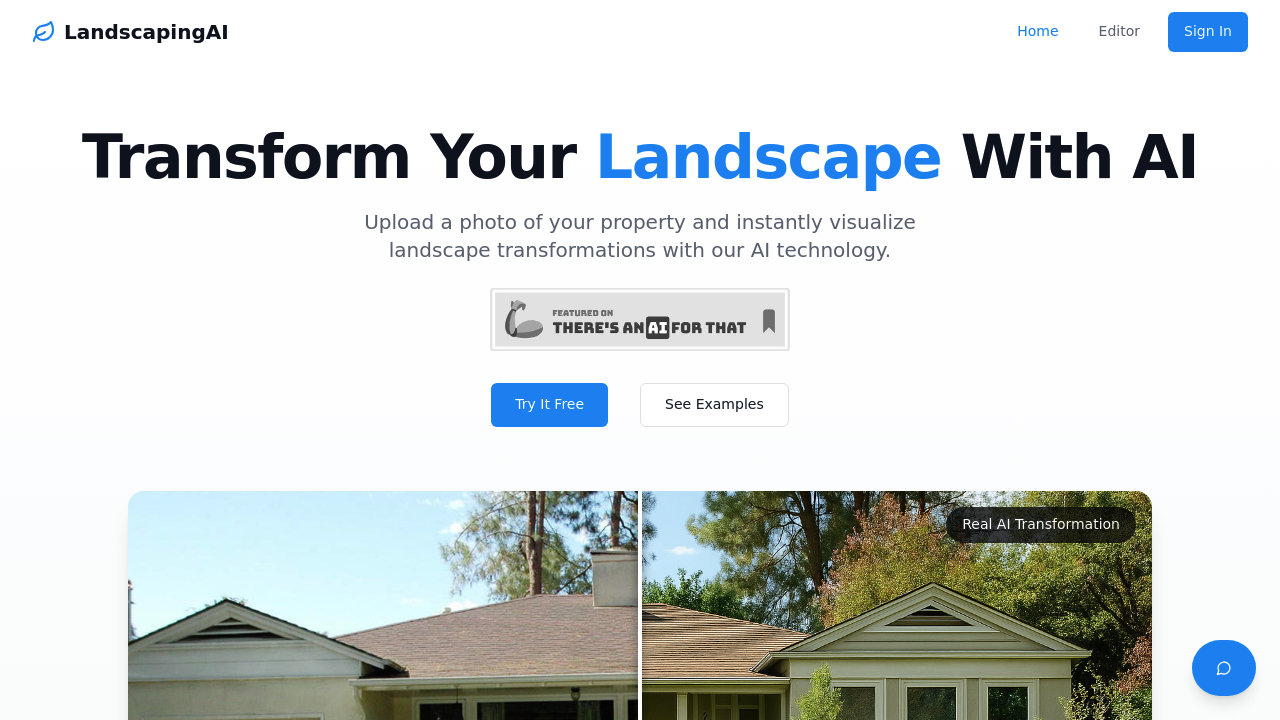
LandscapingAI screenshot

This service takes property photos and runs them through AI models that generate visualizations of potential yard improvements. You upload an image of your yard or property, and the system processes it to show what the space could look like with enhancements like greener grass, new garden beds, or different sky conditions. The transformation happens through computer vision models trained on outdoor imagery that understand spatial relationships between different outdoor elements.

The data pipeline works on a credit system. Each enhancement consumes one credit, though larger or more complex images might need additional credits to process properly. The AI analyzes the uploaded photo to identify different outdoor components, then applies transformations based on either preset options or custom prompts. Higher-tier plans enable custom prompt capabilities, letting you specify exactly what changes you want rather than choosing from predefined options.

Output comes as downloadable images with before and after slider comparisons built in. The system stores projects in the cloud for later reference. Image resolution varies by plan, with standard resolution in the Starter tier and high resolution available from Plus upward. Processing speed also differs, with priority queuing for paid tiers above the basic level.

The technical approach works best when source photos have clear, unobstructed views of the home and yard. Obstacles or partial views can limit what the AI can accurately transform. There's no indication of what specific model architecture runs under the hood, just that it's trained for outdoor visualization tasks.

Professional tier adds batch processing, which'll matter if you're running multiple properties through the system. This level also includes team collaboration features and a client sharing portal, suggesting the architecture supports multi-user access and permission controls. The batch capability implies the system can queue multiple jobs and process them sequentially without manual intervention for each one.

Credits expire, which is worth noting from a technical standpoint. Starter credits last 30 days, Plus lasts 60 days, and Professional lasts 90 days. This isn't a subscription model. It's pay-as-you-go with time-limited credits.

New users get 5 free credits to test the system. Beyond that, pricing starts at $9.99 for 25 credits in the Starter plan, which works out to 40 cents per enhancement. The Plus plan costs $24.99 for 75 credits at 33 cents each. Professional runs $99.99 for 350 credits, dropping the per-credit cost to 29 cents.

This service doesn't connect to other tools through APIs or integrations. It's a standalone system. No mobile app exists, and there's no browser extension. You work directly through the web interface.

Technical limitations center on image quality and complexity. The system needs good source material to generate convincing transformations. Poor lighting, obstructions, or unusual angles will probably produce less realistic results. The credit requirement for larger images suggests the processing load scales with image size and complexity, which makes sense given how computer vision models work. More pixels mean more computational work.

The methodology appears to use generative AI rather than simple filters or overlays. It's not just changing colors. It's understanding spatial context and generating new visual elements that fit the existing scene. That's computationally intensive, which explains the credit system and processing tiers.


LandscapingAI alternatives

See all →

Frequently asked

7 questions
Is there a free trial for LandscapingAI?
LandscapingAI gives new users 5 free credits to test the service, but this isn't technically a trial period with full feature access. Each credit processes one landscape enhancement, so you get 5 transformations to evaluate whether the output quality meets your needs. After using those credits, you'll need to purchase a paid plan starting at $9.99 for 25 credits. The free credits don't expire on a timeline, but paid plan credits do have validity periods ranging from 30 to 90 days depending on which tier you choose.
How much does LandscapingAI cost per image?
Cost per enhancement ranges from 29 to 40 cents depending on which plan you buy. The Starter plan runs $9.99 for 25 credits at 40 cents each, while the Plus plan drops to 33 cents per credit at $24.99 for 75 credits. Professional tier offers the lowest rate at 29 cents per enhancement with 350 credits for $99.99. Each standard enhancement uses one credit, though larger or more complex images might require additional credits to process completely.
What can LandscapingAI do with yard photos?
The system processes property photos through AI models that visualize potential landscape improvements like greener grass, new garden beds, or different sky conditions. You upload an image and the computer vision models identify outdoor components, then apply transformations based on preset options or custom prompts if you're on Plus or higher tiers. Output comes as downloadable images with before and after slider comparisons built in. The AI generates new visual elements rather than just applying filters, which means it understands spatial relationships and can create realistic-looking enhancements that fit the existing scene.
Do LandscapingAI credits expire?
Credits have different expiration periods depending on which plan you purchase. Starter plan credits last 30 days from purchase, Plus credits remain valid for 60 days, and Professional credits extend to 90 days. This isn't a subscription model where credits refresh monthly. It's pay-as-you-go with time-limited credits, so you'll want to choose a plan that matches how quickly you'll use the enhancements.
Can LandscapingAI handle photos with trees or fences blocking the view?
The system works best with clear, unobstructed views of the home and yard, and obstacles or partial views limit what the AI can accurately transform. The computer vision models need to understand spatial relationships between outdoor elements to generate convincing enhancements, which becomes harder when significant portions of the property are blocked. Poor lighting, unusual angles, or complex obstructions will probably produce less realistic results since the AI relies on visible context to know where and how to apply landscape improvements. Source image quality directly affects output quality.
What's the difference between LandscapingAI Starter and Plus plans?
Plus unlocks custom prompt capabilities that let you specify exact changes instead of choosing from preset options, which gives you more control over the transformation. Processing speed differs too, with Plus getting priority queuing while Starter waits in the standard queue. Image resolution jumps from standard in Starter to high resolution in Plus, and you get 60-day credit validity instead of 30 days. The Plus plan also includes email support and costs $24.99 for 75 credits compared to Starter's $9.99 for 25 credits, dropping the per-credit price from 40 cents to 33 cents.
Who should use LandscapingAI Professional tier?
Professional tier makes sense if you're processing multiple properties and need batch capabilities to queue jobs without manual intervention for each one. The team collaboration features and client sharing portal indicate it's built for landscape professionals or real estate agents who work with clients and need permission controls for multi-user access. You're paying $99.99 for 350 credits, but you get the lowest per-credit cost at 29 cents, 90-day validity, and priority support. The batch processing capability matters most when you're running dozens of transformations regularly rather than occasional personal projects.

Traffic

Estimated monthly website visits · last 0 months

Not enough historical data for a chart yet.

Reviews (0)

Write review

No reviews yet. Be the first to share your experience.