
ArchyBase logo

ArchyBase

Over 10,000 architects and homeowners use ArchyBase to generate architectural renders without spending days in modeling software

43 views
ArchyBase screenshot

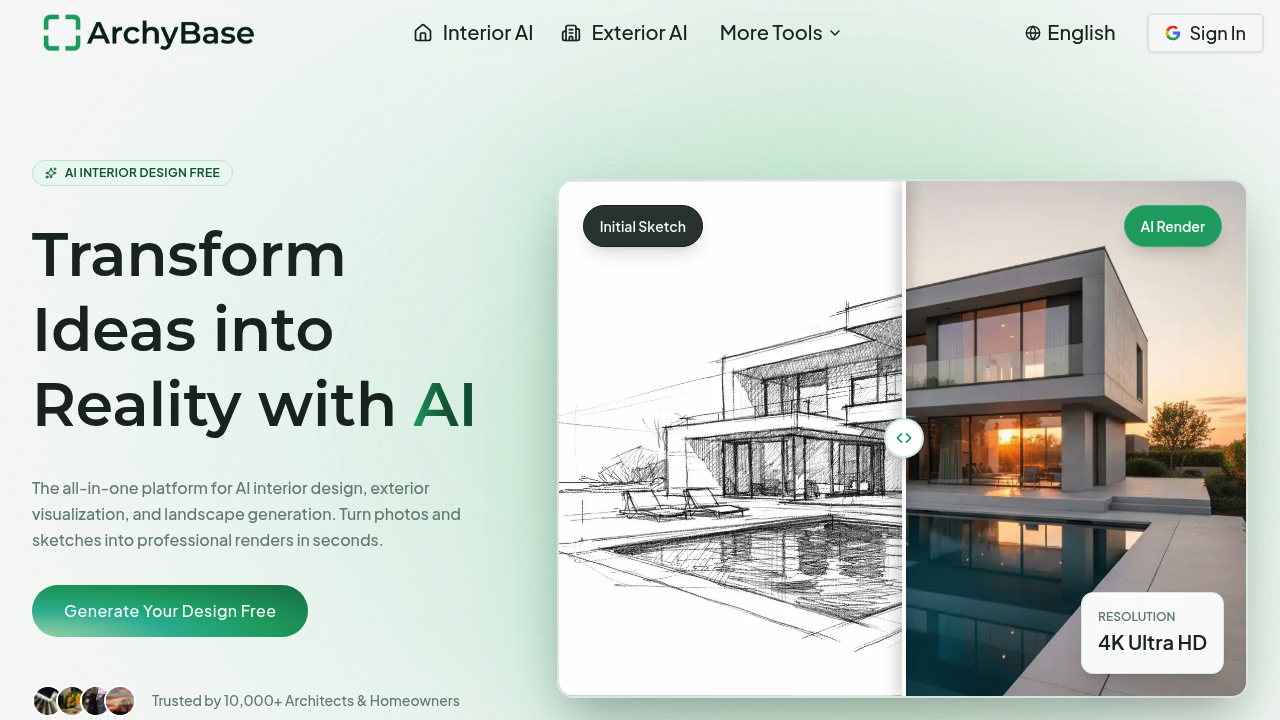
Over 10,000 architects and homeowners use ArchyBase to generate architectural renders without spending days in modeling software. Upload photos or sketches—get photorealistic 4K images in under 10 seconds.

Here's how it works. You upload a photo of an empty room. ArchyBase furnishes it with one of 30+ styles: Scandinavian, Industrial, Modern. The AI keeps your existing layout intact while proposing new styles. For exteriors? Swap facade materials. Change roofing. Test different architectural approaches. The garden and pool generator handles outdoor spaces. A freelance interior designer could show clients five different living room concepts before lunch.

ArchyBase converts napkin sketches into full renders. Works for rough concept drawings or CAD files. Its GPU engine runs 100x faster than traditional manual modeling—sounds aggressive, but the speed's real. You get results in seconds (not hours).

It supports visualization across different seasons and lighting conditions. See how that patio looks in summer versus winter. Morning light versus evening. This matters when you're presenting options to clients who can't visualize spatial depth from flat drawings.

The free tier lets you test features without a credit card. If you're a homeowner planning a single renovation, ArchyBase might be overkill. For design professionals churning through multiple projects? The speed advantage makes sense. The renders look convincingly real—though calling them "indistinguishable from real photography" stretches it slightly.


Frequently asked

7 questions
How long does it take to generate a render in ArchyBase?
ArchyBase generates photorealistic 4K renders in under 10 seconds. That's about 100x faster than traditional 3D modeling software where you'd spend hours setting up materials, lighting, and camera angles. You can literally test multiple design concepts during a single client call.
Can I use ArchyBase for free?
Yes, there's a free tier that lets you test all the main features without entering a credit card. It's a good way to see if the tool fits your workflow before committing. Perfect if you're a homeowner with a one-time project or a designer wanting to kick the tires.
Does ArchyBase work with hand-drawn sketches?
Absolutely. You can upload napkin sketches, rough concept drawings, or CAD files—ArchyBase converts them into photorealistic renders. It's pretty handy when you've got a quick idea scribbled during a client meeting and need to show them what it could actually look like.
What design styles does ArchyBase support?
It includes 30+ interior styles like Modern, Scandinavian, and Industrial, plus 35+ architectural styles ranging from Scandinavian Minimalist to Industrial Chic. You can also visualize designs in different seasons, weather conditions, and lighting—useful when clients can't picture how a space changes throughout the day.
Can ArchyBase redesign the exterior of my house?
Yes, it handles exterior visualization really well. Upload a photo of your house and swap facade materials, change roofing, adjust colors, or try completely different architectural styles. You'll see what a modern makeover or cottage-style transformation would look like without hiring a contractor first.
Who should actually use ArchyBase?
It's built for architects, interior designers, and design professionals who need to produce multiple client presentations quickly. Homeowners planning renovations can use it too, though it might be overkill for a single bathroom update. If you're juggling several projects at once, the speed advantage is huge.
What are the limitations of ArchyBase?
The renders look convincingly real, but calling them 'indistinguishable from real photography' is a stretch—trained eyes can usually spot AI artifacts. Also, it's optimized for speed over hyper-detailed customization, so if you need pixel-perfect control over every material texture, traditional 3D software might still win out.

Reviews (0)

No reviews yet. Be the first to share your experience.

Similar tools

See all →