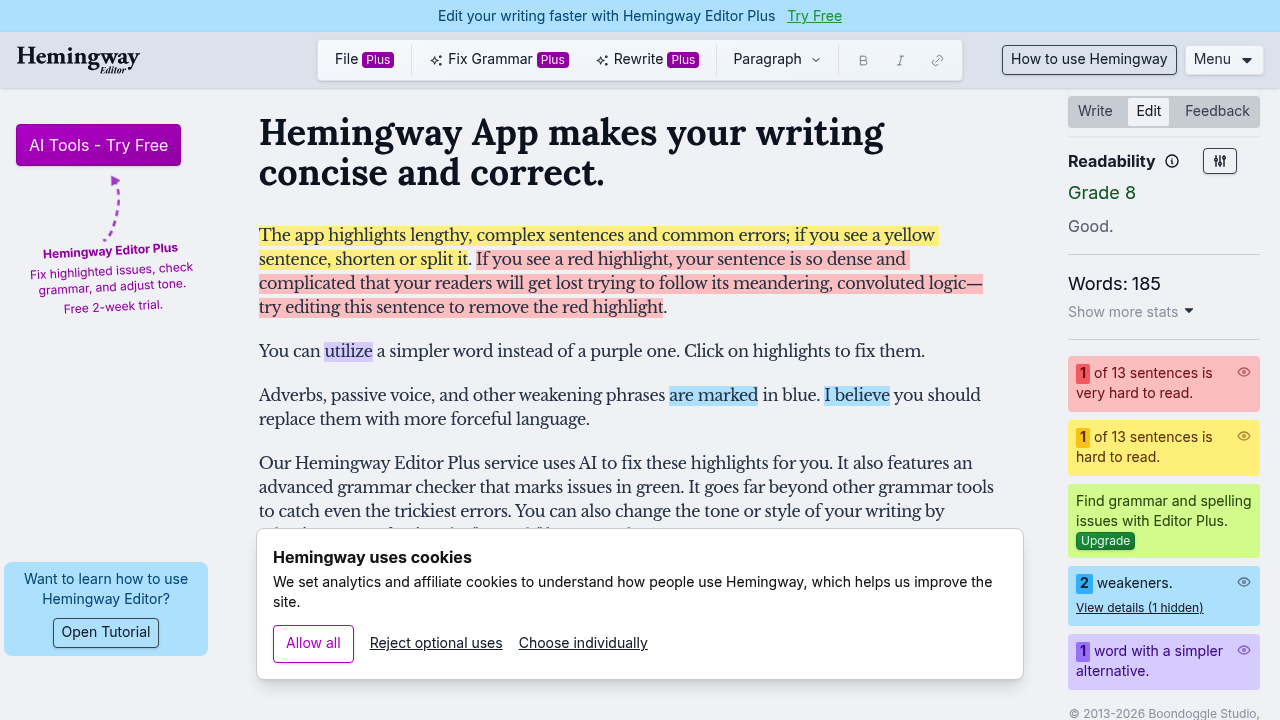
Hemingway Editor is a writing app that marks up your draft so you can see where the prose gets heavy. It flags problem sentences, checks grammar and helps you tighten the text until it reads bold and clear. The Plus version goes a step further: it can fix highlighted issues for you, run grammar checks and adjust the tone of a passage, and it comes with a free two-week trial so you can test those AI features on your own drafts before deciding.
The editor suits anyone who writes for readers who skim. Bloggers and content marketers use it to cut padding from articles, students apply it to essays before handing them in, and copywriters check landing page text for clarity. Non-native English speakers can lean on the highlighting to spot sentences that are harder to follow than they need to be. Editors and managers who review other people's drafts also like having a quick, objective second pass before leaving comments. A built-in tutorial walks first-time users through the highlight colors and what each one means.
Typical workflows start with pasting a draft into the editor and working through the highlighted sentences one by one, rewriting or accepting fixes until the markup clears. Newsletter authors tidy a weekly issue before sending, support teams polish help-center articles so customers can follow them quickly, and founders review pitch emails or website copy before publishing. Technical writers shorten documentation paragraphs, and journalists test headlines and openers for punch. Because the focus is on readability and clarity rather than heavy rewriting, it fits best as a final polish step between a rough draft and the publish button, whether the piece is a short email or a long-form article.