
#3 in AI Website Builder Figma Sites logo
AI Website Builder FREEMIUM from $16/mo

Figma Sites

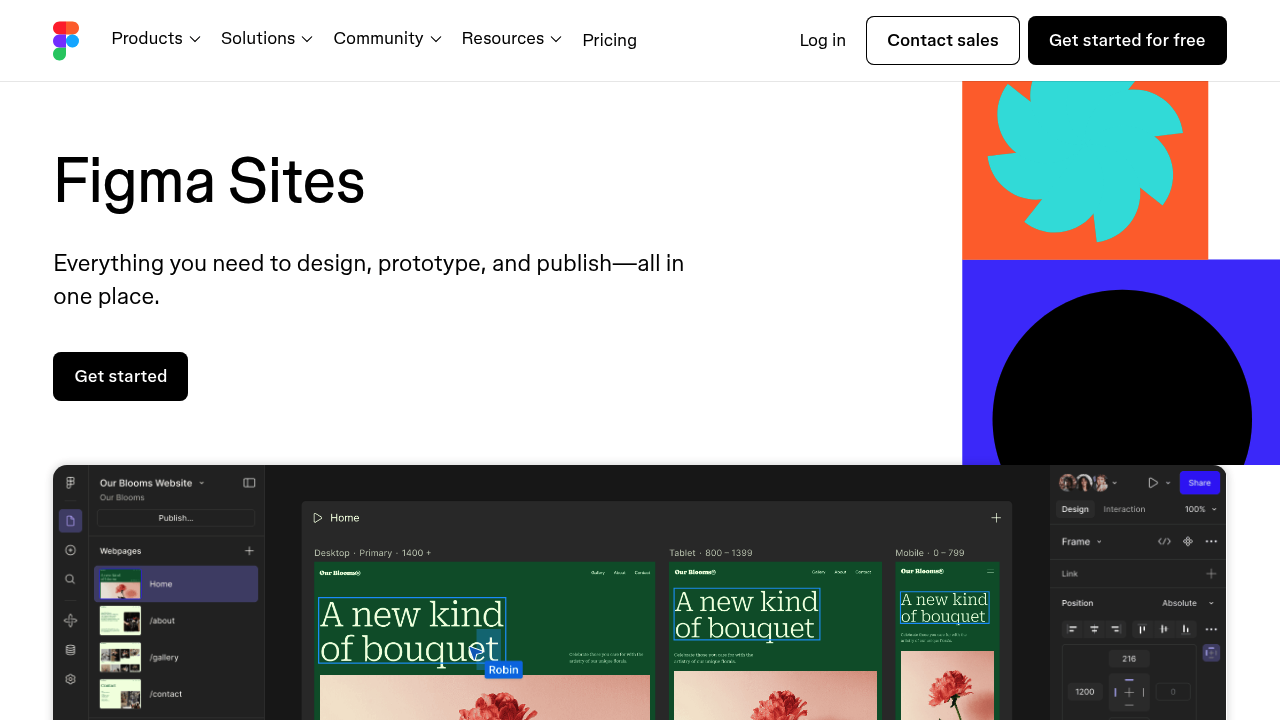
Figma Sites converts design frames into responsive website layouts without leaving the design environment

This tool treats Figma Design frames as the source material, transforming static artboards into flexible web structures that adapt to different screen sizes. When you paste frames from a Figma Design file, the system…

Figma Sites screenshot

Figma Sites converts design frames into responsive website layouts without leaving the design environment. This tool treats Figma Design frames as the source material, transforming static artboards into flexible web structures that adapt to different screen sizes. When you paste frames from a Figma Design file, the system preserves the original layout and typography while converting them into web-ready components.

The technical architecture separates design structure from content through its CMS layer. Design layouts stay locked while collaborators can swap text and images without touching the underlying canvas structure. This prevents content updates from breaking carefully crafted layouts. The system maintains design system connections, pulling in existing libraries, styles, and components from your Figma workspace.

Auto layout functionality drives the responsive behavior. Components automatically adjust spacing and sizing based on viewport dimensions rather than requiring manual breakpoint configuration for each screen size. Pre-built blocks ship with auto layout already configured, which speeds up the assembly process for common website patterns.

The interaction layer includes preset behaviors like marquee scrolling, custom cursor effects, and hover states. These don't require custom code initially. For more complex interactions, there's an AI-powered system that generates custom behaviors based on descriptions. You can also directly edit code if the generated output needs refinement.

This system connects with AI coding tools through MCP, allowing external AI systems to read and modify site code. This extends the interaction possibilities beyond what's available through the preset options or the built-in AI generator.

Sites CMS handles content management separately from design structure. The separation means content editors work with text and media fields rather than manipulating design elements directly. The design file remains the source of truth for layout decisions.

Templates provide starting points with professional layouts already configured. These aren't just static mockups but fully functional responsive structures with working auto layout systems.

The Starter plan includes unlimited drafts and 150 AI credits for generating custom interactions. You get access to UI kits and templates along with basic design file inspection capabilities. All Sites functionality is available at this tier.

The workflow assumes you're already working in Figma's ecosystem. If your design files live elsewhere, you'll need to recreate them in Figma Design first. The system's tight coupling with Figma's native features means it works best when your entire design process happens within their environment. The AI credit allocation suggests there's a cap on how many custom interactions you can generate before needing additional credits.


Figma Sites alternatives

See all →

Frequently asked

6 questions
Can I build a website in Figma without coding?
Figma Sites converts design frames into responsive websites directly within the Figma environment. You paste frames from Figma Design files and the system transforms them into flexible web layouts with auto layout handling the responsive behavior automatically. Preset interactions like marquee scrolling and hover effects work without code, though there's also AI-powered generation for custom behaviors and direct code editing if needed. The entire process happens within Figma's interface rather than requiring external development tools.
Is Figma Sites free to use?
The Starter plan provides full access to Figma Sites at no cost. This includes unlimited drafts, all UI kits and templates, and 150 AI credits for generating custom interactions. The free tier doesn't restrict core functionality like responsive design, CMS features, or the ability to publish sites. Once you exhaust the 150 AI credits, you'll need additional credits to generate more custom interactions through the AI system.
How does Figma Sites handle responsive design?
The system uses Figma's auto layout functionality to drive responsive behavior across different screen sizes. Components automatically adjust spacing and sizing based on viewport dimensions rather than requiring manual breakpoint configuration. When you paste frames from Figma Design, the system preserves the original layout structure while converting static elements into flexible web components. Pre-built blocks ship with auto layout already configured, which handles most common responsive patterns without additional setup.
Can non-designers edit content on Figma Sites?
Sites CMS separates design structure from content through a locked layout system. Collaborators can update text and swap images through content fields without touching the underlying canvas or breaking the design structure. The design file remains the source of truth for layout decisions while content editors work with text and media fields rather than manipulating design elements directly. This architecture prevents content updates from accidentally destroying carefully crafted layouts.
What design systems work with Figma Sites?
Figma Sites pulls in existing libraries, styles, and components directly from your Figma workspace. The system maintains connections to your design system throughout the site-building process, so changes to shared components propagate across your sites. This integration only works within Figma's ecosystem though. If your design files or component libraries live in other tools like Sketch or Adobe XD, you'll need to recreate them in Figma Design before using Sites.
Does Figma Sites limit how many websites I can create?
The Starter plan includes unlimited drafts with no cap on the number of sites you can build or prototype. This applies to both testing environments and published sites. The only quantitative limitation is the 150 AI credits for generating custom interactions through the AI system. Once those credits run out, you'll need more to continue using the AI-powered interaction generator, though preset interactions and manual code editing remain available.

Traffic

Estimated monthly website visits · last 8 months

82.6M visits/mo
Monthly visits
82.6M
↑ 0.3% MoM
Global rank
#207
US #354
Category rank
#3
AI Website Builder
94.9M 91.7M 88.6M 85.4M 82.3M Dec 2025: 82.3M visits Dec 2025 Jan 2026: 84.7M visits Jan 2026 Feb 2026: 83.3M visits Feb 2026 Mar 2026: 94.9M visits Mar 2026 Apr 2026: 91.2M visits Apr 2026 May 2026: 83.6M visits May 2026 Jun 2026: 82.4M visits Jun 2026 Jul 2026: 82.6M visits Jul 2026

Reviews (0)

Write review

No reviews yet. Be the first to share your experience.