Evalyy logo
AI Quiz Generator FREEMIUM from $21/mo

Evalyy

Evalyy is an AI-Powered platform designed to transform static study materials into interactive quizz

Teachers juggling heavy courseloads and students drowning in dense textbooks get relief with Evalyy. It turns uploaded PDFs into interactive quizzes and educational videos that actually make sense. Upload your study…

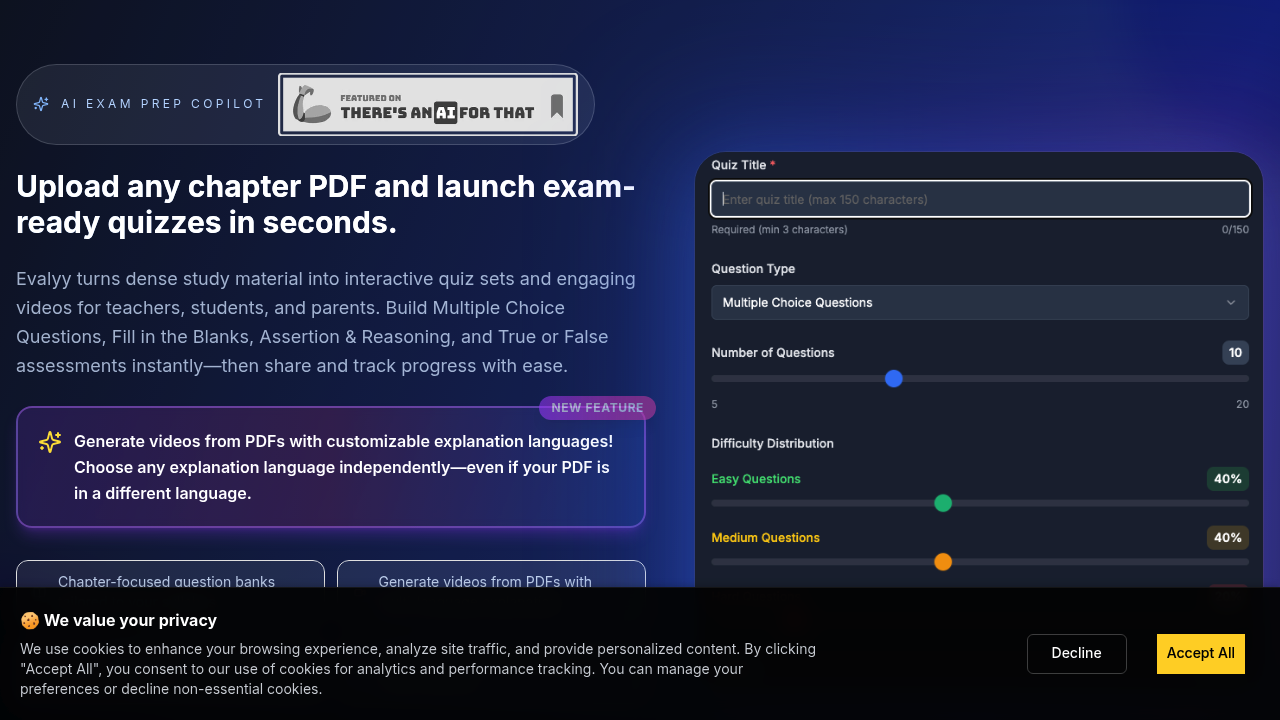
Evalyy screenshot

Teachers juggling heavy courseloads and students drowning in dense textbooks get relief with Evalyy. It turns uploaded PDFs into interactive quizzes and educational videos that actually make sense.

Upload your study material. Evalyy spits out multiple choice questions. Fill-in-the-blanks. True-or-false assessments. Assertion-reasoning problems. No manual question writing required. A high school biology teacher can dump a 50-page photosynthesis chapter and get a complete question bank tailored to the syllabus within minutes.

Video conversion sets it apart from typical quiz generators. Evalyy doesn't just create questions — it builds explanatory videos from your PDFs. You can pick any explanation language even if your source material is in Hindi, Spanish, or Mandarin.

Smart difficulty blending keeps revision sessions balanced rather than randomly hard or easy. Progress tracking lets parents monitor their kids' study habits without hovering over shoulders constantly.

There's a free plan to test things out.

Evalyy won't replace good teaching but it handles the grunt work of assessment creation. Chapter-focused question generation means you're not getting random questions from unrelated sections. Students can share quiz sets with classmates and track their improvement over time.

One major limitation? You're stuck with whatever Evalyy's AI decides is important from your uploaded content.


Evalyy alternatives

See all →

Frequently asked

7 questions
What file formats can I upload to Evalyy for quiz generation?
Evalyy works with PDF files only. You just upload your PDF study material and it'll process everything to create different question types. The system handles PDFs in various languages -- Hindi, Spanish, Mandarin, you name it.
How does Evalyy's video conversion feature work with different languages?
Here's the cool part -- you can pick any language for video explanations even if your PDF's in something totally different. Say you've got a Hindi textbook chapter? Evalyy can make videos explaining it in English or Spanish. Super helpful for multilingual classrooms or when you're studying in your second language.
What types of questions does Evalyy generate from uploaded materials?
You'll get multiple choice, fill-in-the-blanks, true-or-false, and assertion-reasoning questions. Everything's automatic from your PDF content -- no manual writing needed. A biology teacher could upload a 50-page chapter and boom, complete question bank in minutes.
Can students share their Evalyy quiz sets with classmates?
Yep, once you've created quiz sets, you can share them with classmates. Great for study groups working with the same materials and comparing progress.
How does the smart difficulty blending in Evalyy work?
Instead of randomly throwing hard or easy questions at you, Evalyy balances difficulty levels to keep revision sessions productive. You won't get slammed with all the toughest questions at once (or breeze through only simple ones). The system keeps your learning progress steady.
What's the biggest limitation of using Evalyy for quiz creation?
You're stuck with whatever Evalyy's AI thinks is important from your PDFs. If the AI misses key concepts or focuses on random details, there's no way to manually adjust or guide the question selection. You might need to add extra questions yourself for complete coverage.
Does Evalyy offer progress tracking for parents and teachers?
Yes -- parents can monitor their kids' study habits without constantly hovering. Teachers can track student performance on different quiz sets too. It gives adults insight into learning patterns without being too intrusive.

Traffic

Estimated monthly website visits · last 0 months

Not enough historical data for a chart yet.

Reviews (0)

Write review

No reviews yet. Be the first to share your experience.