
Developer Toolkit logo
AI Developer Tools FREEMIUM from $20/mo

Developer Toolkit

Some features sit in COMING SOON—printable cheat-sheets and team analytics aren't ready yet

Beyond that? Developer Toolkit hands you 350+ tutorials and 80+ ready-to-use recipes for Cursor, Claude Code, and Codex. It's built for developers who struggled with ChatGPT experiments and need actual structure to ship…

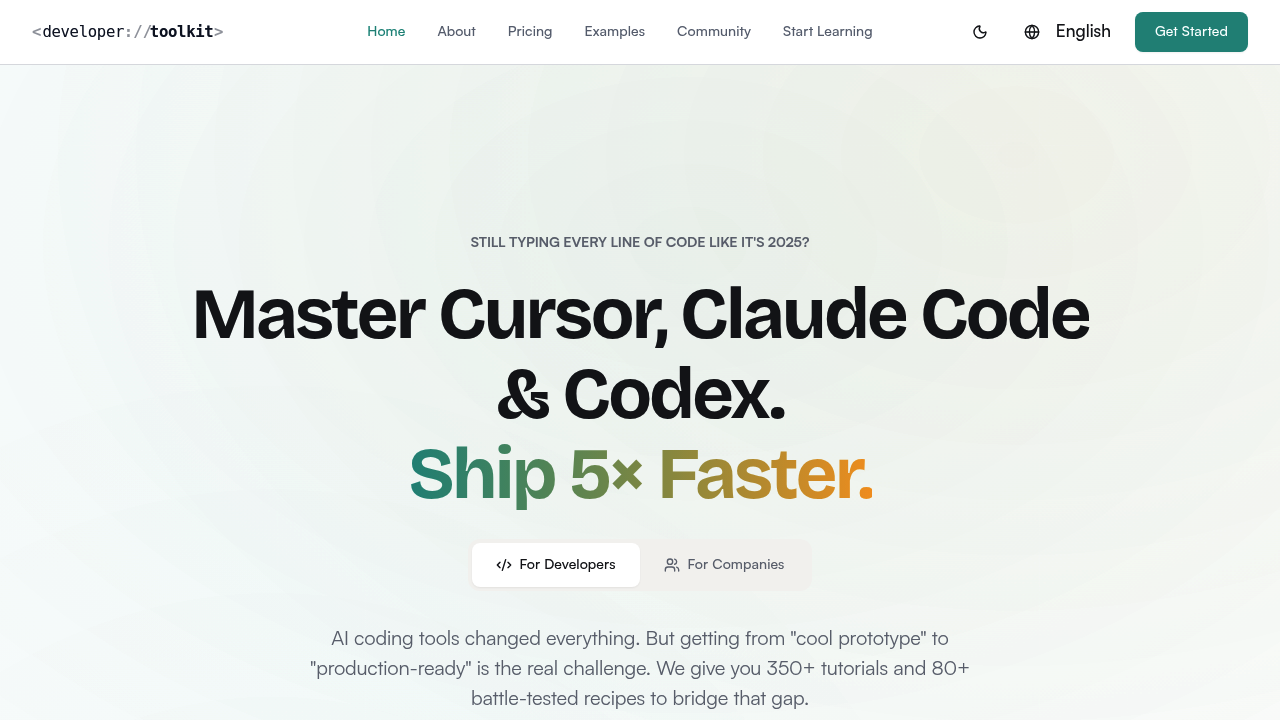
Developer Toolkit screenshot

Some features sit in COMING SOON—printable cheat-sheets and team analytics aren't ready yet. Beyond that? Developer Toolkit hands you 350+ tutorials and 80+ ready-to-use recipes for Cursor, Claude Code, and Codex. It's built for developers who struggled with ChatGPT experiments and need actual structure to ship production code with AI tools.

Step-by-step guides organize into beginner-to-advanced tracks. No more hunting through outdated YouTube videos. No more deciphering vague official docs that only list features. Weekly updates matter—these AI coding tools evolve fast. What worked last month might fail today.

Copy-paste recipes cover real scenarios. Setting up pre-commit hooks with Claude Code. Configuring Cursor Rules for component patterns. Building approval workflows into Codex CLI. Walkthroughs take projects from zero to production (not stopping at toy examples).

Backend developer adding a React admin panel? You'll find migration playbooks from Copilot. Architecture patterns for code reviews. Sandbox verification for AI-generated code. The Discord community offers peer help when weird edge cases hit.

The creator spent 26 years building web apps—took two companies through IPOs. He teaches AI at a university and built his current startup with these exact tools.

Developer Toolkit starts at $19.99 monthly for individuals. Teams get unlimited seats from one email domain at $199.99 monthly. Seven-day trial lets you test workflows before committing. Users report saving 10+ hours weekly once they stop fighting their tools.

Developer Toolkit alternatives

See all →

Frequently asked

7 questions
How much does Developer Toolkit cost?
It's $19.99/month for individual developers or $199.99/month for teams (which includes unlimited seats from your email domain). You get a 7-day free trial to test it out, plus a 30-day money-back guarantee if it doesn't work for you.
What's the difference between Developer Toolkit and just using official documentation?
Official docs are basically feature references—they tell you what exists but not how to actually use it in real projects. Developer Toolkit gives you 350+ structured tutorials with beginner-to-advanced tracks, 80+ copy-paste recipes for real scenarios, and weekly updates as tools evolve. You're getting learning paths instead of scattered reference material.
Does Developer Toolkit work with GitHub Copilot?
It focuses on Cursor, Claude Code, and Codex rather than Copilot. That said, it includes migration playbooks specifically for switching from Copilot to these tools, so you'll find guides to help you make the transition smoothly.
What features are missing or coming soon?
Printable cheat-sheets aren't available yet. If you're on the Team plan, features like SSO, team analytics, and shared workspaces are marked as coming soon. Everything else—the 350+ tutorials, recipes, Discord community—is live and ready to use.
How much time can I actually save with Developer Toolkit?
Developers using it report saving 10+ hours per week once they stop fighting their AI tools. The structured recipes and workflows help you ship about 5× faster because you're not reinventing patterns or debugging weird AI outputs from scratch.
Can I use Developer Toolkit if I'm new to AI coding tools?
Yeah, that's exactly who it's built for. If you struggled with ChatGPT experiments or don't know where to start, the beginner-to-advanced learning tracks walk you through everything step-by-step. No assumption you're already an AI early adopter.
What kind of real-world examples does Developer Toolkit include?
You'll find project walkthroughs that go from zero to production—not just toy examples. Things like setting up pre-commit hooks with Claude Code, configuring Cursor Rules for component patterns, building approval workflows into Codex CLI, and adding React admin panels to backend projects.

Traffic

Estimated monthly website visits · last 9 months

9.7K visits/mo
Monthly visits
9.7K
↑ 46.3% MoM
Global rank
#2,468,968
PL #118,346
Category rank
#55
AI Developer Tools
9.7K 7.5K 5.3K 3.1K 913 Nov 2025: 3.1K visits Nov 2025 Dec 2025: 3.2K visits Dec 2025 Jan 2026: 913 visits Jan 2026 Feb 2026: 2.7K visits Feb 2026 Mar 2026: 4K visits Mar 2026 Apr 2026: 3.9K visits Apr 2026 May 2026: 4K visits May 2026 Jun 2026: 6.6K visits Jun 2026 Jul 2026: 9.7K visits Jul 2026

Reviews (0)

Write review

No reviews yet. Be the first to share your experience.