Clever CSV logo
AI Spreadsheet PAID from $9/mo

Clever CSV

You connect your Excel file, Google Sheets, or WordPress account and immediately get access to AI-powered automation tools built to handle repetitive content and data tasks

This system centers around three main workflows that let you process information in bulk rather than one item at a time. Excel workflow pulls data from your spreadsheets and uses it to generate content at scale. You can…

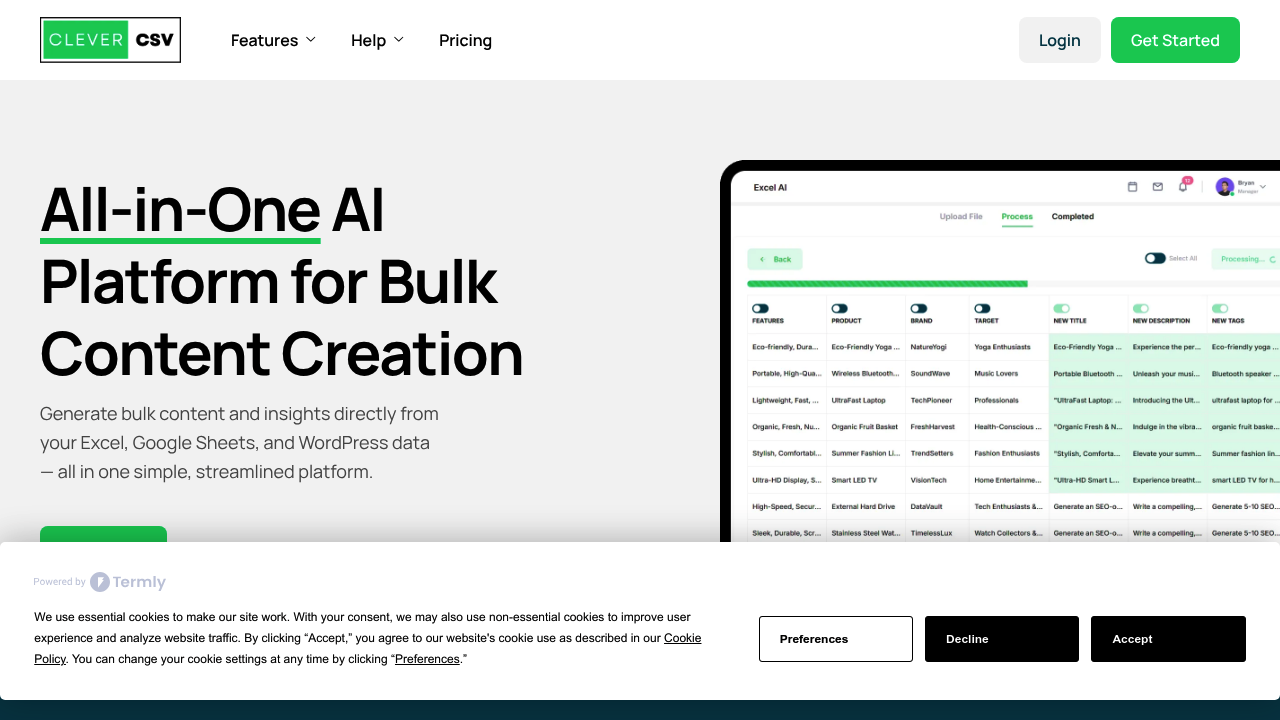
Clever CSV screenshot

You connect your Excel file, Google Sheets, or WordPress account and immediately get access to AI-powered automation tools built to handle repetitive content and data tasks. This system centers around three main workflows that let you process information in bulk rather than one item at a time.

Excel workflow pulls data from your spreadsheets and uses it to generate content at scale. You can feed in product lists, customer data, or any structured information and have the AI create written content based on that data. The same concept applies to Google Sheets, where you're working directly inside your existing spreadsheets rather than jumping between tools.

WordPress integration works differently. It reads your existing articles and transforms them into social media posts automatically. You're not manually copying text and reformatting for different platforms. This software analyzes your long-form content and generates shorter versions suited for social channels. This addresses a real pain point for content teams who publish blog posts but struggle to maintain consistent social media presence without duplicating effort.

Data cleaning features handle the messy work of standardizing information across spreadsheets. Inconsistent formatting, duplicate entries, and irregular data structures get processed in bulk. Data entry automation takes this further by filling in fields based on patterns or existing information, though the exact mechanics of how you set this up aren't clear from available details.

This system positions itself for businesses juggling content creation and data management simultaneously. You're not just analyzing numbers or just writing posts. You're doing both. The value proposition assumes you've got WordPress content that needs social distribution and spreadsheets that need to become something more useful.

Where things get fuzzy is in the actual user interface and setup process. It's unclear how much manual configuration each workflow requires before automation kicks in. The initial adjustment period for connecting these different systems and defining what you want the AI to do with your data isn't documented. You might spend considerable time setting up templates or rules before seeing productivity gains.

This software also assumes you're already using Excel, Google Sheets, and WordPress in your workflow. If you're on different platforms or need different integrations, you're out of luck. The three-platform focus is both a strength for users already in that ecosystem and a limitation for everyone else.

Content quality control becomes an issue when you're generating things in bulk. There's no mention of review workflows or approval steps.


Clever CSV alternatives

See all →

Frequently asked

6 questions
How does Clever CSV work with Excel?
You upload your Excel file to Clever CSV and the AI reads your structured data like product lists or customer information. The system then generates written content based on that data in bulk rather than forcing you to create content one item at a time. This workflow lets you turn spreadsheet rows into blog posts, product descriptions, or other text formats without manually writing each piece. The tool processes everything at scale, though you'll need to configure what type of content you want generated from which columns before the automation actually kicks in.
Can I use Clever CSV for free?
Clever CSV is a paid service with no free tier available. There's no information about a free trial either, so you'll need to commit to a paid plan to access any of the features. This means you can't test the Excel workflows, WordPress integration, or Google Sheets automation before paying. The lack of a free option makes it harder to evaluate whether the tool fits your specific workflow before making a financial commitment.
Does Clever CSV turn WordPress posts into social media content?
You connect your WordPress account and Clever CSV analyzes your existing blog articles to generate social media posts automatically. The system reads your long-form content and creates shorter versions formatted for social platforms without you manually copying and reformatting text. This solves the problem of maintaining social media presence when you're already publishing blog content but don't have time to repurpose it. The automation handles the transformation from article to social post, though the quality and appropriateness of these generated posts isn't something you can verify before they're created.
What can Clever CSV do with Google Sheets?
Clever CSV works directly inside your Google Sheets to automate data tasks and content creation using AI. You're not exporting files or switching between tools because the functionality lives within your existing spreadsheet environment. The system can clean messy data by standardizing formatting and removing duplicates, plus it automates data entry by filling in fields based on patterns it detects. Like the Excel workflow, you can also generate bulk content from your spreadsheet data, turning rows of information into written content at scale.
What are the limitations of Clever CSV?
Clever CSV only integrates with Excel, Google Sheets, and WordPress, so you're stuck if your workflow uses different platforms or content management systems. There's no mention of review workflows or approval processes when generating content in bulk, which creates quality control problems when the AI produces dozens or hundreds of pieces at once. The setup process for each automation workflow isn't documented, meaning you might spend significant time configuring templates and rules before seeing any productivity gains. The tool also lacks a mobile app and browser extension, limiting where and how you can access these automation features.
Who should use Clever CSV?
Businesses managing both content creation and data workflows simultaneously get the most value from Clever CSV. Content teams publishing WordPress articles who struggle to maintain social media presence without duplicating effort benefit from the automatic article-to-post transformation. Professionals dealing with messy spreadsheet data that needs cleaning and standardization can automate those repetitive tasks. The tool assumes you're already using Excel, Google Sheets, and WordPress together, so it works best for people embedded in that specific ecosystem rather than those using alternative platforms.

Traffic

Estimated monthly website visits · last 5 months

652 visits/mo
Monthly visits
652
↓ 38.8% MoM
Global rank
#12,939,440
Category rank
#17
AI Spreadsheet
1.1K 813 561 309 58 Dec 2025: 297 visits Dec 2025 Jan 2026: 647 visits Jan 2026 Feb 2026: 58 visits Feb 2026 Mar 2026: 1.1K visits Mar 2026 Apr 2026: 652 visits Apr 2026

Reviews (0)

Write review

No reviews yet. Be the first to share your experience.