
Blockit AI logo
AI Scheduling FREEMIUM from $30/mo

Blockit AI

Blockit AI serves as an AI-powered time assistant aiming to streamline the process of scheduling, pa

You'll spend around $0 to test Blockit AI for 30 days. After that, pay whatever their pricing turns out to be. This AI scheduler promises to handle your calendar chaos around the clock — positioning itself as the first…

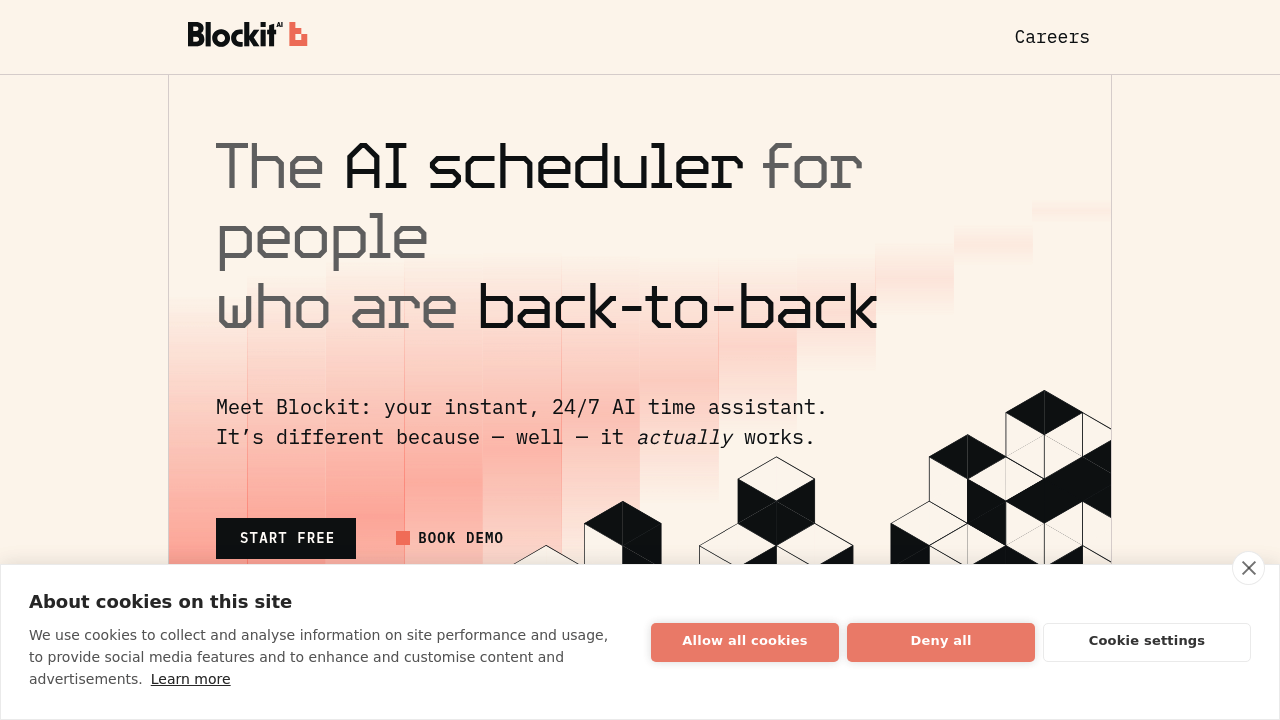
Blockit AI screenshot

You'll spend around $0 to test Blockit AI for 30 days. After that, pay whatever their pricing turns out to be. This AI scheduler promises to handle your calendar chaos around the clock — positioning itself as the first truly working AI scheduler that actually delivers.

Picture this: you're drowning in scheduling emails. Someone CC's Blockit on a thread about setting up a team meeting. Blockit instantly scans everyone's calendars. Finds the optimal time slot. Sends back available options. No back-and-forth emails. No manual calendar checking.

Blockit connects your Google and Outlook calendars without mixing data between them. It learns your preferences over time and adapts to how you actually schedule things.

A busy VP of Sales juggling client calls and internal meetings would probably find this useful. Group scheduling gets tricky when you can't see everyone's availability, but Blockit factors in colleagues' free and busy times automatically.

Slack integration works the same way. Message Blockit directly and it'll handle the coordination.

Blockit's company claims users send zero scheduling emails and save hours of manual work. Those metrics feel suspiciously round.

You can try it free for a month. The "self-driving calendar" marketing sounds ambitious, but if you're constantly buried in scheduling requests, it might actually save some sanity. Email and Slack are the main ways to interact with it.


Blockit AI alternatives

See all →

Frequently asked

7 questions
How does Blockit AI know everyone's availability when scheduling group meetings?
Blockit hooks up to your Google and Outlook calendars -- it can see when people are free or busy. Just CC Blockit on an email thread and it'll automatically check everyone's calendars to find the best meeting times. Your Google calendar stays totally separate from Outlook users though.
Can I use Blockit AI if my team uses different calendar systems?
Yep! Blockit works with both Google and Outlook at the same time. It keeps everything separate between platforms but still coordinates scheduling across different systems. Doesn't matter if your colleagues use Google Workspace or Microsoft 365.
Does Blockit AI learn my scheduling preferences over time?
The company says Blockit adapts to how you schedule and learns your preferences. But they don't say exactly what it learns or how long that takes. The AI's supposed to get better at suggesting times that match your usual patterns.
What happens after the 30-day free trial ends?
They offer a 30-day free trial, but haven't published pricing yet. You'll have to contact them directly to find out what paid plans cost. No pricing info on their website.
How do I actually interact with Blockit AI to schedule meetings?
You can CC Blockit on email threads or message it in Slack. There's no web dashboard or mobile app mentioned. It's designed to work within your existing workflows -- no need to switch platforms.
Can Blockit AI handle complex scheduling scenarios like recurring meetings or multiple time zones?
The info doesn't specify if it handles recurring meetings or time zones. It focuses on basic group scheduling by finding when everyone's free. You'd need to test these during the trial or ask them directly.
Is there a limit to how many people Blockit AI can coordinate when scheduling group meetings?
No limits mentioned for group size. They talk about team meetings with multiple colleagues, but don't give max participant numbers. Something you'd want to test during the free trial.

Traffic

Estimated monthly website visits · last 9 months

10.6K visits/mo
Monthly visits
10.6K
↓ 7.8% MoM
Global rank
#2,042,574
US #735,604
Category rank
#12
AI Scheduling
30.3K 25.4K 20.5K 15.6K 10.6K Nov 2025: 13.8K visits Nov 2025 Dec 2025: 10.9K visits Dec 2025 Jan 2026: 30.3K visits Jan 2026 Feb 2026: 28.1K visits Feb 2026 Mar 2026: 20.4K visits Mar 2026 Apr 2026: 15.6K visits Apr 2026 May 2026: 13.5K visits May 2026 Jun 2026: 11.5K visits Jun 2026 Jul 2026: 10.6K visits Jul 2026

Reviews (0)

Write review

No reviews yet. Be the first to share your experience.