Meet-Ting logo

Meet-Ting

Most scheduling assistants force your contacts to click through to another platform and stare at a grid of time slots

31 views
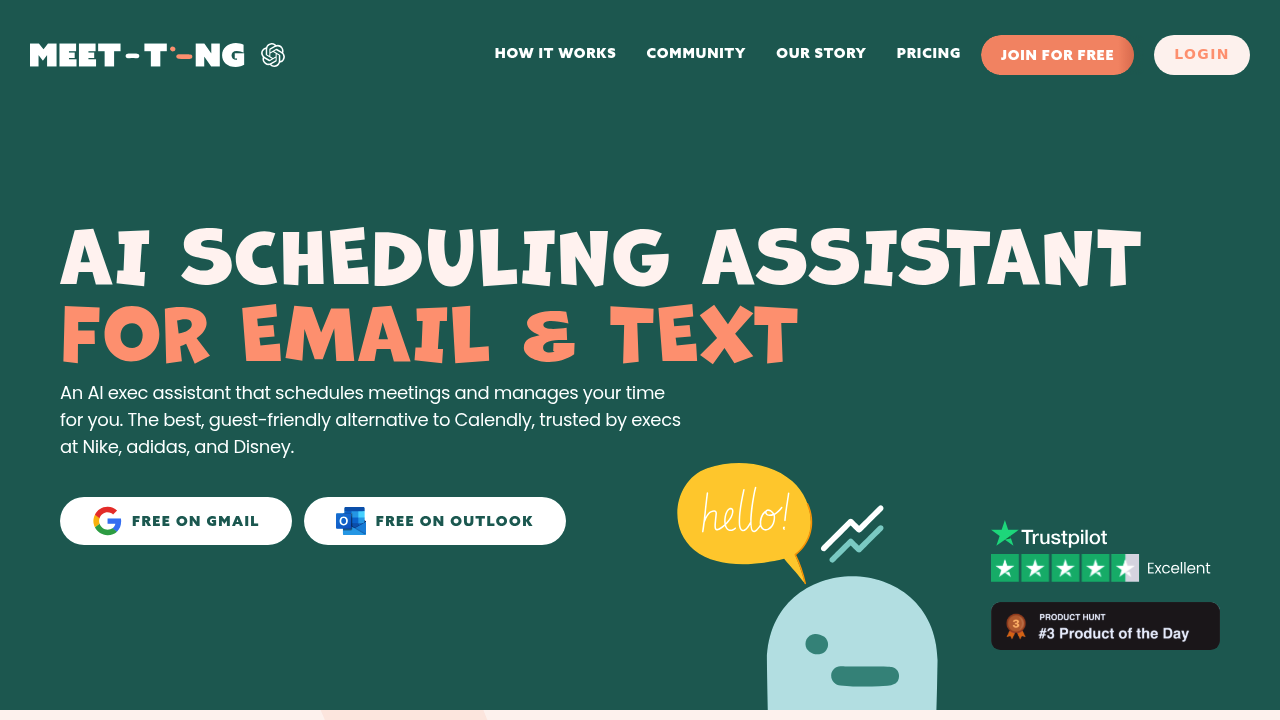
Meet-Ting screenshot

Most scheduling assistants force your contacts to click through to another platform and stare at a grid of time slots. That works fine for internal meetings, but it can feel transactional when you're trying to build relationships with clients or partners. Meet-Ting flips that model by handling the entire scheduling conversation inside email and text threads where people already communicate.

The assistant jumps into your existing message chains and takes over the back-and-forth. Someone suggests Tuesday? It checks your calendar, proposes a time, and confirms once both sides agree. The whole exchange stays in the conversation thread. No links to external booking pages. No asking people to create accounts or learn unfamiliar interfaces.

It works inside Gmail and Outlook, running quietly in the background while you handle other work. The system manages time slots automatically, so you're not manually checking availability or sending "does 2pm work?" messages. Executives at Nike, adidas, and Disney use it, which suggests it holds up under the scheduling volume that comes with senior roles.

The free plan covers both Gmail and Outlook. No tiered pricing structure here.

Meet-Ting makes sense if you schedule frequently with people outside your organization and want to keep that process feeling personal rather than automated. it is built for executives and business owners who see scheduling as part of relationship management, not just logistics. If most of your meetings happen internally with coworkers who don't mind clicking through to Calendly or similar tools, you probably don't need this. But for client-facing roles where perception matters, keeping the scheduling conversation inside familiar channels changes how the interaction feels.


Frequently asked

6 questions
Does Meet-Ting work with text messages or just email?
It handles both email and text message scheduling. The assistant works inside your existing threads on either channel, so contacts can respond however they normally communicate with you. It integrates with Gmail and Outlook for email, and the text capability means you're not forcing people who prefer texting to switch to email just to find a meeting time.
Is Meet-Ting actually free or is there a paid version?
It's free for both Gmail and Outlook, and there's no paid tier above it. That's the entire pricing structure. You get the full scheduling assistant without hitting usage limits or upgrade prompts, which is unusual for tools in this category.
Can Meet-Ting schedule meetings with multiple people at once?
The facts don't specify group scheduling capability. It's designed to handle back-and-forth scheduling conversations, which typically involve coordinating between two parties. If you need to wrangle availability across five people simultaneously, you'd want to confirm that feature exists before relying on it.
Does Meet-Ting require my contacts to install anything?
Your contacts don't install, sign up for, or click through to anything. The entire scheduling conversation happens inside the email or text thread they're already using to communicate with you. They respond to the assistant's messages the same way they'd respond to you directly.
Who should use Meet-Ting instead of Calendly?
It makes sense for client-facing roles where you're building relationships and want scheduling to feel personal rather than transactional. Executives at Nike, adidas, and Disney use it, which tells you the target user. If you mostly schedule internal team meetings where everyone's comfortable clicking booking links, Calendly's fine. But if you're in sales, consulting, or business development where perception matters, keeping the conversation in-thread changes the dynamic.
Does Meet-Ting work on mobile or only desktop?
The facts don't confirm a dedicated mobile app. Since it operates through Gmail and Outlook, you'd interact with it through those platforms' mobile versions. That means it's accessible on your phone, but the experience depends on how those email clients handle it rather than a purpose-built mobile interface.

Traffic

Estimated monthly website visits · last 3 months

3.7K visits/mo
Monthly visits
3.7K
↑ 31.9% MoM
Global rank
#4,718,109
US #3,571,537
Category rank
#248
Productivity & Office
3.7K 3.4K 3.1K 2.7K 2.4K Dec 2025: 2.4K visits Dec 2025 Jan 2026: 2.8K visits Jan 2026 Feb 2026: 3.7K visits Feb 2026

Data from SimilarWeb · Updated monthly.

Reviews (0)

Write review

No reviews yet. Be the first to share your experience.

Similar tools

See all →