
Xole AI | Text to Video logo
AI Video Generator FREEMIUM from $7/mo

Xole AI | Text to Video

Xole AI transforms written text into video content through a pipeline that combines natural language processing with computer vision models

You feed in scripts, story outlines, product descriptions, or creative prompts, and the system parses these inputs to identify narrative structure, character descriptions, and scene instructions. The NLP layer extracts…

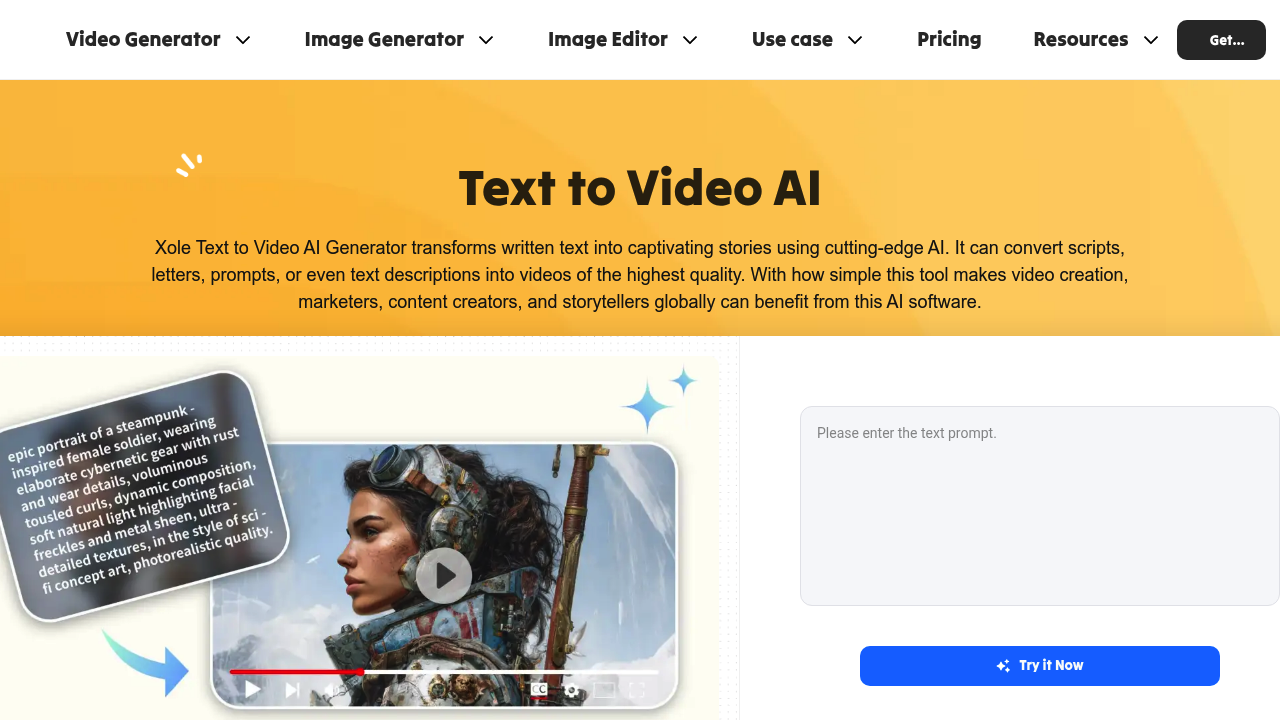
Xole AI | Text to Video screenshot

Xole AI transforms written text into video content through a pipeline that combines natural language processing with computer vision models. You feed in scripts, story outlines, product descriptions, or creative prompts, and the system parses these inputs to identify narrative structure, character descriptions, and scene instructions. The NLP layer extracts context, emotion, and pacing from your text, then passes this data to video generation models that render scenes, characters, and animations matching the parsed narrative.

This software supports multiple AI models for video generation, including veo3, Kling 2.5 Turbo Pro, wan-2.5, Sora-2, and Seedance 1.0 Pro. Each model consumes different amounts of credits based on complexity. For example, veo3 uses 200 to 1,000 credits per video, while wan-2.5 ranges from 250 to 1,500 credits. This variability reflects the computational requirements of different rendering approaches and output resolutions.

Beyond text-to-video, this system processes image inputs and offers editing capabilities. The BG Remover strips backgrounds at 10 credits per image. The Upscaler enhances resolution for 10 credits with aI Eraser removes unwanted elements for 30 credits. Generate models create new images for 30 credits. You can upload your own images and edit them within the system, then incorporate them into video projects.

The credit system is central to how Xole operates. It's not a simple per-video pricing model. Different features and models draw from your monthly credit allocation at different rates. Priority credits don't roll over, they expire at the end of each billing period. This means unused credits vanish rather than accumulating, which affects how you'd plan larger projects across multiple months.

Generation queues limit how many videos you can process simultaneously. The Basic plan allows three concurrent generations, Plus handles six, and Pro offers the largest queue though the exact number isn't specified. This matters for batch processing workflows where you'd want to generate multiple videos from a series of prompts without waiting for each to finish.

Output quality varies by plan tier. Basic subscribers get standard definition video generation. Plus and Pro enable high definition outputs. The free tier includes watermarks on exports, limited credits, and restricted editor access. Paid plans remove watermarks and provide what's described as quality export, though the technical difference between quality and non-quality export isn't detailed.

This system doesn't integrate with external services based on available information. It's a standalone application without documented API access or connections to other software. No mobile app or browser extension exists.

Technical limitations center on the credit economy. The Basic plan provides 9,000 priority credits monthly, equivalent to roughly 300 images but fewer videos depending on which model you use. Plus offers 27,000 credits for approximately 900 images. Pro delivers 90,000 credits for around 3,000 images. The image-to-credit conversion doesn't directly translate to video output since video generation consumes substantially more credits per asset.

Pricing starts at seven dollars monthly for Basic, sixteen dollars for Plus, and forty-eight dollars for Pro. Yearly subscriptions get a 20 percent discount. The free plan exists but functions more as a trial given its watermarking and credit restrictions.

The system's reliance on multiple AI models creates variability in output characteristics and credit consumption that'sn't fully predictable upfront. You can't know exactly how many videos your monthly credits will produce until you select specific models and settings for each project.

Xole AI | Text to Video alternatives

See all →

Frequently asked

7 questions
How many videos can I make with Xole AI credits?
Credit consumption varies dramatically based on which AI model you select. The veo3 model uses 200 to 1,000 credits per video, while wan-2.5 consumes 250 to 1,500 credits. A Basic plan with 9,000 monthly credits could generate anywhere from 6 to 45 videos depending on model choice and settings. Priority credits expire at the end of each billing period rather than rolling over, so unused allocations disappear. This makes it difficult to predict exact video output from your subscription without knowing your specific model preferences upfront.
Does Xole AI have a free plan?
Xole offers a free tier but it functions more like a limited trial than a full-featured free plan. Free accounts receive restricted credits, partial access to the editor, and all exports include watermarks. Paid plans start at seven dollars monthly for Basic, which provides 9,000 priority credits and removes watermarks. Plus costs sixteen dollars for 27,000 credits and HD video generation, while Pro delivers 90,000 credits for forty-eight dollars monthly with a 20 percent discount on yearly subscriptions.
What AI models does Xole AI use for video generation?
The platform supports five primary video generation models: veo3, Kling 2.5 Turbo Pro, wan-2.5, Sora-2, and Seedance 1.0 Pro. Each model consumes different credit amounts reflecting their computational requirements. Kling 2.5 Turbo Pro uses 700 credits per video, while Sora-2 ranges from 200 to 700 credits. The system also includes image generation models like Midjourney, ideogram, and flux for creating still assets. Different models produce varying output characteristics though the technical distinctions between them aren't publicly documented.
Can Xole AI create videos for YouTube and TikTok?
The system generates videos suitable for social media platforms including YouTube, TikTok, and Facebook by processing text prompts into rendered scenes with characters and animations. You can customize video settings for style, duration, and output format to match platform requirements. Basic subscribers get standard definition output, while Plus and Pro tiers enable high definition generation. The text-to-video pipeline analyzes your script or prompt for narrative structure, pacing, and emotion, then renders appropriate visuals. Marketing content, educational explainers, and social media clips represent common use cases for the output.
How does Xole AI turn text into video?
Under the hood, Xole processes text through a natural language processing layer that parses scripts, story outlines, or prompts to extract narrative structure, character descriptions, and scene instructions. The NLP system identifies context, emotion, and pacing information from your input text. This parsed data feeds into computer vision models that generate visual assets including scenes, characters, and animations matching the extracted narrative elements. The pipeline accepts multiple input formats from simple creative prompts to detailed product descriptions, though the exact architecture of how NLP outputs map to visual generation parameters isn't disclosed.
What happens to unused Xole AI credits?
Priority credits expire at the end of each monthly billing period rather than accumulating across months. Unused credits vanish when your subscription renews, which affects planning for larger projects. The Basic plan provides 9,000 monthly credits, Plus offers 27,000, and Pro delivers 90,000, but none of these allocations carry forward. This expiration policy means you can't save credits from low-usage months to fund bigger video projects later. The credit consumption rates vary significantly by model and feature, making it challenging to optimize usage when credits don't persist.
Does Xole AI integrate with other software or have an API?
The platform operates as a standalone application without documented integrations to external services. No API access is available based on current information, limiting automation or workflow connections to other tools. Mobile apps and browser extensions don't exist for this system. You can upload your own images for editing and incorporation into video projects, but this happens within the Xole interface rather than through external software connections. The lack of integration options means you'll need to manually export videos and import them into other editing or publishing tools in your workflow.

Traffic

Estimated monthly website visits · last 7 months

2.8K visits/mo
Monthly visits
2.8K
Global rank
#11,920,239
Category rank
#169
AI Video Generator
10K 7.5K 5K 2.5K 0 Dec 2025: 10K visits Dec 2025 Jan 2026: 1.4K visits Jan 2026 Feb 2026: 480 visits Feb 2026 Mar 2026: 1.5K visits Mar 2026 Apr 2026: 292 visits Apr 2026 May 2026: 0 visits May 2026 Aug 2026: 2.8K visits Aug 2026

Reviews (0)

Write review

No reviews yet. Be the first to share your experience.