ViralBuddy.app logo
AI Social Media FREEMIUM from $9/mo

ViralBuddy.app

ViralBuddy

App analyzes Instagram photos through an AI system that evaluates three distinct dimensions: visual appeal, emotional impact, and trend alignment. You upload an image via drag-and-drop, and this system processes it…

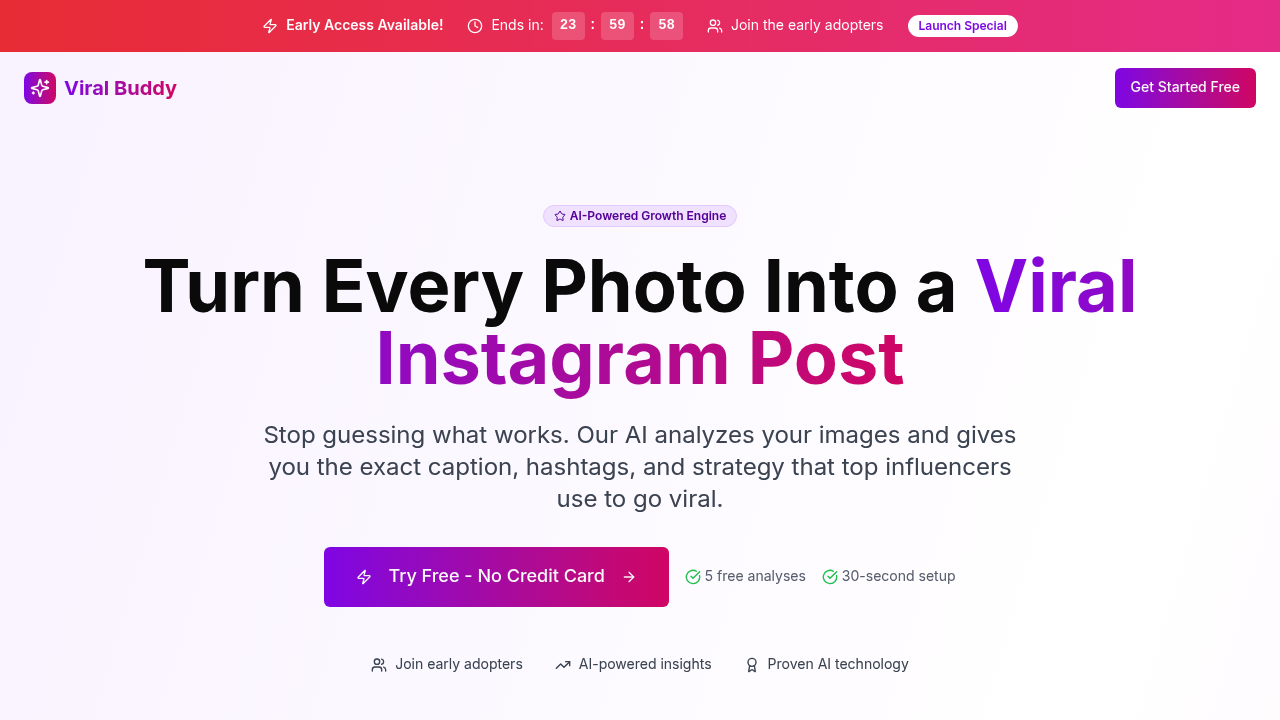
ViralBuddy.app screenshot

ViralBuddy.app analyzes Instagram photos through an AI system that evaluates three distinct dimensions: visual appeal, emotional impact, and trend alignment. You upload an image via drag-and-drop, and this system processes it through algorithms that reportedly use the same underlying technology powering major social media platforms. The output isn't just a score. It's a complete content strategy.

The analysis pipeline starts with image processing. The system examines composition, color schemes, lighting, and visual elements that historically perform well on Instagram. It then runs emotional impact analysis, identifying which feelings the image might trigger in viewers. The third component checks how well the content aligns with current trending topics and viral patterns on Instagram. These three scores combine into an overall viral potential rating.

From this analysis, ViralBuddy generates Instagram captions that supposedly match your brand voice, though the mechanism for voice matching isn't specified in technical terms. It's likely analyzing previous content or using template-based generation with tone parameters. The hashtag strategy outputs a mix of trending tags and niche-specific ones, presumably pulling from real-time Instagram data and historical performance metrics. The system also recommends optimal posting times, which suggests it's either using general Instagram engagement data or analyzing time-zone specific patterns.

The engagement tips component provides tactical advice based on the analysis results. If visual appeal scores low, you'll get specific recommendations about composition or lighting. If emotional impact needs work, the suggestions focus on storytelling elements. This feedback loop connects the scoring system directly to actionable improvements.

Technical workflow is straightforward. Upload happens client-side with immediate processing. Results appear within seconds, indicating either lightweight models or server-side processing with fast inference times. The 30-second setup claim suggests minimal configuration requirements. You can share and download results, which means the system generates exportable reports or shareable links.

Performance tracking on the Premium plan stores historical analysis data, letting you compare how different images score over time. This demands persistent storage and likely includes visualization of score trends across uploads. The tracking is labeled lifetime, meaning there's no data retention limit on the paid tier.

Integration with Instagram is mentioned but the depth isn't clear. It's not functioning as a posting scheduler or directly pulling your Instagram feed for analysis. The connection appears limited to the fact that it's optimized for Instagram's specific content environment and engagement patterns.

The free plan provides five analyses monthly. That's enough for weekly content planning if you're selective. Premium jumps to 150 analyses per month, which works out to about five per day. The gap between tiers is substantial. Support also differs: community-based for free users versus direct email for Premium subscribers.

Limitations center on volume restrictions. Five monthly analyses won't support high-frequency posting strategies. ViralBuddy doesn't appear to handle video content, carousel posts, or Reels based on the photo-specific language. There's no mention of batch processing, so you're analyzing one image at a time. The viral score methodology isn't transparent, so you can't audit which factors weigh most heavily in the algorithm. Brand voice matching lacks customization controls that would let you train the system on your specific tone.

The Premium plan costs nine dollars monthly with a 30-day money-back guarantee. Free tier gets you started without payment information.

Technical infrastructure likely relies on computer vision models for image analysis and language models for caption generation. The speed suggests optimized inference or pre-computed trend data. Whether it updates trend analysis in real-time or uses periodic data refreshes isn't specified.


ViralBuddy.app alternatives

See all →

Frequently asked

6 questions
How does ViralBuddy analyze Instagram photos for viral potential?
ViralBuddy processes uploaded images through three separate analysis pipelines that evaluate visual appeal, emotional impact, and trend alignment. The visual component examines composition, color schemes, and lighting patterns that historically perform well on Instagram. Emotional impact analysis identifies which feelings the image might trigger in viewers, while trend alignment checks how well content matches current viral patterns. These three scores combine into an overall viral potential rating, which then feeds into the caption generator, hashtag strategy engine, and posting time recommendations.
Can I use ViralBuddy for free?
ViralBuddy offers five free analyses per month with complete viral strategy outputs including captions, hashtags, and posting recommendations. You'll get the viral score breakdown, engagement tips, and the ability to share or download results. The free tier includes community support but lacks lifetime performance tracking and direct email support. Premium costs nine dollars monthly and increases your limit to 150 analyses with historical tracking across all uploads.
Does ViralBuddy work with video content or Instagram Reels?
ViralBuddy's current implementation focuses exclusively on static Instagram photos uploaded via drag-and-drop. The analysis pipeline is built around image processing algorithms that evaluate visual composition, so video content, carousel posts, and Reels aren't supported. This limitation means you can't get viral strategy recommendations for Instagram's fastest-growing content formats. If you're creating mixed-media content, you'd need to extract still frames from videos for analysis, which wouldn't capture motion or audio elements that affect video performance.
What's included in ViralBuddy's viral strategy output?
Each analysis produces a multi-component strategy starting with the viral score breakdown across visual appeal, emotional impact, and trend fit dimensions. The system generates Instagram captions designed to match your brand voice, though customization controls for tone aren't specified. You'll receive a hashtag mix combining trending tags with niche-specific ones, optimal posting time recommendations based on engagement patterns, and tactical tips that connect directly to your score weaknesses. Premium users also get lifetime performance tracking that stores historical data and lets you compare how different images score over time.
How accurate are ViralBuddy's posting time recommendations?
ViralBuddy's posting time recommendations appear to derive from either general Instagram engagement data or time-zone specific pattern analysis, though the exact methodology isn't disclosed. The system likely uses aggregated data about when Instagram users are most active rather than analyzing your specific audience's behavior patterns. Without integration that pulls your follower demographics or historical post performance, the recommendations work as broad guidelines rather than account-specific optimization. The accuracy depends on how closely your audience matches the general patterns the algorithm references.
Does ViralBuddy actually post to Instagram or just analyze photos?
ViralBuddy functions purely as an analysis and strategy tool without posting capabilities or direct Instagram account integration. You upload images for evaluation, receive the viral strategy output, then manually implement the captions, hashtags, and timing recommendations in Instagram yourself. The Instagram integration mentioned in specs refers to optimization for Instagram's content environment rather than API connectivity. There's no scheduling feature, no direct feed pulling, and no automated posting, so it fits into your workflow as a planning tool rather than a management platform.

Traffic

Estimated monthly website visits · last 0 months

Not enough historical data for a chart yet.

Reviews (0)

Write review

No reviews yet. Be the first to share your experience.