
Vidnoz Face Swap logo

Vidnoz Face Swap

Vidnoz Face Swap is a browser-based AI face swapper that replaces a face in a photo, video or GIF with another face.

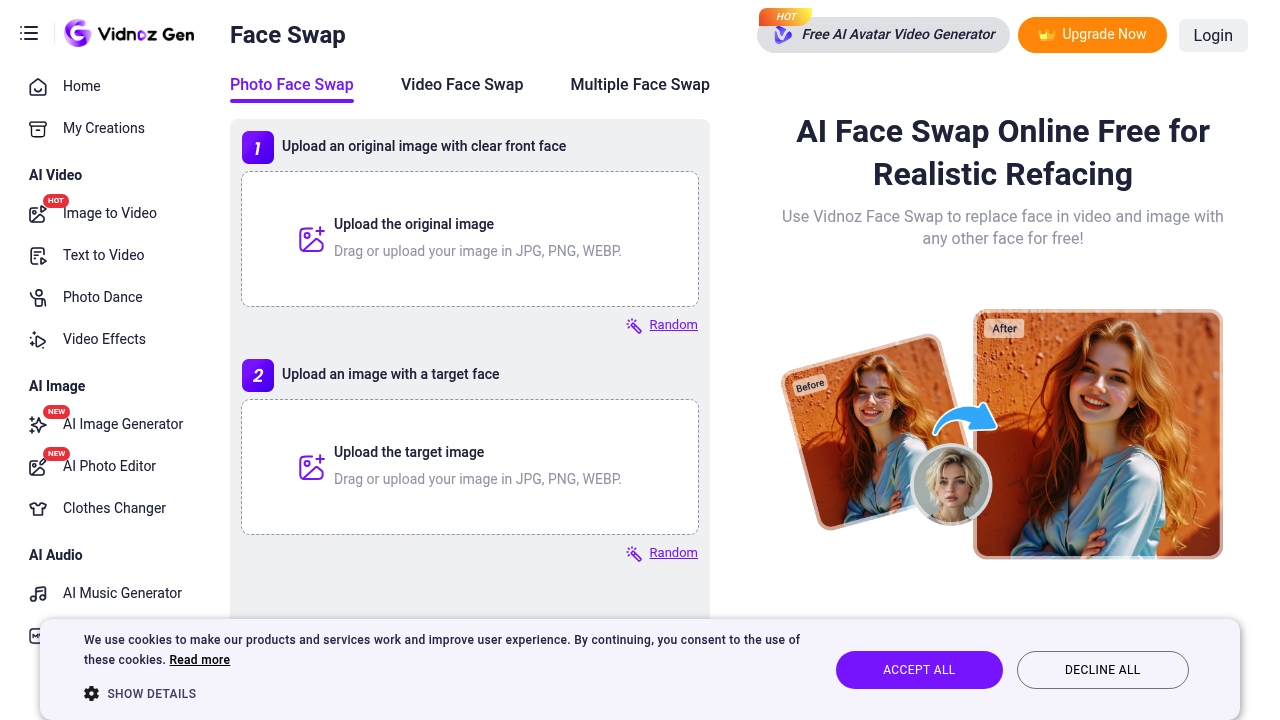
Users upload an original image or clip with a clear face, add a target photo, and click Swap Face Now. Separate modes cover single photos, videos and multiple faces in group shots. Video results aim for natural…

Vidnoz Face Swap screenshot

Vidnoz Face Swap is a browser-based AI face swapper that replaces a face in a photo, video or GIF with another face. Users upload an original image or clip with a clear face, add a target photo, and click Swap Face Now. Separate modes cover single photos, videos and multiple faces in group shots. Video results aim for natural expressions and matching lip movements, and an HD option produces output above 1080p. Generation runs on a credit system, and paid credits remove watermarks and speed up processing.

It is aimed at content creators, social media users, marketers and hobbyists who want quick face edits without desktop software. Marketing teams can personalize campaign visuals, while meme makers, role-play storytellers and fans of anime and games can put themselves into characters. No editing skills are needed since the process takes three steps: upload the source, upload the target face, and swap.

Use cases include putting a face on everyone in a group photo for a joke, swapping faces onto viral GIF memes, turning a photo into an anime or fantasy character, and creating avatars. Marketers use it for custom campaign visuals and social posts, and shoppers can try looks with virtual try-on style edits. Videos can be GIF, MP4, M4V, MOV or WEBM files up to 100MB, and photos can be JPG, PNG or WEBP. Face swap sits inside the wider Vidnoz suite, which also includes AI video, AI voice and avatar tools.

Vidnoz Face Swap alternatives

See all →

Frequently asked

6 questions
How do I swap a face in a video with Vidnoz?
Switch to Video Face Swap and upload a clip with a clear face. Then upload a photo of the target face and click Swap Face Now. Supported video formats are GIF, MP4, M4V, MOV and WEBM, up to 100MB.
Who can use Vidnoz Face Swap?
Content creators, social media users, marketers and casual users can use it without editing skills. It runs in the browser and follows a three-step upload-and-swap flow. Role-play, meme and anime-style swaps are among the featured scenarios.
Can Vidnoz swap faces in a group photo?
Multiple Face Swap detects every face in a group photo or video and lets you assign target faces to each. You can change selected faces or all of them in one click. A batch mode also puts a face on many people at once.
What image formats does the face swapper accept?
Photos can be uploaded as JPG, PNG or WEBP. Videos can be GIF, MP4, M4V, MOV or WEBM files up to 100MB. Source uploads for multiple face swap accept both images and videos.
Does Vidnoz Face Swap have any limitations?
Generation uses credits, and paid credits give no watermarks, HD quality, faster speeds and unlimited storage. The original photo needs a clear front-facing face for best results. Video uploads cap at 100MB.
Can I turn swapped photos into videos?
Results offer an Image to Video option after swapping a photo. Outputs can be zoomed, downloaded or shared. An HD option is available for results above 1080p.

Reviews (0)

Write review

No reviews yet. Be the first to share your experience.