#7 in AI Lesson Plan Generator To Teach AI logo
AI Lesson Plan Generator FREEMIUM from €5/mo

To Teach AI

Pricing starts with a free plan that lets you create 5 exercises, 3 worksheets, and 2 lesson plans monthly

To Teach AI churns out teaching materials in seconds using AI. You'll find crossword puzzles. Mindmaps. Vocabulary tests. Grammar exercises. It even converts YouTube videos into worksheets. Over 200,000 teachers use To…

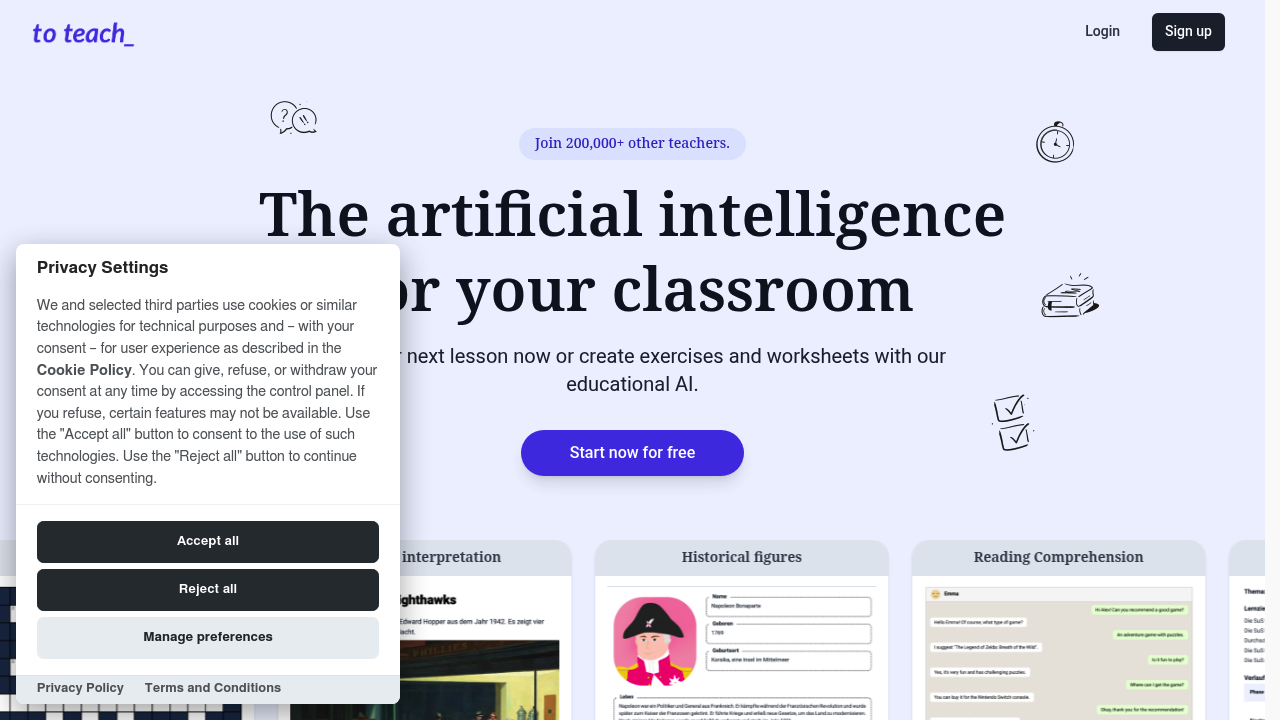
To Teach AI screenshot

Pricing starts with a free plan that lets you create 5 exercises, 3 worksheets, and 2 lesson plans monthly. To Teach AI churns out teaching materials in seconds using AI. You'll find crossword puzzles. Mindmaps. Vocabulary tests. Grammar exercises. It even converts YouTube videos into worksheets.

Over 200,000 teachers use To Teach AI. The library contains 800+ pre-made materials.

Picture a middle school English teacher preparing for tomorrow's class. She pastes a YouTube video link and gets a complete worksheet with comprehension questions. Then she generates a vocabulary test using words from the video. Minutes instead of hours.

To Teach AI creates exercises in engaging formats like WhatsApp chats and email templates. Students respond better to familiar communication styles. You can customize content for different language levels and export materials as H5P files for your LMS. Grammar exercises generate quickly. So do reading comprehension materials. Historical figures content too.

Free users hit limits fast though — five exercises won't last long if you teach multiple subjects or grade levels. Paid plans offer yearly discounts but specific pricing isn't clearly outlined upfront. It integrates with various LMS platforms and content authoring tools.

To Teach AI works for teachers who need materials yesterday. You paste content from articles or videos and get structured exercises. Elementary teachers creating picture interpretation activities will find it useful. High school instructors can generate complex reading comprehension materials. AI handles the heavy lifting while you focus on actual teaching.


To Teach AI alternatives

See all →

Frequently asked

7 questions
Can To Teach AI create materials from any YouTube video or just educational ones?
You can use any YouTube video you want. Doesn't matter if it's educational stuff, news clips, documentaries, or even music videos. The AI just grabs whatever's in there and makes comprehension questions, vocab lists, or discussion prompts from it.
How does the WhatsApp chat format work for exercises in To Teach AI?
It's pretty cool -- the exercises look like real WhatsApp conversations between characters or students. You get those familiar chat bubbles instead of boring worksheet formats. Makes grammar practice feel more like texting than homework, so kids actually stay engaged.
What happens when you hit the free plan limits on To Teach AI?
Once you've made your 5 exercises, 3 worksheets, and 2 lesson plans for the month, you're done. Can't generate anything new until next month rolls around. You can still access what you've already created though. The limits reset monthly (not daily or weekly).
Can you edit the AI-generated materials after To Teach AI creates them?
Absolutely -- you've got full control over everything. Adjust difficulty, change questions, swap out vocabulary words, or completely rewrite sections if you want. The AI just gives you a starting point, but the final product is totally up to you.
How does To Teach AI handle different languages for non-English teachers?
It works with multiple languages beyond English. You can create grammar exercises, vocab tests, and reading materials for Spanish, French, German classes -- whatever you need. It'll even adjust the difficulty based on students' proficiency levels.
What's the difference between the 800+ pre-made materials and custom generation in To Teach AI?
Pre-made stuff is ready-to-go worksheets and lesson plans that other teachers (and the To Teach AI team) already created. Custom generation lets you plug in your own YouTube videos or articles to make brand new materials. Use pre-made when you need something quick -- custom when you need something specific.
Does To Teach AI work with learning management systems like Canvas or Blackboard?
Yep, it exports as H5P files that work with Canvas, Moodle, Blackboard -- most major LMS platforms. You can also connect with various content authoring tools. The H5P format keeps everything interactive when students access it through your school's system.

Traffic

Estimated monthly website visits · last 10 months

154K visits/mo
Monthly visits
154K
↑ 5.5% MoM
Global rank
#251,953
DE #43,944
Category rank
#7
AI Lesson Plan Generator
210.6K 194.4K 178.2K 162.1K 145.9K Nov 2025: 176.9K visits Nov 2025 Dec 2025: 168.3K visits Dec 2025 Jan 2026: 168.9K visits Jan 2026 Feb 2026: 168.7K visits Feb 2026 Mar 2026: 197.2K visits Mar 2026 Apr 2026: 199K visits Apr 2026 May 2026: 210.6K visits May 2026 Jun 2026: 174.6K visits Jun 2026 Jul 2026: 145.9K visits Jul 2026 Aug 2026: 154K visits Aug 2026

Reviews (0)

Write review

No reviews yet. Be the first to share your experience.