
#2 in AI Contract Review TermOver AI logo

TermOver AI

You know how you scroll to the bottom of a Terms of Service and click accept without reading

? TermOver AI reads that stuff for you. This Chrome extension scans legal documents in real time and spits out plain English summaries with color-coded warnings. Green means you're probably fine. Red means someone's…

TermOver AI screenshot

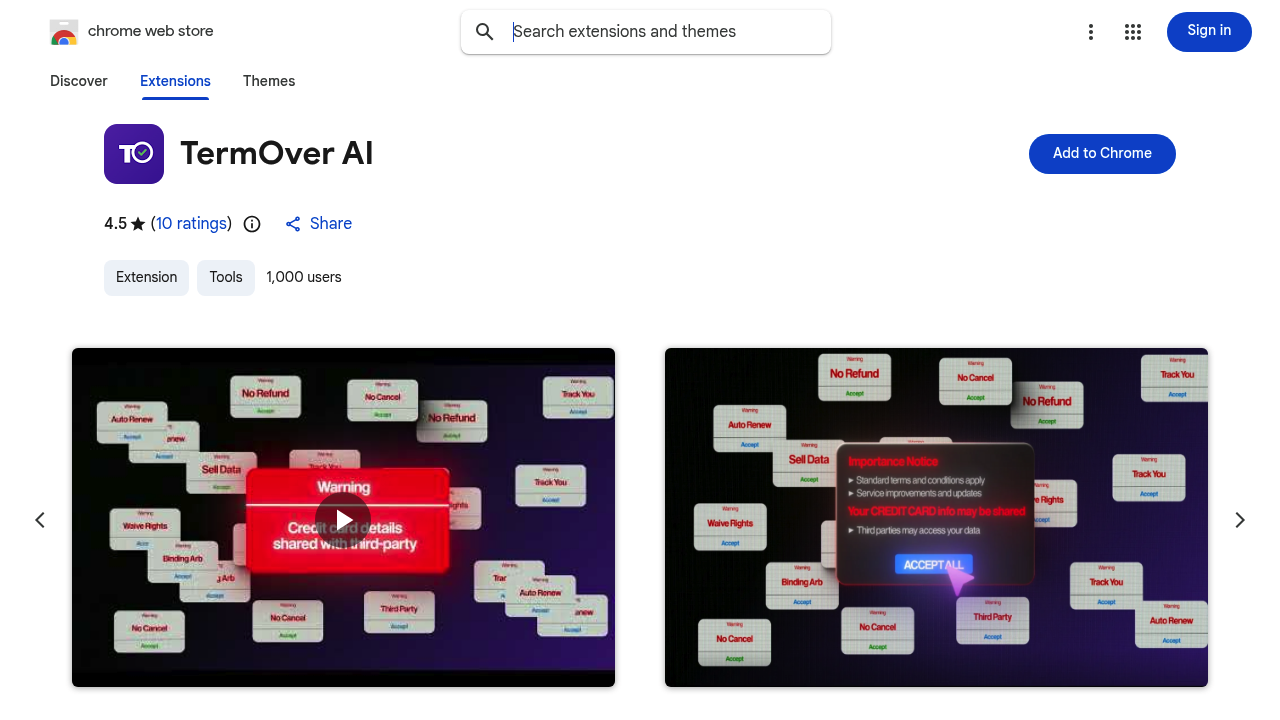
You know how you scroll to the bottom of a Terms of Service and click accept without reading? TermOver AI reads that stuff for you. This Chrome extension scans legal documents in real time and spits out plain English summaries with color-coded warnings. Green means you're probably fine. Red means someone's selling your data or tracking you across the internet.

The extension breaks down long contracts into bullet points and flags specific issues. Hidden fees, data selling practices, tracking mechanisms (it pulls these out and explains them like you're talking to a friend instead of a lawyer). The safety rating system gives you a quick visual check before you sign up for anything. No law degree required.

Does it actually work? With a 4.5 out of 5 rating from 10 users and 1,000 installs, early adopters seem to trust it. The real-time scanning part is what sets it apart from just googling TOS summaries. You get the breakdown right when you need it, not after you've already agreed to let seventeen companies track your shopping habits.

Now for the gaps. We don't know how it handles really complex legal language or industry-specific terms. The fact sheet mentions it's targeted at gamers and shoppers who hate fine print — not lawyers — which tells you something around the depth level. There's no info on whether it updates its analysis when companies change their terms. And with only 10 ratings, it's still pretty new territory.

The extension weighs 175KiB, so it won't slow down your browser. But there's no mobile app, no team features, and no API if you wanted to build something on top of it. It's strictly a solo browsing tool.

Who actually benefits here? Gamers installing new platforms. Online shoppers checking out subscription services. Anyone who signs up for web apps regularly and wants a quick sanity check. If you're clicking through privacy policies just to make them go away, this extension does the reading you're skipping anyway.

The marketing calls it the world's first AI real-time Terms of Service scanner. That's a bold claim in a crowded space. But the core idea makes sense — most people don't read these things, and most people probably should at least know what they're agreeing to. TermOver AI sits in that gap and translates legalese while you're mid-signup. Whether it catches everything a human lawyer would is another question entirely.

TermOver AI alternatives

See all →

Frequently asked

7 questions
Is TermOver AI free to use?
We don't have pricing details for TermOver AI from the available information. The Chrome extension exists and has 1,000 users, but there's no mention of free tiers, paid plans, or trial periods. You'd need to check the Chrome Web Store listing directly to see current pricing. That's a pretty significant gap if you're trying to budget for tools.
Does TermOver AI work on mobile phones?
No mobile app exists for TermOver AI. It's Chrome extension only, which means you're limited to desktop or laptop browsing. If you're signing up for services on your phone — which is where most people do their impulse app installs — this tool won't help you there. That's a real limitation given how much online activity happens on mobile now.
Can TermOver AI catch every hidden fee in a Terms of Service?
The extension flags hidden fees and gives you color-coded warnings, but we don't know how deep its analysis goes. It's marketed to gamers and shoppers who hate fine print, not lawyers, which suggests it prioritizes readability over exhaustive legal accuracy. With only 10 ratings so far, there's not enough user feedback to confirm how often it misses sneaky clauses buried in complex legal language.
What's the difference between green, yellow, and red ratings in TermOver AI?
Green means the terms look safe, red flags serious issues like data selling or aggressive tracking, and yellow sits somewhere in between. The color system gives you a quick visual check before accepting anything. It's designed so you don't have to parse the bullet points if you're in a hurry — just glance at the color and decide if you want to dig deeper.
Does TermOver AI slow down Chrome?
At 175KiB, the extension is pretty lightweight. That's smaller than most image files, so it shouldn't cause noticeable browser lag. Real-time scanning does mean it's processing documents as you encounter them, but the size suggests they've kept the overhead minimal. You probably won't feel it unless you're running Chrome on ancient hardware.
Who should actually use TermOver AI?
Gamers installing new platforms, online shoppers trying subscription services, or anyone who signs up for web apps regularly without reading the fine print. If you're the person who scrolls straight to the accept button, this tool does the reading you're avoiding anyway. It won't replace a lawyer reviewing a business contract, but for everyday signups it catches the red flags most people miss.
Can you use TermOver AI for work or team accounts?
No team features exist, and there's no API access either. It's strictly a solo browsing tool for individual Chrome users. If you wanted to review Terms of Service across a company or build integrations with other software, you're out of luck. This is built for personal use, not enterprise workflows.

Traffic

Estimated monthly website visits · last 9 months

211.3M visits/mo
Monthly visits
211.3M
↑ 2.3% MoM
Category rank
#2
AI Contract Review
211.3M 203.2M 195.2M 187.1M 179.1M Dec 2025: 190.2M visits Dec 2025 Jan 2026: 193.2M visits Jan 2026 Feb 2026: 179.1M visits Feb 2026 Mar 2026: 196.9M visits Mar 2026 Apr 2026: 199.7M visits Apr 2026 May 2026: 211M visits May 2026 Jun 2026: 203M visits Jun 2026 Jul 2026: 206.6M visits Jul 2026 Aug 2026: 211.3M visits Aug 2026

Reviews (0)

Write review

No reviews yet. Be the first to share your experience.