Somake | Text to Image Generator logo

Somake | Text to Image Generator

Image quality swings wildly based on which AI model you pick

48 views
Somake | Text to Image Generator screenshot

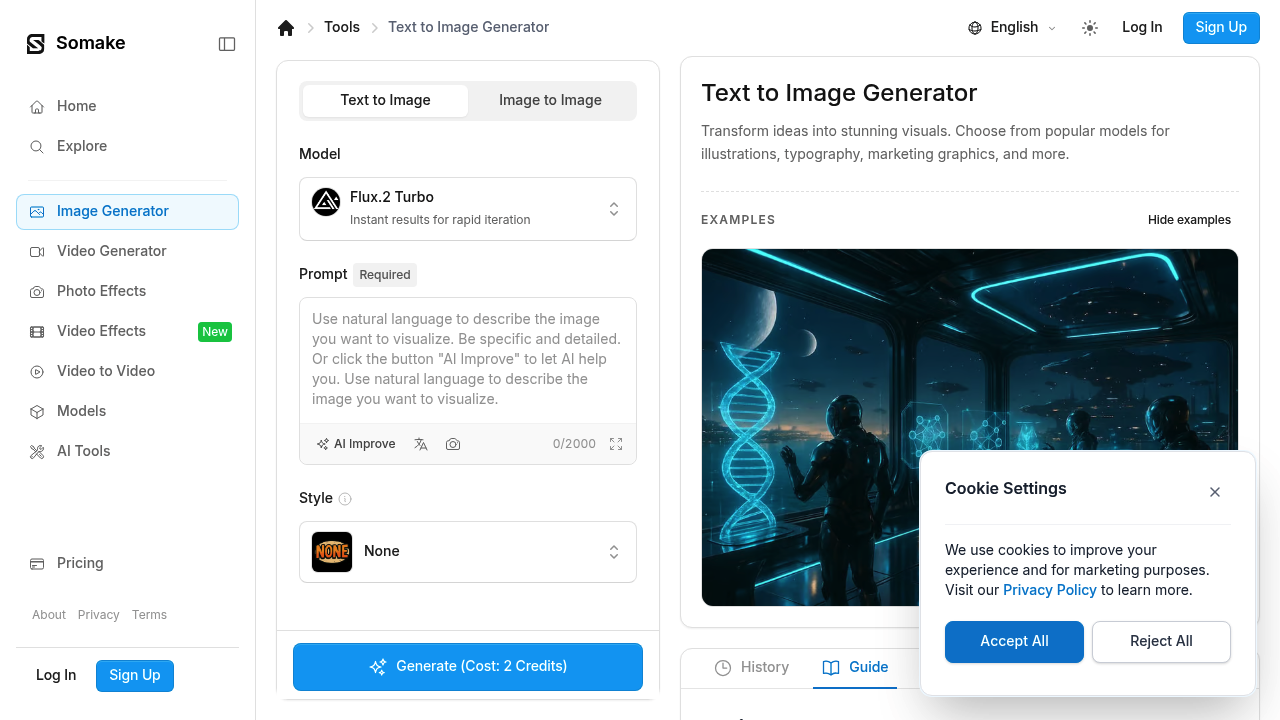
Image quality swings wildly based on which AI model you pick. Somake bundles multiple generators into one interface. Flux.2 Dev. ChatGPT Image 1. Imagen 4. Some produce decent results — others don't.

You get text-to-image generation plus image-to-image conversion. Somake also throws in background removal, magic eraser, and upscaling tools. There's a pet portrait generator if you need that specific thing.

Beyond basic image creation, Somake includes oddly specific generators like Action Figure and Silhouette Maker. You can change hair colors. Convert 2D images to 3D. Generate graffiti designs. A freelance graphic designer working on a skateboard brand campaign could use the graffiti generator to mock up wall art concepts without hiring a street artist.

Credits mean you pay per generation rather than monthly. New users won't find any generation history, which makes sense but feels empty when you first log in.

Somake tries being everything for everyone with its extensive feature list. Marketing teams creating social media graphics will find the outfit generator and product photography tools useful. LinkedIn profile updates? The headshot generator could work.

Too many options get packed in. No clear guidance on which AI model works best for what. You'll spend time experimenting with different generators to find what produces usable results. Some specialized tools like the sketch-to-image converter work better than expected.


Frequently asked

6 questions
How does Somake's credit system work for image generation?
You pay per generation instead of a monthly subscription. Each time you create an image or use a tool like background removal -- it costs credits. This means you only pay for what you actually use. But costs can add up quickly if you're generating lots of images.
Which AI models does Somake | Text to Image Generator include?
Somake bundles multiple AI models including Flux.2 Dev, ChatGPT Image 1, and Imagen 4. The platform doesn't tell you which model works best for different types of images though. You'll need to test each one to see which produces better results for your specific needs.
Can I see my previous image generations in Somake?
No, Somake doesn't keep a generation history. Once you create an image, there's no way to go back and view or download it later. You'll need to save anything you want to keep immediately after generating it.
What's the difference between Somake's text-to-image and image-to-image features?
Text-to-image creates new images from written descriptions. Image-to-image takes an existing image you upload and modifies it based on your text prompt. Both use the same AI models, but image-to-image gives you more control over the final composition (since you're starting with a base image).
Does Somake | Text to Image Generator work well for professional projects?
It depends on your needs and patience for testing. The specialized tools like graffiti generator and product photography can be useful for marketing teams. However, the inconsistent quality between AI models means you'll spend time finding which generator works for your specific project type.
What are Somake's most unusual image generation features?
Beyond standard text-to-image, Somake includes niche generators like Action Figure Maker, pet portraits, and 2D to 3D conversion. There's also a sketch-to-image converter that works surprisingly well. The hair color changer and silhouette maker are oddly specific -- but can save time for certain design tasks.

Reviews (0)

No reviews yet. Be the first to share your experience.

Similar tools

See all →