Freepik AI Image Generator logo

Freepik AI Image Generator

Freepik AI Image Generator puts multiple AI models in one spot

64 views
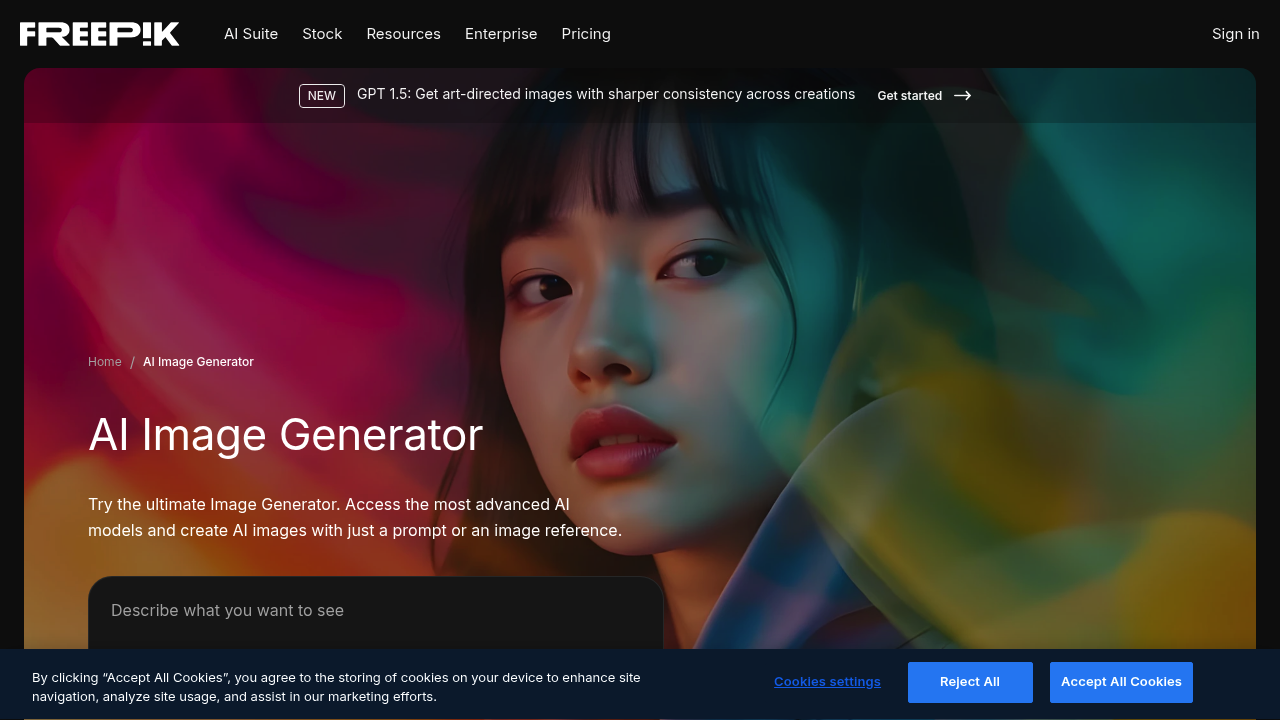
Freepik AI Image Generator screenshot

Freepik AI Image Generator puts multiple AI models in one spot. Google Imagen. Flux. GPT. Runway. All right there. No hopping between platforms to test which model handles your prompt best.

It does more than spit out images. You can edit them, remove objects, change aspect ratios without bouncing elsewhere. Reference images keep your style consistent across generations — useful when you're a marketing manager cranking out social media content that needs to match your brand aesthetic.

No free plan exists.

Premium+ runs $24.50 monthly when billed annually. You get unlimited generations in Relax Mode and 540,000 AI credits yearly. Pro jumps to $158.33 monthly with 3,600,000 credits and 20% cheaper per-credit costs. Pro users can fire up to 12 generations at once.

The API lets you automate visual workflows if you're building content at scale. Sales tax might bump up costs depending on location. SVG downloads work for AI-generated images. Most generators don't offer that.

Freepik calls this an all-in-one solution. You won't need separate tools for generation and basic editing. Newer models like GPT 1.5 and improved Imagen 4 handle text better than previous versions. Visual creators who need consistent output across multiple campaigns will find the reference image feature helpful.


Frequently asked

7 questions
Which AI models are available in Freepik AI Image Generator?
You'll find Google Imagen, Flux, GPT, and Runway models -- all in one spot. The newer stuff like GPT 1.5 and Imagen 4 are way better at handling text inside images compared to older versions. No need to hop around different platforms testing which one works for your prompt.
Can I download SVG files from generated images?
Yep, Freepik AI lets you download SVG files from your generated images. Most AI generators don't offer this, so it's pretty handy if you need scalable graphics for logos or print stuff.
How do reference images work for maintaining consistent style?
Upload a sample image and the AI uses it as a style guide for future generations. Super helpful when you're doing social media campaigns or marketing materials -- keeps everything looking cohesive. Marketing folks love this feature since it maintains brand consistency across visuals.
What's the difference between Pro and Premium+ plans?
Premium+ runs $24.50 monthly (if you pay yearly) and gets you 540,000 AI credits plus unlimited generations in Relax Mode. Pro costs $158.33 monthly with 3,600,000 credits, 20% cheaper per-credit, and you can run 12 generations at once instead of waiting.
Does Freepik AI Image Generator have built-in editing tools?
Yeah, you can edit right in the platform after generating images. Remove objects, change aspect ratios, basic tweaks -- no need to jump to other software. Saves tons of time when you just need quick adjustments.
Is there an API for automating image generation workflows?
Freepik's got an API for automating visual content at scale. Great if you're building apps or need to pump out lots of images programmatically for business workflows.
Why doesn't Freepik AI Image Generator offer a free plan?
It's all paid subscriptions starting at $24.50 monthly for Premium+. No free tier -- you've gotta commit to a paid plan to access any of the AI models or features.

Traffic

Estimated monthly website visits · last 4 months

98.7M visits/mo
Monthly visits
98.7M
↓ 7.2% MoM
Global rank
#260
IN #232
Category rank
#7
Image Generation
110.6M 107.6M 104.6M 101.7M 98.7M Nov 2025: 102.9M visits Nov 2025 Dec 2025: 110.6M visits Dec 2025 Jan 2026: 106.4M visits Jan 2026 Feb 2026: 98.7M visits Feb 2026

Data from SimilarWeb · Updated monthly.

Reviews (0)

Write review

No reviews yet. Be the first to share your experience.

Similar tools

See all →