
Adobe Firefly logo

Adobe Firefly

AI generation built into the tools professionals already use

136 views
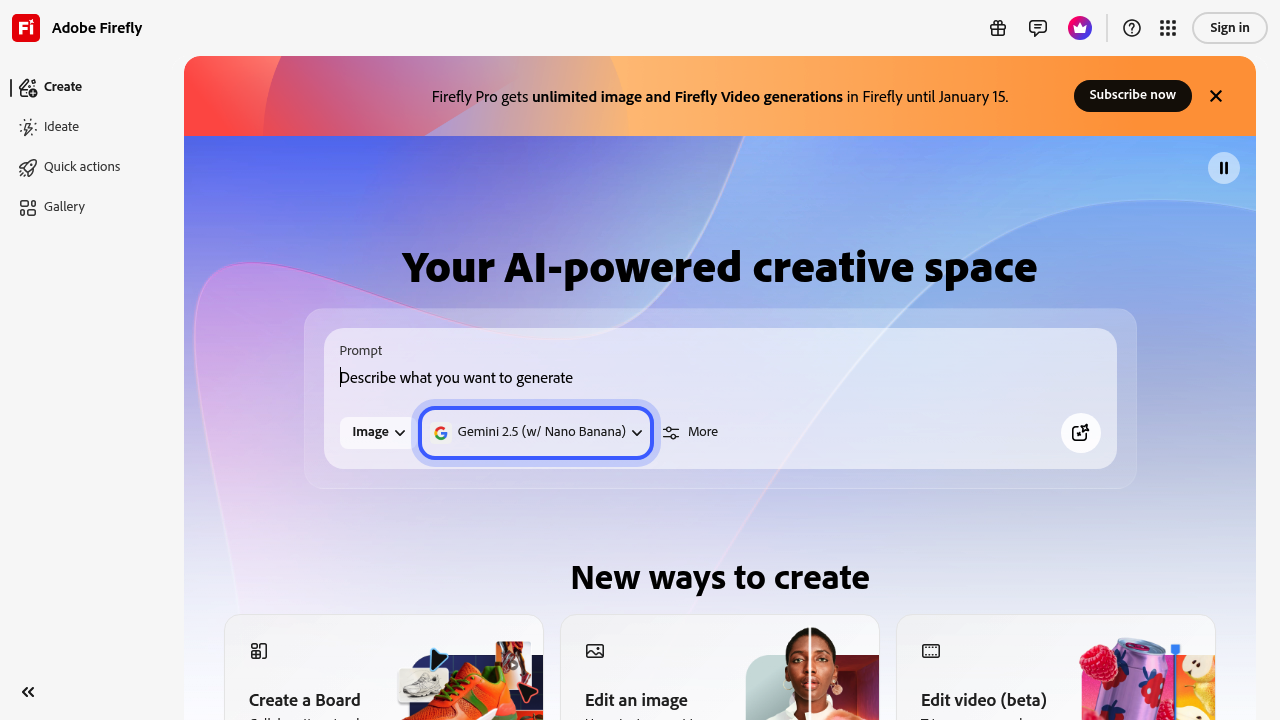
Adobe Firefly screenshot

Adobe Firefly gives you 5 free generations. Then the paywall hits. Enough for testing. Not much else.

Creative professionals needing quick turnarounds will love the infinite canvas approach. Generate images and videos in one workspace. No tool switching required. Picture this — a marketing director racing to create social media assets types prompts for backgrounds. Uses generative fill for extra elements. Converts static images to video content. Everything happens in one place.

Video editing stays in beta. Expect rough results.

Text-to-sound effects make Firefly different from basic image generators. Create custom audio matching your visuals without digging through stock libraries. QR code generation lives here too. Feels random but saves campaign time when you need branded codes.

Firefly Pro unlocks unlimited 1K and 2K image generations plus unlimited video creation. That unlimited access ends March 16, so pricing will likely shift. Ray3.14 vanishes February 18 — Adobe's still deciding which features survive long-term.

Content creators working across multiple formats will appreciate everything under one roof. Traditional graphic designers preferring dedicated tools might find the all-in-one approach messy. Community remixing lets you build on others' work. Either speeds up your process or creates legal headaches depending on client requirements.


Frequently asked

6 questions
How many images can I create with Adobe Firefly before hitting the paywall?
You'll get 5 free generations -- just enough to test things out. After that? You're looking at upgrading to Firefly Pro for unlimited access. Those 5 freebies won't cover any real projects, but they'll show you if it's worth your money.
What makes Adobe Firefly different from other AI image generators?
Here's what sets it apart: text-to-sound effects generation (most competitors don't have this). Plus built-in QR code creation and the ability to turn static images into videos. The infinite canvas workspace is pretty neat too -- you can handle multiple formats without jumping between different tools.
Can I use Adobe Firefly's video features for professional projects yet?
Not really. The video editing stuff's still in beta, so expect rough results. You can convert images to video content, but it's not production-ready quality yet -- better for testing concepts than delivering final client work.
What happens to my Adobe Firefly Pro access after March 16th?
The unlimited 1K and 2K image generations end March 16th (plus unlimited video creation). Adobe hasn't announced new pricing yet, but costs'll likely go up. Ray3.14 disappears February 18th too -- and Adobe's still deciding which features stick around long-term.
How does the community remixing feature work in Adobe Firefly?
You can build on other users' creations within the platform. It speeds things up since you're not starting from scratch. But heads up -- this could create legal issues depending on your client's requirements for original content.
Is Adobe Firefly worth it for traditional graphic designers?
If you prefer dedicated tools for specific tasks, Firefly's all-in-one approach might feel messy. It's really better for content creators who work across multiple formats and need quick turnarounds. Most traditional designers find specialized software way more efficient than these jack-of-all-trades platforms.

Traffic

Estimated monthly website visits · last 0 months

16.1M visits/mo
Monthly visits
16.1M

Not enough historical data for a chart yet.

Data from SimilarWeb · Updated monthly.

Reviews (0)

Write review

No reviews yet. Be the first to share your experience.

Similar tools

See all →