
#2 in AI Website Builder Shopify Website Builder logo
AI Website Builder FREEMIUM from $20/mo

Shopify Website Builder

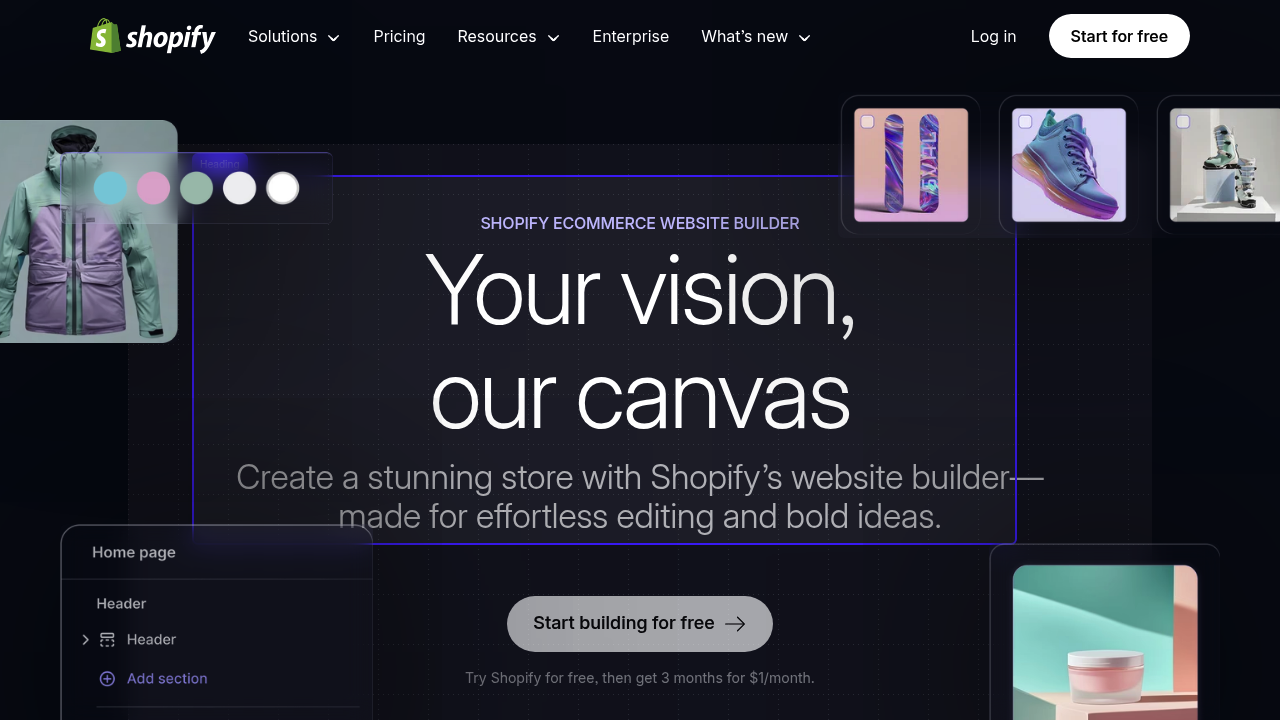
You land on Shopify's website builder and can immediately start creating a store without touching code

Shopify pushes you toward AI-powered generation right away, where you answer questions about what you are selling and get a personalized storefront built automatically. Fonts, colors, product layouts — all chosen based…

Shopify Website Builder screenshot

You land on Shopify's website builder and can immediately start creating a store without touching code. Shopify pushes you toward AI-powered generation right away, where you answer questions about what you are selling and get a personalized storefront built automatically. Fonts, colors, product layouts — all chosen based on your answers.

Once the initial store appears, you're working with a drag-and-drop editor. Click any section and it becomes editable. Want to move your product grid above your testimonials? Drag it. The interface does not require you to understand page structure or CSS. You're just clicking and moving blocks around.

The theme library shows hundreds of options, and each one lets you adjust settings without breaking anything. Change typography, swap color schemes, rearrange homepage sections. The editor keeps you within guardrails so you can't accidentally destroy your layout, which feels safe but occasionally limiting when you want precise control over spacing or element positioning.

Shopify Magic handles content creation across the store. Type a few product details and it generates full descriptions. Stuck on a brand slogan? It'll write options. Customer sends a chat message? It suggests responses. The blog post generator works too, though the output often needs editing to sound less generic. It's useful for getting past blank-page paralysis but rarely produces final-quality copy.

Image editing happens inside the builder. Upload product photos and the AI removes backgrounds, adjusts lighting, or generates variations. This saves trips to external photo editors, though complex edits still need dedicated software.

The checkout system, payment processing, and inventory management all connect automatically. Add products, set prices, and the store handles transactions without requiring separate integrations. Selling on Instagram or Facebook works through built-in connections. The POS system lets you sell in person using the same inventory.

Analytics show up in dashboards that track sales, visitor behavior, and conversion rates. Shopify Flow automates repetitive tasks like tagging customers or sending follow-up emails based on purchase behavior. The automation builder uses visual logic, not code.

Where things get frustrating: customization hits walls when you want something the theme doesn't support. Moving beyond drag-and-drop options calls for coding knowledge or buying apps from the Shopify App Store. Some seemingly simple layout changes become impossible without developer help.

Support runs all day, every day. Chat, email, and phone options connect you to help when the editor doesn't cooperate.

The promotional offer gives you three months at 5 RON monthly, with a free trial before that. After the promotional period ends, regular pricing kicks in.


Shopify Website Builder alternatives

See all →

Frequently asked

7 questions
Can I build a Shopify store without coding?
You open Shopify and start building through drag-and-drop editing without writing any code. The AI asks what you're selling, then generates a complete storefront with colors, fonts, and layouts already chosen. Click any section to edit it, drag elements to rearrange them, and adjust theme settings like typography or color schemes through visual controls. The system keeps you within guardrails so you can't break layouts, though this means hitting walls when you want customization the theme doesn't support. Advanced changes beyond the drag-and-drop options require coding knowledge or installing apps from the Shopify App Store.
Does Shopify have a free plan or trial?
Shopify offers a free trial before you pay anything, letting you build and test your store. After the trial, a promotional offer runs for three months at 5 RON monthly. Regular pricing starts after the promotional period ends, with no permanent free plan available.
What does Shopify AI actually do when building a store?
Shopify Magic generates content across your entire store without you writing from scratch. Type basic product details and it creates full descriptions, suggests brand slogans, writes blog posts, and even drafts customer chat responses. The AI also edits product photos by removing backgrounds and adjusting lighting inside the builder. The automated storefront generation asks about your products then builds a complete site with matching design choices, though the AI-written content often sounds generic and needs editing before it feels polished.
Can I sell on Instagram and Facebook through Shopify?
Shopify connects directly to social media platforms through built-in integrations. Add your products once and they become sellable on Instagram, Facebook, and other channels using the same inventory. The multi-channel setup shares product data, pricing, and stock levels across platforms automatically. Transactions from any channel flow into the same dashboard where you manage orders and track analytics.
What happens when I need features Shopify themes don't include?
The drag-and-drop editor works smoothly until you want layout changes the theme doesn't support. Simple adjustments like precise spacing control or custom element positioning become impossible without coding. You'll need to hire a developer or browse the Shopify App Store for extensions that add the missing functionality. This creates a gap between what feels possible in the visual editor and what actually requires technical knowledge, which gets frustrating when you're trying to match a specific design vision.
Can Shopify handle selling both online and in physical stores?
The Point of Sale system connects in-person sales to your online inventory automatically. Ring up customers at a physical location and the same products, stock counts, and customer data sync with your web store. Payment processing, order management, and analytics combine online and offline transactions in one dashboard. The setup works for popup shops, retail locations, or markets without maintaining separate systems.
How does Shopify automation work for store tasks?
Shopify Flow builds automations using visual logic instead of code. Set triggers like customer purchases or abandoned carts, then choose actions like sending emails or tagging customers. The system handles repetitive work like follow-up messages or inventory alerts based on the rules you create. Shopify Messaging nurtures customers automatically, though setting up complex workflows still requires understanding how the trigger-action logic connects.

Traffic

Estimated monthly website visits · last 8 months

262.9M visits/mo
Monthly visits
262.9M
↑ 10.2% MoM
Global rank
#99
US #72
Category rank
#2
AI Website Builder
262.9M 247M 231.2M 215.4M 199.6M Dec 2025: 242.4M visits Dec 2025 Jan 2026: 224.7M visits Jan 2026 Feb 2026: 199.6M visits Feb 2026 Mar 2026: 221.6M visits Mar 2026 Apr 2026: 215.3M visits Apr 2026 May 2026: 230.8M visits May 2026 Jun 2026: 238.6M visits Jun 2026 Jul 2026: 262.9M visits Jul 2026

Reviews (0)

Write review

No reviews yet. Be the first to share your experience.