
ReadDocs logo
AI PDF FREEMIUM

ReadDocs

Upload a PDF contract and ReadDocs spits out a one-minute summary, bullet points, and answers to specific questions you ask

That's the pitch. It handles PDFs, Word files, plain text, and even photos of documents through OCR. The Q&A feature distinguishes this from basic summarizers. Instead of reading a 40-page report, ask "What's the budget…

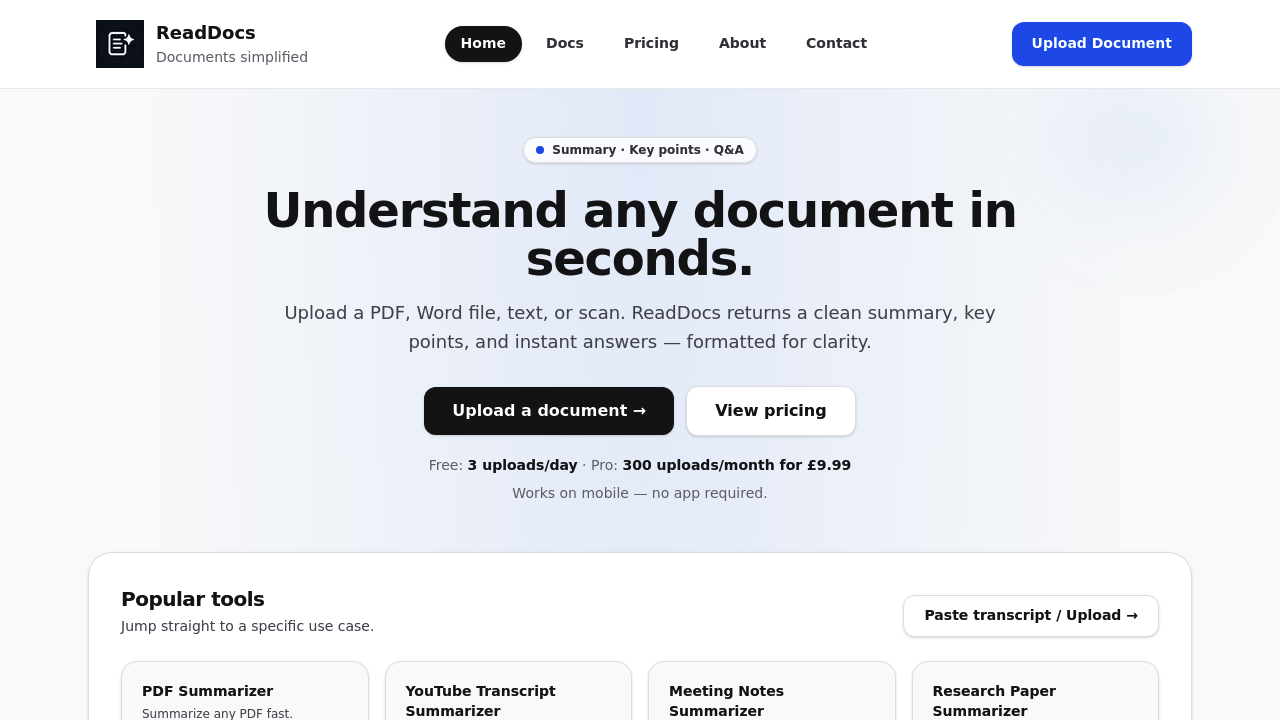
ReadDocs screenshot

Upload a PDF contract and ReadDocs spits out a one-minute summary, bullet points, and answers to specific questions you ask. That's the pitch. It handles PDFs, Word files, plain text, and even photos of documents through OCR.

The Q&A feature distinguishes this from basic summarizers. Instead of reading a 40-page report, ask "What's the budget allocation?" and get a direct answer pulled from the text. Works across multiple document types including YouTube transcripts, meeting notes, and research papers. Copy buttons sit next to every output so you can grab text without formatting headaches.

Free users get 3 uploads daily. That's tight if you're processing multiple documents for a project. Hit that limit and you're waiting until tomorrow. Pro plan bumps you to 300 uploads monthly for £9.99. Business tier offers 2,000 uploads at £29 monthly but team features aren't live yet — they're listed as "coming soon." Same story for higher file size limits on Pro and custom outputs on Business. You're paying for features that don't exist yet.

The 8MB file size limit shows up in mobile documentation. Larger files might work on desktop but the facts don't clarify. OCR accuracy depends on image quality and ReadDocs warns outputs "may be inaccurate or incomplete." Not suitable for legal or medical decisions according to their own disclaimer.

Privacy angle matters here. Documents aren't used to train public AI models. That's worth something if you're uploading client contracts or proprietary research. Most document tools don't make this explicit.

What doesn't work: no API access, no browser extension, no mobile app despite being "mobile friendly" through the web. Team collaboration tools are promised but not delivered. The Business plan feels half-baked — you're basically pre-paying for features in development.

Best fit for students cramming study materials or professionals who need quick document overviews without diving into full text. Operations managers processing routine reports could use this. Won't replace careful reading for anything consequential.

ReadDocs does what it claims for basic document analysis. Summaries save time. Q&A works when questions are straightforward. But the free tier's 3-upload limit feels restrictive and paid plans charge for incomplete feature sets. Works fine for casual use. Gets limiting fast for heavier workloads.

ReadDocs alternatives

See all →

Frequently asked

7 questions
Can I use ReadDocs for free?
ReadDocs offers a free plan with 3 uploads per day. That's enough for occasional document summaries but runs out fast if you're processing multiple files for a project. Free tier includes PDF, Word, and text file support plus photo OCR, along with summaries, key points, and Q&A features. Copy buttons come standard and it works on mobile browsers with an 8MB file size limit. Once you hit 3 uploads, you're waiting until the next day unless you upgrade.
How much does ReadDocs Pro cost?
Pro plan costs £9.99 monthly and bumps you from 3 daily uploads to 300 monthly uploads. That's about 10 documents per day if you spread it evenly. The plan promises priority processing and a higher file size limit, though the size increase isn't live yet according to the facts. Business plan runs £29 monthly for 2,000 uploads but team features and custom outputs are also listed as coming soon. Both paid tiers let you cancel anytime.
What file types does ReadDocs support?
ReadDocs handles PDFs, Word documents (DOCX), plain text files (TXT), and scanned images through OCR. The OCR feature pulls text from photos of documents automatically, which works for contracts or notes you've photographed. File size caps at 8MB on mobile devices based on the documentation. The tool also processes YouTube transcripts, meeting notes, and research papers. Quality of OCR extraction depends on image clarity and ReadDocs warns outputs may be inaccurate.
Can I ask questions about my documents in ReadDocs?
The Q&A feature lets you ask specific questions and get answers pulled directly from your uploaded document. Instead of reading a full report, you can ask "What's the budget allocation?" and get a targeted response from the text. This works across all supported file types including PDFs, Word files, and OCR'd images. Answers come alongside the summary and key points, with copy buttons for easy extraction. ReadDocs warns the output may be incomplete, so don't rely on it for legal or medical decisions.
Does ReadDocs work on mobile phones?
ReadDocs runs in mobile browsers without requiring an app download. The interface works on phones with an 8MB file size limit for uploads. All features including summaries, key points, Q&A, and copy buttons function on mobile. There's no dedicated iOS or Android app — everything happens through the web browser. Larger files might need desktop processing since the 8MB limit is specifically mentioned for mobile use.
What's missing from ReadDocs Business plan?
Business plan charges £29 monthly but team collaboration features aren't live yet — they're listed as "coming soon." Same goes for custom output options, which are marked as optional later rather than available now. The plan delivers 2,000 monthly uploads and priority support, but you're essentially pre-paying for incomplete functionality. Higher file size limits promised for Pro plan also aren't active. ReadDocs is selling against a roadmap instead of finished features on paid tiers.
Is ReadDocs good for summarizing research papers?
ReadDocs generates readable summaries in under a minute and extracts key points from academic papers, which helps when reviewing literature or comparing studies. The Q&A feature lets you ask specific questions like "What methodology did they use?" without reading the full paper. OCR support means you can upload photographed pages from printed journals. However, ReadDocs warns outputs may be inaccurate or incomplete, so verify critical details against the source. Works for initial screening but won't replace careful reading for citations or methodology details.

Traffic

Estimated monthly website visits · last 0 months

744 visits/mo
Monthly visits
744

Not enough historical data for a chart yet.

Reviews (0)

Write review

No reviews yet. Be the first to share your experience.