
Rabbitholes AI logo
AI Research Tool FREEMIUM from $6/mo

Rabbitholes AI

RabbitHoles AI is a desktop application designed for deep, multi-threaded conversations with AI on an infinite canvas. Built for researchers, students, and knowledge workers, it enables node-based cha

$89 gets you a canvas-based AI chat interface that thinks in nodes instead of linear conversations. Rabbitholes AI spreads your chats across an infinite workspace. Each conversation becomes a clickable node with…

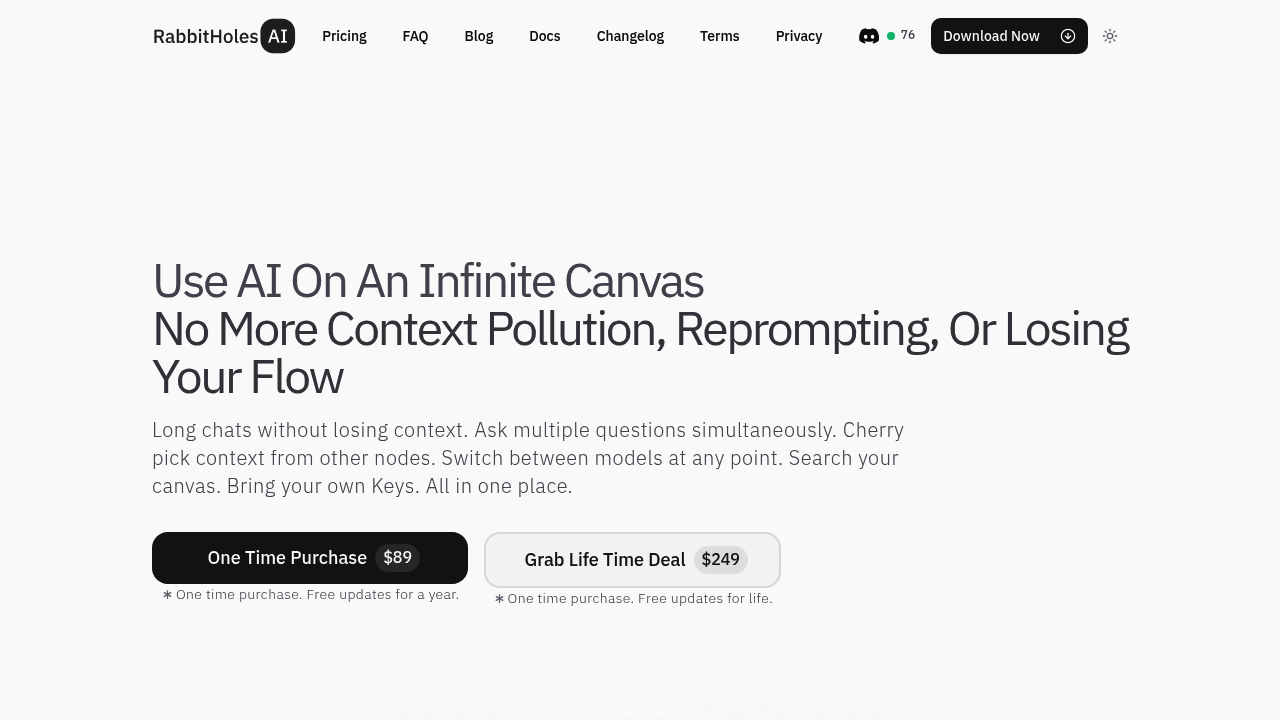
Rabbitholes AI screenshot

$89 gets you a canvas-based AI chat interface that thinks in nodes instead of linear conversations. Rabbitholes AI spreads your chats across an infinite workspace. Each conversation becomes a clickable node with branching paths. You can cherry-pick context from any node to feed into new conversations — no copy-paste routine needed.

Node systems eliminate context pollution. Instead of scrolling through endless chat history or starting over when you hit token limits, you create new nodes. Connect relevant pieces. Switch between models mid-conversation or run multiple AI models simultaneously on the same canvas.

Picture this: a research analyst juggling quarterly reports could drag PDF files onto the canvas, connect them to specific chat nodes, then branch off separate conversations about market trends and competitor analysis. Each node maintains its own context while pulling from shared sources.

Rabbitholes AI supports Ollama for local models. Custom providers work too. Bring your own API keys. Advanced settings let you control system prompts and temperature settings, though these depend on what each model actually supports. Files connect to your chats. Websites too. Images and YouTube videos all plug in.

Your conversations stay on your device. Export everything as JSON or markdown when needed. The $249 lifetime deal includes updates forever, while the standard purchase covers updates for one year. Search works across the entire canvas to find specific conversations or context pieces. Simple as that.

Rabbitholes AI alternatives

See all →

Frequently asked

7 questions
Can I use local AI models with Rabbitholes AI?
Yep! Rabbitholes AI works with Ollama -- so you can run local models right on your machine. You can also hook up custom providers with your own API keys. This means you're not stuck with one AI service and can switch between different models whenever you want.
How does the node system prevent context pollution in conversations?
Each node keeps its own conversation separate from others on your canvas. Hit token limits or want to go in a new direction? Just create a fresh node instead of continuing the same chat thread. Then you can pull context from previous nodes -- but only the stuff you actually need.
What file types can I connect to conversations in Rabbitholes AI?
You can drag PDFs, websites, images, and YouTube videos straight onto your canvas. These sources connect to specific chat nodes and become part of that conversation's context. No more copying and pasting content into your chats.
Does Rabbitholes AI store my conversations on their servers?
Nope -- all your conversations stay on your device. The tool doesn't send your chat data anywhere for storage. You can export your entire canvas as JSON or markdown files whenever you need backups or want to share your work.
What's the difference between the $89 and $249 pricing options?
The standard $89 purchase gets you updates for one year after purchase. The $249 lifetime deal? You get all future updates forever with no extra fees. Both options give you the same core features -- it's just about how long you'll get software updates.
Can I run multiple AI models at the same time on one canvas?
Yes! You can have different nodes using different AI models at once on the same canvas. One conversation could run GPT-4 while another node uses Claude or a local Ollama model. Each model works independently in its own node context.
How do I find specific conversations or information across my Rabbitholes AI canvas?
The search function works across your entire canvas to find specific conversations or context pieces. Instead of scrolling through chat histories, you search for keywords and find relevant nodes instantly. Makes it super easy to reference past conversations when working on new topics.

Traffic

Estimated monthly website visits · last 9 months

996 visits/mo
Monthly visits
996
↓ 50.8% MoM
Global rank
#6,439,511
Category rank
#64
AI Research Tool
14.6K 11.2K 7.8K 4.4K 996 Nov 2025: 13.5K visits Nov 2025 Dec 2025: 13.2K visits Dec 2025 Jan 2026: 14.6K visits Jan 2026 Feb 2026: 8.5K visits Feb 2026 Mar 2026: 7.6K visits Mar 2026 Apr 2026: 8.5K visits Apr 2026 May 2026: 6.7K visits May 2026 Jun 2026: 2K visits Jun 2026 Jul 2026: 996 visits Jul 2026

Reviews (0)

Write review

No reviews yet. Be the first to share your experience.