PatternLook logo
AI Texture Generator FREEMIUM from $16/mo

PatternLook

Your phone buzzes with a client's last-minute pattern request while you're commuting

PatternLook runs in your browser — so you can actually deliver something useful from a train seat. No learning curve. Upload your design, pick a repeat type, hit generate. PatternLook's AI figures out how to make your…

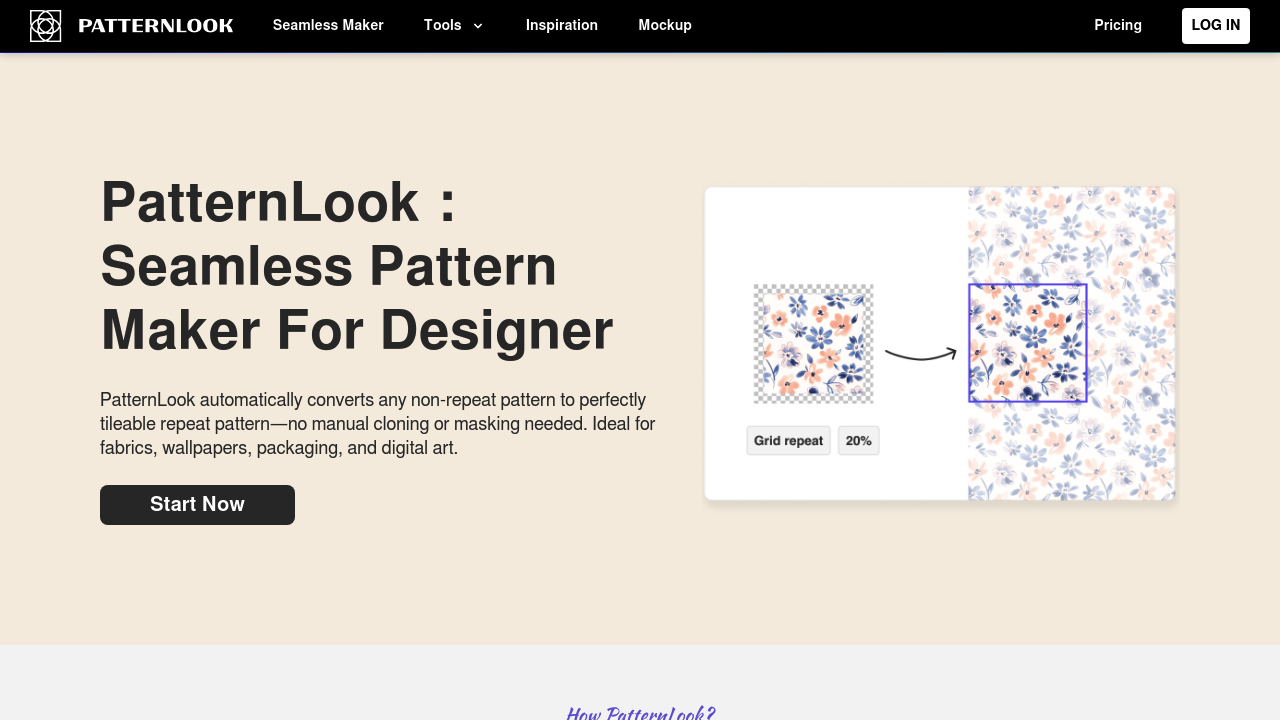
PatternLook screenshot

Your phone buzzes with a client's last-minute pattern request while you're commuting. PatternLook runs in your browser — so you can actually deliver something useful from a train seat.

No learning curve. Upload your design, pick a repeat type, hit generate. PatternLook's AI figures out how to make your pattern tile in about 10 seconds. No cloning brushes. No edge-matching headaches like Photoshop throws at you.

A textile designer working on a capsule collection can upload hand-drawn florals and watch them become production-ready patterns. PatternLook analyzes each motif and auto-aligns the edges without any manual intervention. Complex edits might take up to two minutes, but most designs process instantly.

You get 50+ artistic styles. Watercolor. Cyberpunk. Ink wash. Whatever fits your aesthetic. You can extract elements onto transparent layers and recolor everything with smart tools that actually understand your design intent.

Free users get 100 credits daily plus five downloads. PatternLook owns anything you create on the free plan though. Your patterns become public too.

Paid plans unlock commercial usage and privacy, but the exact pricing stays mysteriously vague.

PatternLook's checker tool shows you exactly how your pattern will repeat before you commit. No surprises when you send files to production. That's something fashion designers working tight deadlines can't afford to mess up.


PatternLook alternatives

See all →

Frequently asked

7 questions
What happens to my patterns if I use PatternLook's free plan?
PatternLook owns anything you create on the free plan -- and they make your patterns public too. Need to keep designs private or use them commercially? You'll have to upgrade to a paid plan. Free users do get 100 credits daily plus five downloads though.
How long does it take PatternLook to process a pattern?
Most designs process instantly in about 10 seconds. Complex edits might take up to two minutes. That's still way faster than manually aligning edges in Photoshop! The AI handles all the edge-matching automatically.
Can I see how my pattern will look before downloading it?
Yes -- PatternLook includes a checker tool that shows exactly how your pattern will repeat before you commit. This prevents surprises when you send files to production. Pretty crucial for fashion designers on tight deadlines.
What file types can I upload to create patterns?
You can upload your designs directly through the browser interface. PatternLook works with hand-drawn artwork (like florals) and analyzes each motif to auto-align the edges. No manual intervention needed.
How many artistic styles does PatternLook offer?
PatternLook provides 50+ artistic styles including watercolor, cyberpunk, and ink wash. You can also extract elements onto transparent layers. Plus there's smart recoloring tools that actually understand your design intent.
Does PatternLook work on mobile devices since it's browser-based?
Yes! Since PatternLook runs entirely in your browser, you can use it on any device with internet access. This means you can actually deliver pattern work from a train seat when clients send last-minute requests.
What's the pricing for PatternLook's commercial plans?
PatternLook keeps their paid plan pricing mysteriously vague on their website. The paid plans do unlock commercial usage rights and privacy for your patterns. But you'll need to contact them directly for specific pricing details.

Traffic

Estimated monthly website visits · last 0 months

Not enough historical data for a chart yet.

Reviews (0)

Write review

No reviews yet. Be the first to share your experience.