MiniMax Music logo

MiniMax Music

MiniMax Music is a browser-based song generator that turns lyrics and a style description into finished tracks using the Music-3.0 model.

Users type lyrics, up to 3,500 characters, or leave the field blank and let the system write lyrics based on the chosen style. Structure tags such as Intro, Verse and Chorus guide the arrangement, and vocal and mood…

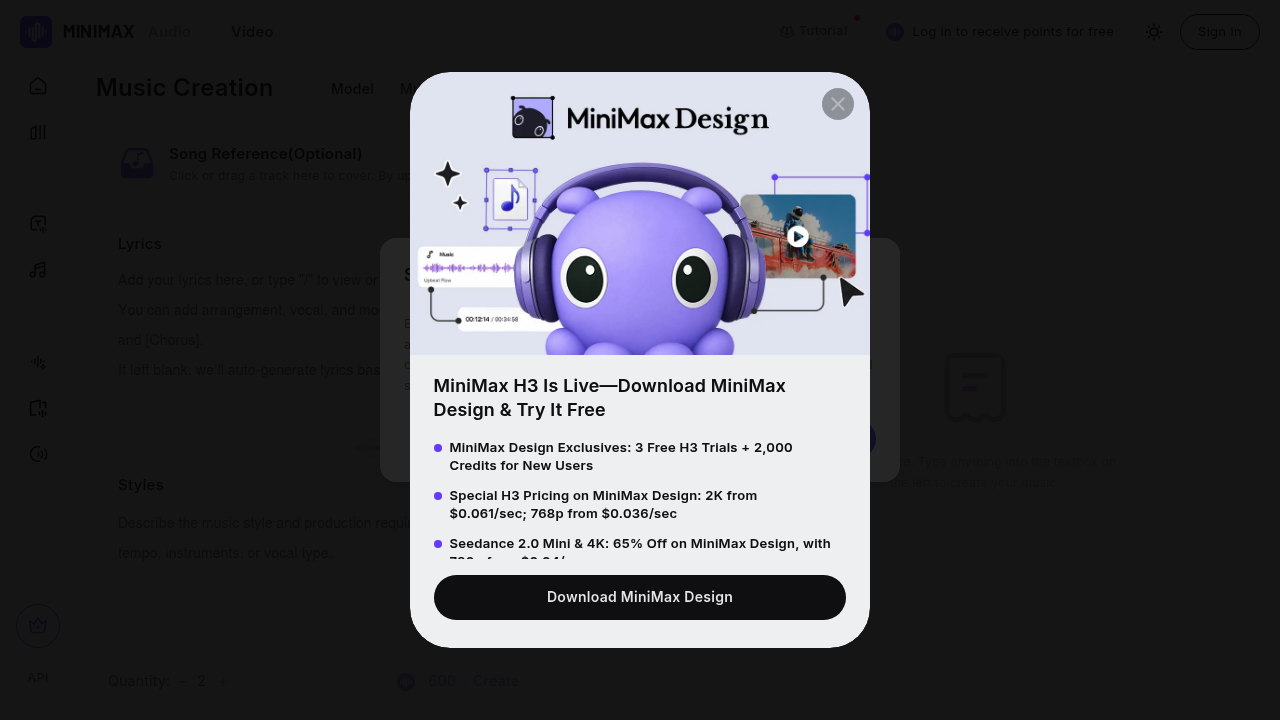
MiniMax Music screenshot

MiniMax Music is a browser-based song generator that turns lyrics and a style description into finished tracks using the Music-3.0 model. Users type lyrics, up to 3,500 characters, or leave the field blank and let the system write lyrics based on the chosen style. Structure tags such as Intro, Verse and Chorus guide the arrangement, and vocal and mood notes can follow each tag. Styles accept up to 2,000 characters, with quick picks like Piano, Falsetto, Lo-fi and Vocal Chops, and each run can produce two versions.

Songwriters who want a quick demo, content creators needing original background music, and hobbyists curious about AI composition are the natural audience. Marketers and video producers can create custom tracks without licensing hunts, and developers can reach the same audio capabilities through the MiniMax Audio API. Musicians who already have a tune can upload a reference track to cover it in a new style, which gives more control than a plain text prompt alone.

Practical scenarios include writing a verse-and-chorus song from a lyric sheet, producing an instrumental bed for a podcast or video by switching on Instrumental mode, and testing several styles of the same idea by changing the style tags. Within MiniMax Audio, the music page sits beside text to speech, voice cloning, voice design and voice isolator, so a creator can build a song and a spoken intro in one workspace. Finished tracks are stored under My Work and Collection, and a short notice reminds users to hold rights to any content they enter and to avoid infringing material.

MiniMax Music alternatives

See all →

Frequently asked

6 questions
How do I generate a song with MiniMax Music?
Enter lyrics, or leave the box blank to have lyrics created from your style, then add style tags and press Create. Each run produces two tracks by default, and lyrics can use structure tags such as Intro, Verse and Chorus.
Who is MiniMax Music suited to?
It fits songwriters, content creators, video producers and hobbyists who want original songs or backing music from text. Developers can also reach audio features through the MiniMax Audio API.
Can I make instrumental music with it?
Instrumental mode can be switched on, after which a description in the Styles section is enough to generate a track without vocals. Music-3.0 is the current model offered for this.
Can I base a song on an existing track?
An optional Song Reference slot lets you upload a track to cover. The output then follows that reference while using the lyrics and styles you supply.
What are the input limits?
Lyrics are capped at 3,500 characters and style descriptions at 2,000 characters. Both fields accept free text, and the lyrics box also takes structure tags.
What other audio tools sit alongside it?
MiniMax Audio also includes a voice library, text to speech, voice design, voice clone and voice isolator. Users sign in to create and keep their work under My Work and Collection.

Reviews (0)

Write review

No reviews yet. Be the first to share your experience.