
Microsoft Copilot in Word logo
AI Writing Assistants FREEMIUM from $100/mo

Microsoft Copilot in Word

You describe what you need and it creates, reads and edits the document, rewrites passages, summarizes long files and answers questions on how to improve your writing.

Microsoft Copilot in Word adds AI assistance to Microsoft Word for drafting, rewriting and summarizing documents. You describe what you need and it creates, reads and edits the document, rewrites passages, summarizes…

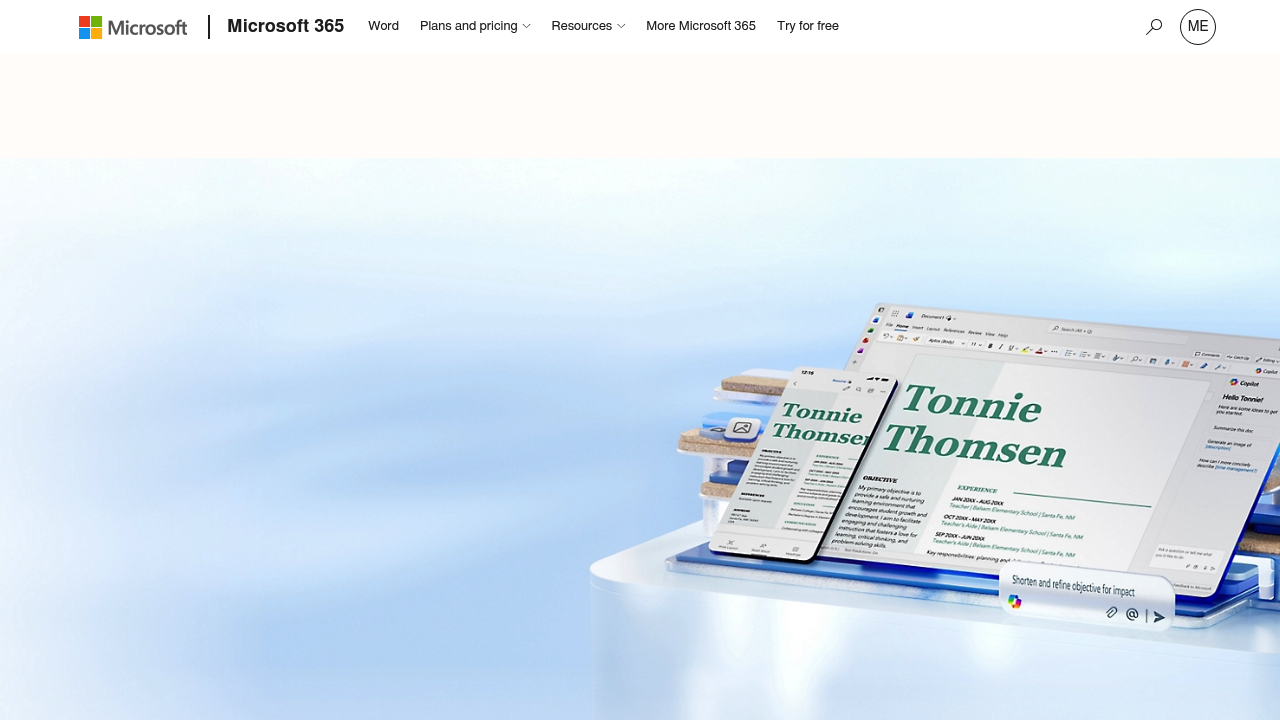
Microsoft Copilot in Word screenshot

Microsoft Copilot in Word adds AI assistance to Microsoft Word for drafting, rewriting and summarizing documents. You describe what you need and it creates, reads and edits the document, rewrites passages, summarizes long files and answers questions on how to improve your writing. It works alongside Editor for grammar and style, Designer for custom banners and images, Dictate for speech-to-text and an Accessibility Checker. A free Word for the web tier exists, and Microsoft 365 Personal costs $99.99 per year.

Students, office professionals, writers, managers and teams who already work in Word are the natural users. Collaboration features suit groups that co-author reports and proposals, since anyone can be invited to edit in real time, even without an account. Readers with focus or comprehension needs can use Immersive Reader for a distraction-free view.

Typical tasks include turning a rough outline into a first draft, tightening a long report, summarizing a document before a meeting and fixing tone or clarity. Thousands of templates cover letters, resumes and flyers. Teams share documents with track changes and version history, and a single subscription lets one person use Word on up to five devices across PC, Mac, iPhone, iPad and Android, with 1 TB of cloud storage. Dictation can transcribe audio files into text. Usage limits apply to the AI features, and the AI features cannot be shared beyond the subscription owner. Microsoft Copilot in Word also adds AI-driven accessibility recommendations for format, color contrast and word choice.


Microsoft Copilot in Word alternatives

See all →

Frequently asked

6 questions
What can Microsoft Copilot in Word do?
It creates, reads and edits documents from a plain description. It can also rewrite text, summarize files and suggest ways to improve your writing.
Who is Microsoft Copilot in Word aimed at?
Students, professionals and teams who write in Word are the main users. Collaboration and accessibility tools make it practical for groups and for readers needing extra support.
How would I summarize a long report?
Ask the AI to summarize the document and review the result in the same file. This helps before meetings or when reading unfamiliar material.
Is there a free version of Word?
Word for the web is free for one person, with sharing, real-time collaboration, basic spelling and grammar, dictation and 5 GB of cloud storage. Microsoft 365 Personal costs $99.99 per year for fuller features.
What limits apply to the AI features?
AI features are available only to the subscription owner and cannot be shared. Usage limits apply, and minimum age limits may also apply.
Where can I use it?
Microsoft 365 Personal works on PC, Mac, iPhone, iPad and Android phones and tablets, on up to five devices at once. Availability varies by device and language, and the product is not offered in every market.

Reviews (0)

Write review

No reviews yet. Be the first to share your experience.