
DeepL Write logo
AI Writing Assistants FREEMIUM from €7/mo

DeepL Write

DeepL Write is an AI writing assistant from the makers of DeepL Translator.

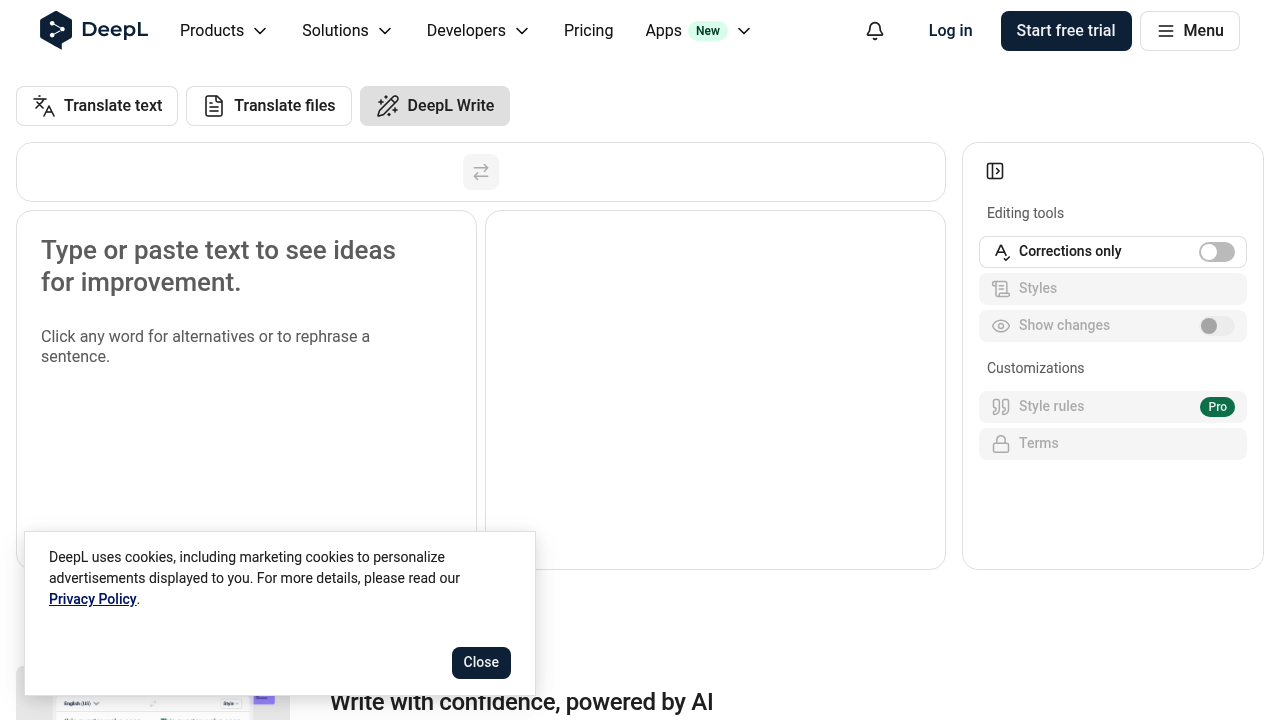
Paste or type text and it suggests improvements to spelling, grammar, punctuation and phrasing. Clicking any word offers alternatives, and a sentence can be rephrased in one step. A start free trial option is offered,…

DeepL Write screenshot

DeepL Write is an AI writing assistant from the makers of DeepL Translator. Paste or type text and it suggests improvements to spelling, grammar, punctuation and phrasing. Clicking any word offers alternatives, and a sentence can be rephrased in one step. A start free trial option is offered, and some customization features are marked Pro.

DeepL Write suits people who need polished, natural-sounding text without hiring an editor. Non-native speakers drafting English or other languages for work can use it to sound fluent and professional. Marketers, support agents, managers and students also benefit when they want clear email, reports or essays with fewer errors. Teams that care about consistency can use Pro style rules and terms so that company wording and tone stay uniform across everyone's writing. Students and academics preparing essays or reports can also use it to catch errors and find clearer wording before submitting their work.

Typical use cases include proofreading an email before sending it to a client, rewriting a stiff paragraph in a friendlier or more formal tone, and checking a report for mistakes while keeping the original meaning. A corrections-only mode limits edits to errors, while a show-changes view lets the writer accept or reject each suggestion. Because it sits alongside DeepL's translation of text and files, it fits a workflow where a draft is translated first and then refined for tone and clarity. Writers can also click a single word for alternatives, which is handy when a sentence is correct but repetitive, and the improved text appears beside the source so the two versions are easy to compare.


DeepL Write alternatives

See all →

Frequently asked

6 questions
What does DeepL Write correct in a draft?
It fixes spelling, grammar and punctuation, and proposes word and sentence alternatives. A corrections-only option keeps changes limited to actual errors.
Who benefits most from DeepL Write?
Professionals and non-native speakers who want text to sound fluent and natural. It also helps anyone writing for a specific audience who needs the right tone.
How could DeepL Write help with a customer email?
Paste the draft, review the highlighted changes and pick a style that fits the reader, such as more formal or friendlier. The show-changes view makes it easy to accept only the edits you want.
Can writing styles be customized in DeepL Write?
Writers choose a style and tone for their audience, and Pro adds style rules and terms for consistent wording. Those customizations are aimed at teams that need a uniform voice.
Is DeepL Write a translation tool?
Writing improvement is its focus, while translation of text and files lives in the neighboring DeepL products. Write polishes text rather than converting it between languages.
How do I start using DeepL Write?
Open it in the browser, then type or paste text to see suggestions straight away. A start free trial button and a login are available at the top of the page.

Reviews (0)

Write review

No reviews yet. Be the first to share your experience.