Magenta Studio logo

Magenta Studio

Magenta Studio is a collection of music plugins for Ableton Live, built on the open source tools and models from the Magenta research project.

It works on MIDI clips in Session View and includes five tools: Continue, Generate, Interpolate, Groove and Drumify. Each tool applies a machine learning model, such as recurrent neural networks or variational…

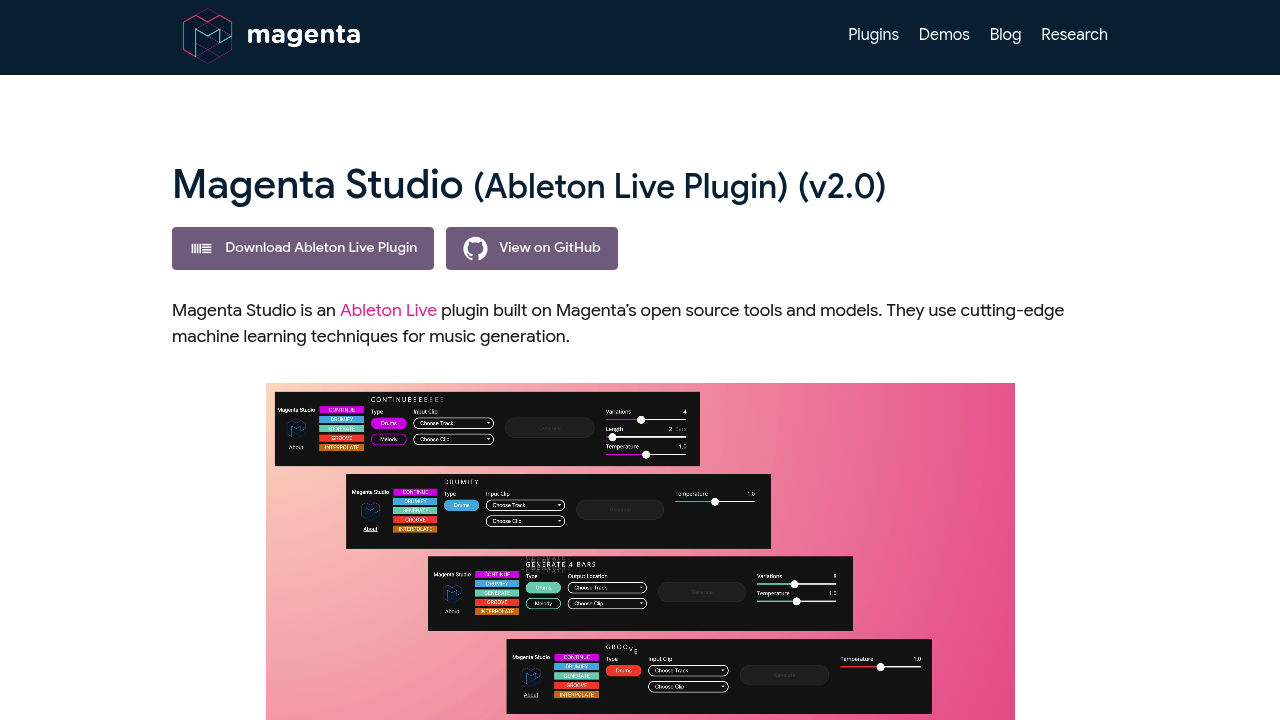
Magenta Studio screenshot

Magenta Studio is a collection of music plugins for Ableton Live, built on the open source tools and models from the Magenta research project. It works on MIDI clips in Session View and includes five tools: Continue, Generate, Interpolate, Groove and Drumify. Each tool applies a machine learning model, such as recurrent neural networks or variational autoencoders, to melodies and drum patterns, with a temperature slider that controls how conservative or chaotic the output is. Version 2.0 runs as a plugin inside Ableton Live, and the older standalone applications are no longer actively maintained.

It is intended for music producers, beatmakers, composers and sound designers who already work in Ableton Live and want fresh MIDI ideas. Researchers and educators interested in machine learning for music can also use it, since the models and code are open source and the page links to GitHub. Installation requires Ableton Live 10.1 Suite or later, or an earlier version with a separate Max 8 install, and the plugin is a Max for Live device dragged onto a MIDI track.

A producer stuck on a drum loop can run Continue to extend it by up to 32 measures, or Generate to get a four-bar phrase with no input at all. A composer can use Interpolate to blend two melodies or two beats into up to 16 clips that morph smoothly between them. Drumify turns a rhythm into a drum pattern, and Groove adds human-like timing to a quantized pattern. Output clips are placed in the clip slots after the selected clip, so ideas land directly in the session. Melody input is limited to monophonic lines, and drum input maps notes onto nine standard drum instruments.


Magenta Studio alternatives

See all →

Frequently asked

6 questions
What tools are included in Magenta Studio?
Five tools are included: Continue, Generate, Interpolate, Groove and Drumify. Each works on MIDI clips selected from Ableton Live's Session View and returns new clips to your session.
Who is Magenta Studio for?
Producers, beatmakers and composers working in Ableton Live use it for MIDI ideas. Researchers and educators can also explore the open source Magenta models and code on GitHub.
How can I extend a drum loop with Magenta Studio?
Pick the clip, open Continue and click Generate. Continue uses a recurrent neural network to predict likely next notes and can extend a drum beat or melody by up to 32 measures. Raising the temperature produces more random results.
What does the temperature slider change?
Temperature controls randomness in the model's last layer. Higher values give more variation and sometimes chaos, while lower values give more conservative predictions. Every tool in the plugin has this slider.
What are the limits of Magenta Studio?
Melody input must be monophonic, meaning one note at a time. Drum input notes outside the mapped range are assigned to nine instruments. It handles MIDI only and works inside Ableton Live.
What do I need to install Magenta Studio?
You need Ableton Live 10.1 Suite or later, or an earlier version with a separate Max 8 install. Download the plugin file and drag the amxd file into any available MIDI track in Live.

Reviews (0)

Write review

No reviews yet. Be the first to share your experience.