
Kolva logo
AI Meeting Assistant FREEMIUM from £14/mo

Kolva

Capture, transcribe, and summarize any meeting right from your browser—instantly and for just $0

Install the Chrome extension. Start using Kolva right away. No setup wizard needed. No bot configuration either. Share your tab audio and you're recording meetings with AI transcription in minutes. Pay-as-you-go makes…

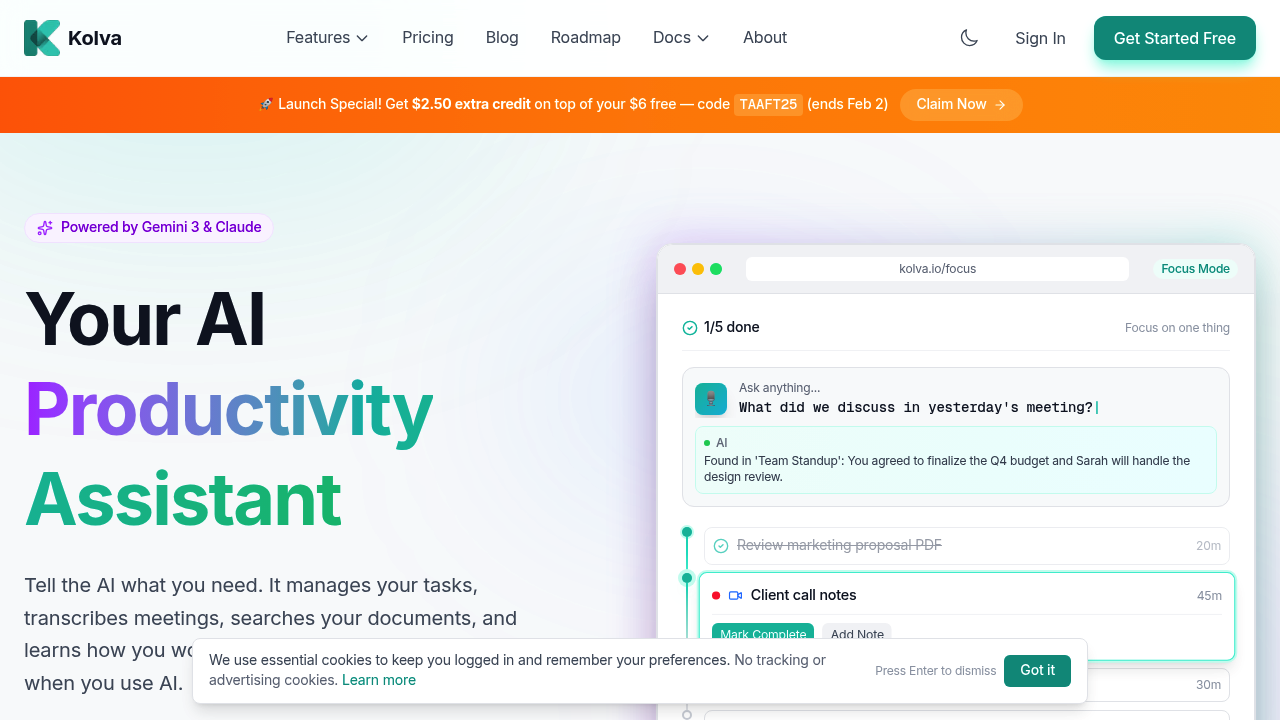
Kolva screenshot

Install the Chrome extension. Start using Kolva right away. No setup wizard needed. No bot configuration either. Share your tab audio and you're recording meetings with AI transcription in minutes.

Pay-as-you-go makes sense if subscription bloat drives you crazy. Meeting transcription costs $0.25 per hour. Most people clock 5-10 hours of meetings monthly — so you'd spend $2.50 instead of the $20+ that Otter or Fireflies charge. You only pay for what you actually use.

Product managers hopping between Zoom calls and Google Meet sessions will love how Kolva works across any web-based meeting platform. No bots joining your calls either. It captures audio directly from your Chrome tab. Focus Mode lets you plan your entire day on one canvas while AI handles task intelligence in the background.

Chrome-only limits your options though.

Say you're in back-to-back client calls on Tuesday. Kolva records everything. Generates summaries. Turns action items into trackable tasks. Upload those PDFs from the morning prep into Smart Documents and search through everything with AI. Your $2 monthly credit covers about 6 hours of transcription, which handles most people's meeting load.

Smart Documents with PIN-protected storage adds another layer beyond basic transcription tools. You can ask questions across all your uploaded files and meeting transcripts. For teams already living in Chrome and wanting to escape subscription fatigue, Kolva delivers focused functionality without the monthly commitment.


Kolva alternatives

See all →

Frequently asked

7 questions
Does Kolva work with Microsoft Teams or only web-based meetings?
Kolva works with any web meeting platform - Zoom, Google Meet, Teams web version, you name it. It grabs audio straight from your Chrome tab. Desktop apps? Nope, won't work since it's Chrome-only.
How much does it actually cost if I have 8 hours of meetings per month?
You'd pay $2 for 8 hours at $0.25 per hour. Most users get a $2 monthly credit (covers about 6 hours), so you'd only pay an extra 50 cents. Way cheaper than those $20+ monthly subscriptions everyone else charges.
Can other people see that Kolva is recording our meeting?
No bots join your calls - there's no obvious indicator you're using Kolva. It records audio from your Chrome tab privately. Still follow your company's recording policies though and let people know if that's required.
What's Smart Documents and how does it work with meeting transcripts?
Smart Documents lets you upload PDFs and other files with PIN protection. Then you can ask AI questions across all your uploaded docs plus meeting transcripts in one search. Think of it as a searchable knowledge base for all your work stuff.
Does Kolva's Focus Mode replace project management tools?
Focus Mode gives you a canvas to plan your day while AI handles task intelligence behind the scenes. It automatically turns meeting action items into trackable tasks. More about daily planning than full project management, though.
What happens if I'm using Safari or Firefox instead of Chrome?
Kolva won't work at all - it's Chrome-only. You'd need to switch to Chrome for meetings if you want to use it. This is honestly the biggest limitation since lots of people prefer other browsers.
How quickly does Kolva generate meeting summaries after calls end?
It generates summaries and pulls out action items automatically after recording. The exact timing isn't specified, but since it's AI-powered transcription, you should get results within minutes of your meeting wrapping up.

Traffic

Estimated monthly website visits · last 7 months

4.4K visits/mo
Monthly visits
4.4K
Category rank
#24
AI Meeting Assistant
4.4K 3.3K 2.2K 1.1K 0 Nov 2025: 0 visits Nov 2025 Dec 2025: 0 visits Dec 2025 Jan 2026: 0 visits Jan 2026 Feb 2026: 0 visits Feb 2026 Mar 2026: 0 visits Mar 2026 Apr 2026: 0 visits Apr 2026 Aug 2026: 4.4K visits Aug 2026

Reviews (0)

Write review

No reviews yet. Be the first to share your experience.