
Json-Render logo
AI Developer Tools FREEMIUM from $20/mo

Json-Render

AI-enabled UI component generator

AI prompts turn into dynamic UIs without the chaos. Json-Render spits out predictable interfaces using 39 predefined components and 6 built-in actions. No surprises. No broken layouts. No rogue elements that crash your…

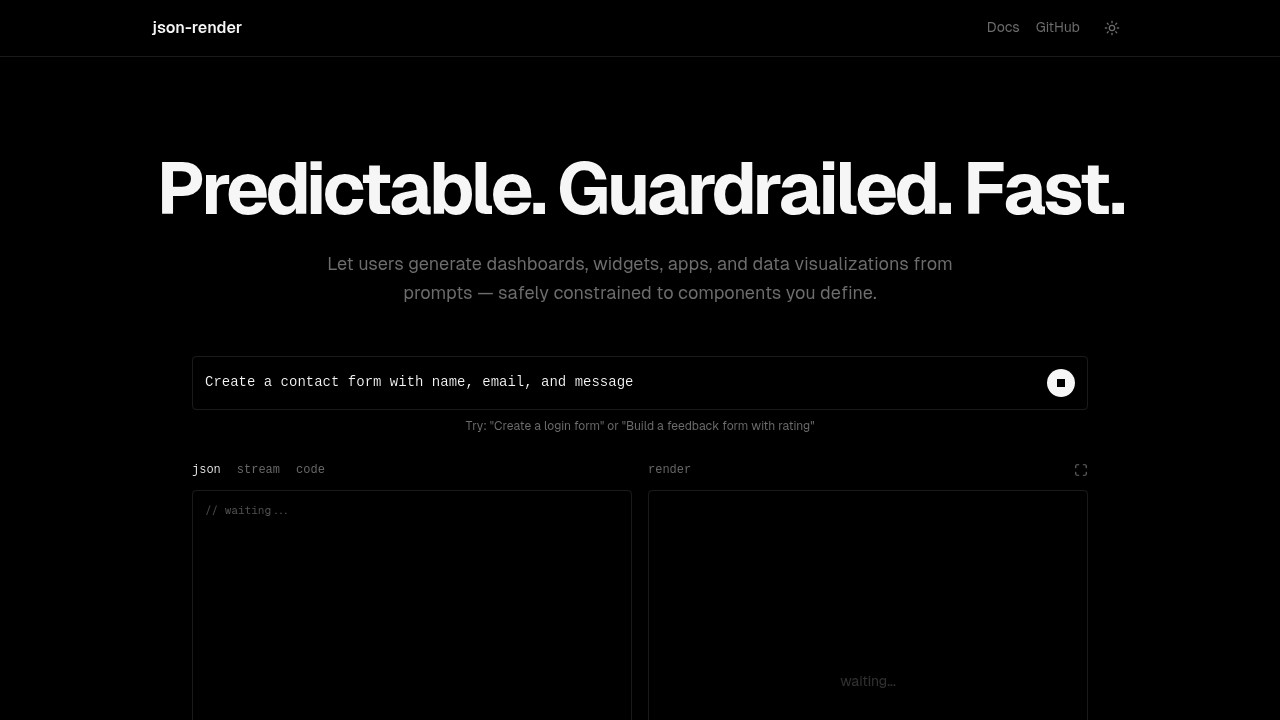
Json-Render screenshot

AI prompts turn into dynamic UIs without the chaos. Json-Render spits out predictable interfaces using 39 predefined components and 6 built-in actions. No surprises. No broken layouts. No rogue elements that crash your app.

Catalog-based constraints make this work. Tell Json-Render which components the AI can actually use. Want forms and charts but not navigation? Set those boundaries upfront. The AI stays within your guardrails while still generating personalized interfaces based on user input.

A fintech startup developer building a dashboard generator would love this. Customer asks for "spending trends with payment buttons" — Json-Render delivers charts plus form components. State binding keeps everything connected through statePath properties. Progressive streaming means the UI builds as JSON arrives.

React developers get the most value here since Json-Render plugs into existing workflows. Zod handles validation. Components include everything from basic layouts to complex charts. Json-Render supports nested JSON structures for sophisticated interfaces.

Don't expect pixel-perfect designs though. Components are placeholder-based, so images show up as styled boxes with alt text. You're trading visual polish for reliability and speed.

Skip Json-Render if you need custom components or hate defining catalogs upfront. Those 39 predefined options might feel limiting if your app needs specialized widgets. But for developers who want AI-generated UIs that won't break production, those constraints become features rather than bugs.


Json-Render alternatives

See all →

Frequently asked

7 questions
What are the 39 predefined components that Json-Render includes?
Json-Render's got basic layouts, forms, charts, and other UI stuff -- but they don't publish the exact list. You'll get everything from simple input fields to complex data viz components. The catalog thing lets you pick which subset the AI can actually use for your project. This way, the AI won't generate components your app can't handle.
How does the catalog system work in Json-Render?
You decide upfront which components the AI can touch from those 39 options. Only want forms and charts? Just exclude navigation and other elements from the catalog. The AI then builds interfaces using only your approved components. Pretty smart constraint system -- prevents broken layouts and keeps the AI within your app's limits.
Can Json-Render generate custom components beyond the 39 predefined ones?
Nope, Json-Render's stuck with its 39 predefined components. You can't add custom widgets or specialized stuff that isn't already there. This is intentional though -- maintains reliability and stops the AI from generating elements that'd break your app. Need highly specialized UI components? You'll have to look elsewhere.
How does state binding work with Json-Render's statePath properties?
Json-Render uses statePath properties to connect different UI pieces and keep data in sync. When one component updates, others referencing the same state path automatically reflect those changes. This happens through the JSON structure -- so your spending chart and payment form can share data without extra coding. Works across nested JSON structures for complex interfaces too.
What does progressive streaming mean in Json-Render?
Progressive streaming means the UI builds bit by bit as the JSON response comes in from the AI. You don't sit around waiting for the complete interface definition. Components show up on screen as soon as their JSON data arrives. Makes the interface feel snappier -- especially for complex dashboards with tons of components.
Why does Json-Render show styled boxes instead of actual images?
Json-Render uses placeholder-based components, so images appear as styled boxes with alt text rather than real pictures. It's a trade-off that prioritizes reliability and speed over visual polish. You get consistent layouts that won't break when image URLs are busted or loading fails. Focus is on functional interfaces, not pixel-perfect designs.
Do I need React experience to use Json-Render effectively?
Yeah, Json-Render's built for React developers and plugs into existing React workflows. It uses Zod for validation and integrates with React state management patterns. You don't need to be a React expert, but basic familiarity with React components and props will make Json-Render way easier to implement and customize.

Traffic

Estimated monthly website visits · last 9 months

11.1K visits/mo
Monthly visits
11.1K
↓ 31.1% MoM
Global rank
#2,043,051
US #2,199,340
Category rank
#51
AI Developer Tools
74.1K 55.6K 37.1K 18.5K 0 Nov 2025: 0 visits Nov 2025 Dec 2025: 0 visits Dec 2025 Jan 2026: 68.8K visits Jan 2026 Feb 2026: 74.1K visits Feb 2026 Mar 2026: 36.8K visits Mar 2026 Apr 2026: 32.4K visits Apr 2026 May 2026: 22.4K visits May 2026 Jun 2026: 16.1K visits Jun 2026 Jul 2026: 11.1K visits Jul 2026

Reviews (0)

Write review

No reviews yet. Be the first to share your experience.