
#3 in AI Clothing Generator ImgKits AI Clothes Changer logo
AI Clothing Generator FREEMIUM from $6/mo

ImgKits AI Clothes Changer

Virtual try-on technology lets you swap outfits in photos without changing clothes physically, and this system brings that capability through a brush-based interface where you paint over garments t...

O replace them. The system analyzes body shapes, fabric textures, and color palettes to generate realistic clothing swaps that accommodate different body types including fit, curvy, and petite frames. The core workflow…

ImgKits AI Clothes Changer screenshot

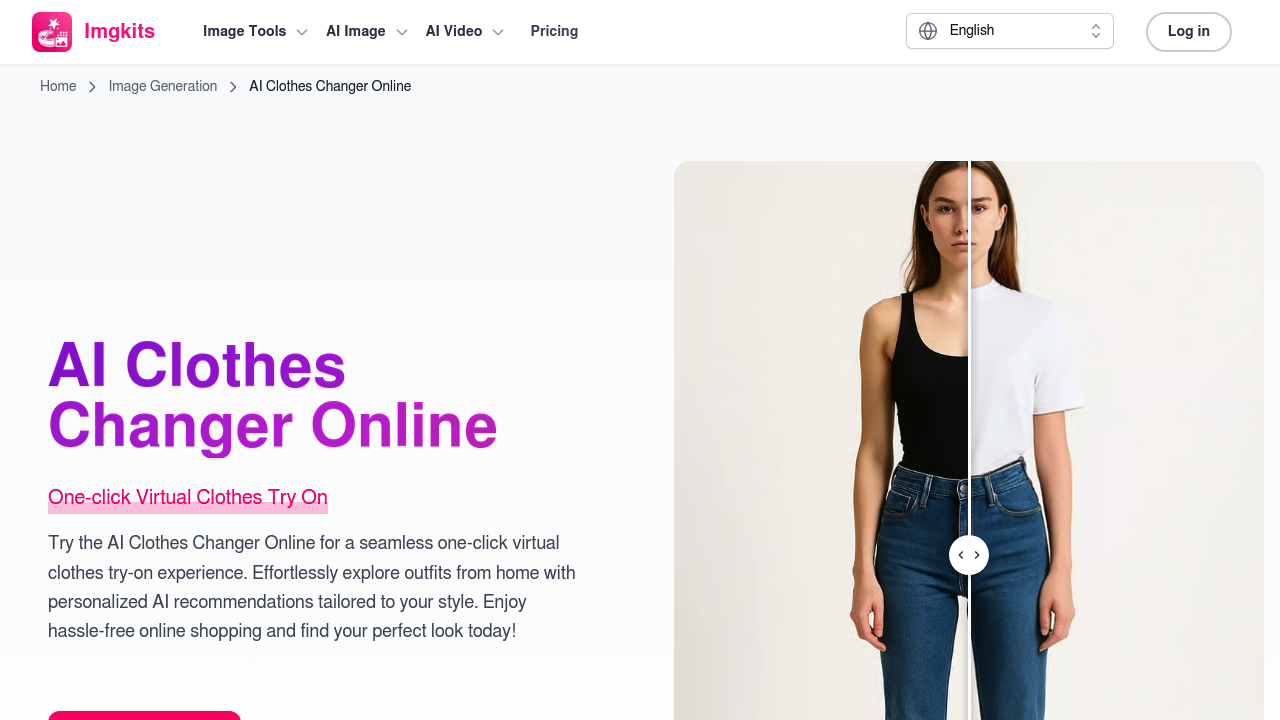
Virtual try-on technology lets you swap outfits in photos without changing clothes physically, and this system brings that capability through a brush-based interface where you paint over garments to replace them. The system analyzes body shapes, fabric textures, and color palettes to generate realistic clothing swaps that accommodate different body types including fit, curvy, and petite frames.

The core workflow centers on uploading a photo and then uploading the clothing design you want to visualize. That's the distinguishing angle here — you're not picking from preset outfit libraries. You bring your own clothing images, brush over the areas you want changed, and the AI generates the swap. This makes the system useful beyond casual outfit experimentation. Marketing managers can visualize product shots with different garments. Professionals can update headshot outfits without scheduling new photo sessions. People needing passport or visa photos can adjust clothing to meet document requirements without retaking the entire photo.

The body type accommodation matters more than it might initially seem. Virtual try-on tools often struggle with realistic draping and fit across different physiques. This system claims compatibility with various body types, which affects how fabric falls and how garments appear at different sizes. The technology examines body contours to place clothing realistically rather than simply overlaying a flat image.

Beyond outfit swaps, the system handles professional headshot updates and official document photo modifications. That passport photo functionality addresses a specific pain point — retaking photos for minor clothing adjustments costs time and money. Changing the outfit digitally sidesteps that friction.

The service has served over 8,000 users according to their metrics. That number provides some validation of adoption but doesn't tell us much about satisfaction or retention.

Pricing splits between pay-as-you-go credits and subscription plans. Pay-as-you-go starts at 50 cents per credit, with bundles at $5 for 10 credits, $19 for 50 credits, $29 for 150 credits, and $59 for 500 credits. These credits carry no expiration, so you can use them whenever. The subscription model offers 100 monthly credits at $12 per month or $6 per month billed annually (that's $72 upfront, representing 50% savings versus monthly billing).

Subscription plans enable faster generation speeds, watermark-free outputs, and priority support. They also grant access to multiple AI models including Sora, Keling, Wan, Seedream, Nano Banana, and Flux, plus all templates, effects, and the full suite of AI image and video tools the service offers. Pay-as-you-go users don't get these perks.

The free trial exists but comes with limited usage and features. Exactly what those limitations are isn't specified in detail.

One significant restriction — subscription credits don't roll over between billing cycles. If you get 100 credits monthly and use 40, you lose the remaining 60 when the next cycle starts. That's standard for many subscription services but worth noting if your usage fluctuates. Pay-as-you-go credits avoid this issue entirely since they never expire.

The privacy and security claim covers uploaded data and images, though technical specifics about encryption or data retention aren't detailed.

Fashion enthusiasts exploring outfit combinations, online shoppers visualizing purchases before buying, and software engineers needing quick headshot updates all fit the target profile. The custom clothing upload feature separates this from tools that lock you into their style libraries, giving you control over exactly what garments appear in your photos.


ImgKits AI Clothes Changer alternatives

See all →

Frequently asked

7 questions
Can you upload your own clothes to try on in ImgKits?
ImgKits lets you upload your own clothing designs rather than restricting you to preset outfit libraries. You upload a photo of yourself, then upload an image of the garment you want to visualize, brush over the area where you want the clothing change, and the AI generates the swap. This custom upload capability makes the tool useful for marketing managers testing product shots, fashion designers previewing their work on different body types, or anyone wanting to see a specific piece of clothing on themselves. The system isn't limited to retail catalogs or template collections — if you have an image of the clothing, you can try it on virtually.
How much does ImgKits AI Clothes Changer cost?
ImgKits offers both pay-as-you-go credits and subscription plans, starting with a limited free trial. Pay-as-you-go pricing runs $5 for 10 credits, $19 for 50 credits, $29 for 150 credits, or $59 for 500 credits, with no expiration on those credits. Subscription plans cost $12 monthly or $6 monthly when billed annually at $72 upfront, giving you 100 credits each month plus faster processing, no watermarks, priority support, and access to multiple AI models. The annual plan saves 50% compared to monthly billing, but subscription credits don't roll over if you don't use them all within the billing cycle.
Do ImgKits credits expire?
Pay-as-you-go credits never expire, so you can purchase a bundle and use those credits whenever you need them without time pressure. Subscription plan credits work differently — you get 100 credits monthly with Pro plans, but unused credits don't roll over to the next billing cycle. If you subscribe and only use 40 credits in a month, you lose the remaining 60 when your next billing period starts. This rollover restriction makes pay-as-you-go better for sporadic users, while subscriptions favor people who consistently use at least 100 credits monthly and want the premium features like watermark-free outputs and faster generation.
Can ImgKits change clothes in passport photos?
The system handles passport and visa photo outfit changes, letting you adjust clothing to meet document requirements without retaking the entire photo. This addresses situations where you realize your shirt color or style doesn't meet official photo guidelines after you've already taken the picture. You upload the passport photo, upload an image of appropriate clothing, brush over the garment area, and the AI swaps the outfit while maintaining the photo's composition and lighting. The same capability works for professional headshots when you need to update your outfit for different contexts without scheduling a new photo session.
Does ImgKits work with different body types?
The system claims compatibility with various body types including fit, curvy, and petite frames, using technology that analyzes body shapes, fabric textures, and color palettes. This body type accommodation affects how realistically clothing drapes and fits across different physiques rather than just overlaying a flat garment image. The AI examines body contours to place clothing in ways that account for how fabric would actually fall on your specific body shape. Virtual try-on tools often struggle with realistic fitting across different sizes, so this body shape analysis matters for getting useful visualizations rather than distorted or unrealistic clothing placements.
What's included in the ImgKits free trial?
ImgKits offers a free trial with limited usage and features, though the specific restrictions on how many credits you get or which features are locked aren't detailed. The free tier lets you test the basic virtual try-on functionality before committing to paid plans. Premium features like unlimited edits, priority processing, faster generation speeds, and watermark-free outputs require either pay-as-you-go credits or a subscription. The free trial gives you enough access to understand the workflow and quality but won't support heavy use or professional applications that need clean outputs without watermarks.
What AI models does ImgKits use for clothes changing?
Subscription plans grant access to multiple AI models including Sora, Keling, Wan, Seedream, Nano Banana, and Flux, along with all templates, effects, and the full suite of AI image and video tools. Pay-as-you-go users don't get this model variety — they're limited to whatever the base system uses. The multiple model access matters because different AI models handle fabric textures, body shapes, and lighting conditions with varying strengths, so having options lets you pick whichever model produces the best result for your specific photo and clothing type. Subscribers also get faster generation speeds and priority support on top of the expanded model library.

Traffic

Estimated monthly website visits · last 9 months

163.7K visits/mo
Monthly visits
163.7K
↓ 22.6% MoM
Global rank
#215,568
US #255,130
Category rank
#3
AI Clothing Generator
371.4K 319.4K 267.5K 215.6K 163.7K Dec 2025: 371.4K visits Dec 2025 Jan 2026: 282.1K visits Jan 2026 Feb 2026: 252.6K visits Feb 2026 Mar 2026: 270.4K visits Mar 2026 Apr 2026: 279.9K visits Apr 2026 May 2026: 326.3K visits May 2026 Jun 2026: 282.2K visits Jun 2026 Jul 2026: 211.6K visits Jul 2026 Aug 2026: 163.7K visits Aug 2026

Reviews (0)

Write review

No reviews yet. Be the first to share your experience.