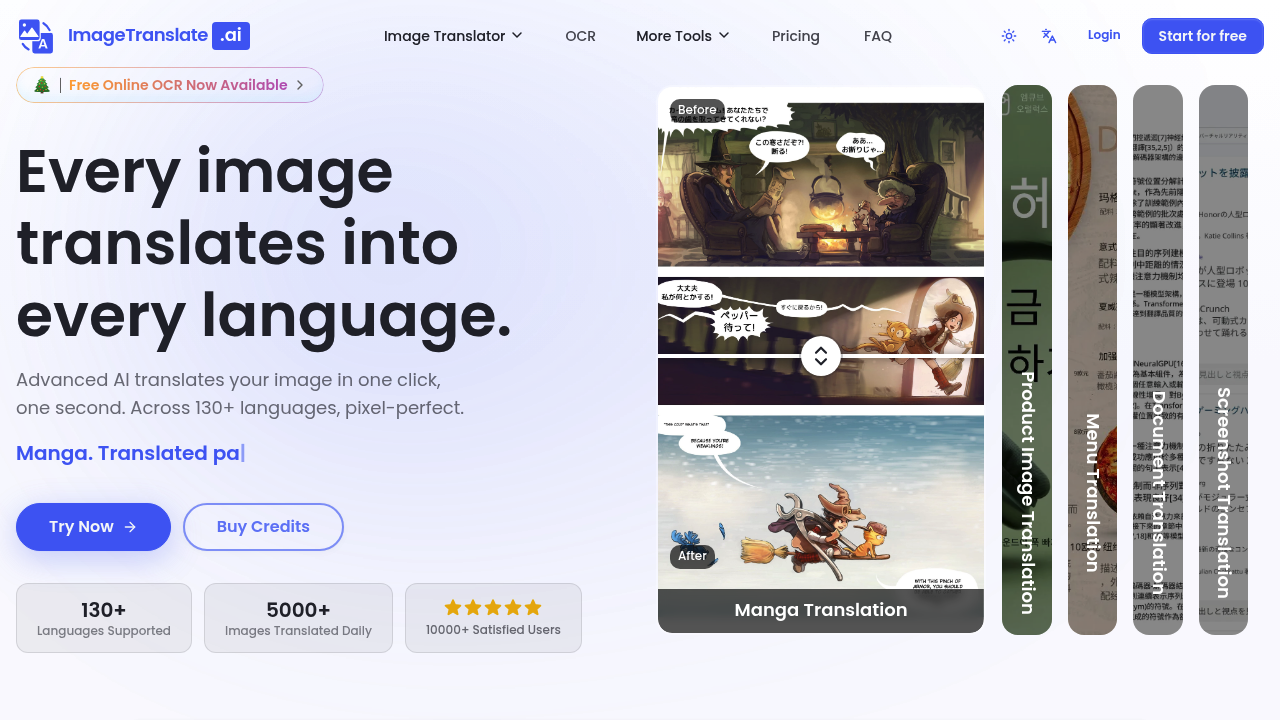
Translating text inside images sounds simple until you try it. Most tools extract the words but destroy the layout or ignore the design. ImageTranslate.AI tackles this differently. It translates text within images across 130+ languages while keeping the original placement and style intact. That means translated photos, graphics, and comics look like they were designed that way from the start.
This service handles 5000+ images daily for over 10000 users. You drag and drop JPG, JPEG, PNG, or WebP files and pick your target language. One click starts the translation. The OCR reads the text, the AI translates it, and the output maintains fonts, colors, and positioning. It's built specifically for visual content where context matters.
Manga translation is a standout feature. You can process pages one by one with context-aware translation that understands the flow between panels. This software preserves art style and delivers what they call pixel-perfect results. Light Novel mode and E-Commerce mode handle specialized terminology better than generic translators. Fashion brands and marketing teams use this for product images that need multilingual versions without hiring designers to rebuild layouts.
The batch translator processes multiple images at once. Text remover strips words from images entirely if you need clean backgrounds. Image to text converter pulls text out for separate use. Custom prompt support lets you guide translation style. Multiple AI model options give you different quality levels depending on your credit budget.
Does it handle complex layouts well? The facts show it's designed for that. The context-aware translation adapts to technical jargon and e-commerce terms instead of delivering literal word-for-word conversions that miss meaning. But how accurate is it with obscure languages or handwritten text? That's not specified. File format support is limited to four types, which might exclude some specialized image formats.
The free plan gives you 20 Basic Credits daily. Each translation costs 10 credits, so that's two images per day. OCR, image to text, and text removal each cost 10 credits too. You get access to five different AI models on the free tier. Text-only translation is free under 5000 characters. Personal use only though.
Paid plans start at $8.30 monthly when billed annually. That Starter plan includes 5000 Advanced Credits monthly plus your daily 20 Basic Credits. Professional costs $16.60 monthly (annual billing) with 12000 Advanced Credits and priority support. Enterprise runs $83.30 monthly for large teams. Regular monthly prices are higher if you don't commit to the year.
Commercial use requires a paid plan. The free tier won't cut it for business applications. Credit costs add up fast if you're processing dozens of images weekly. Professional plan users get advanced AI models, but what makes them advanced isn't explained. No API access mentioned, so automation might not be possible.
This works best for content creators translating visual materials regularly. Manga readers, e-commerce sellers with multilingual markets, and marketing teams producing localized graphics. Small translation jobs fit the free plan. Businesses with steady volume need Professional or higher.
The layout preservation is the real draw here while generic translation tools ignore design. This one keeps it intact.